July 27, 2010
MacBook can't connect to hotel internet
I have an old Mac notebook that I use for surfing the internet or to store and upload photos while on trips. While travelling around this summer I found that it would no longer connect to any hotel's wifi network. The first night I assumed it was something about the hotel's network, but when it happened in a different hotel the second night, I realized something had changed in the Macbook's settings.
My iPhone had no problem connecting, which really made it clear there was something wrong on the Macbook end of things. When I checked the Network Diagnostics, it showed that airport had connected to the hotel wifi networks, but Safari would never redirect to the hotel's network login page. The Network status screen showed Airport and Network settings as "green" but everything else red or yellow, including ISP, Internet and Server.
After many searches and settings adjustments I realized it was something really simple: at some point the laptop's firewall had put up a request to approve or deny some connection, and I must have accidentally denied it. Shutting off the firewall temporarily fixed the problem instantly:
System Preferences > Security > Allow all incoming connections
July 14, 2010
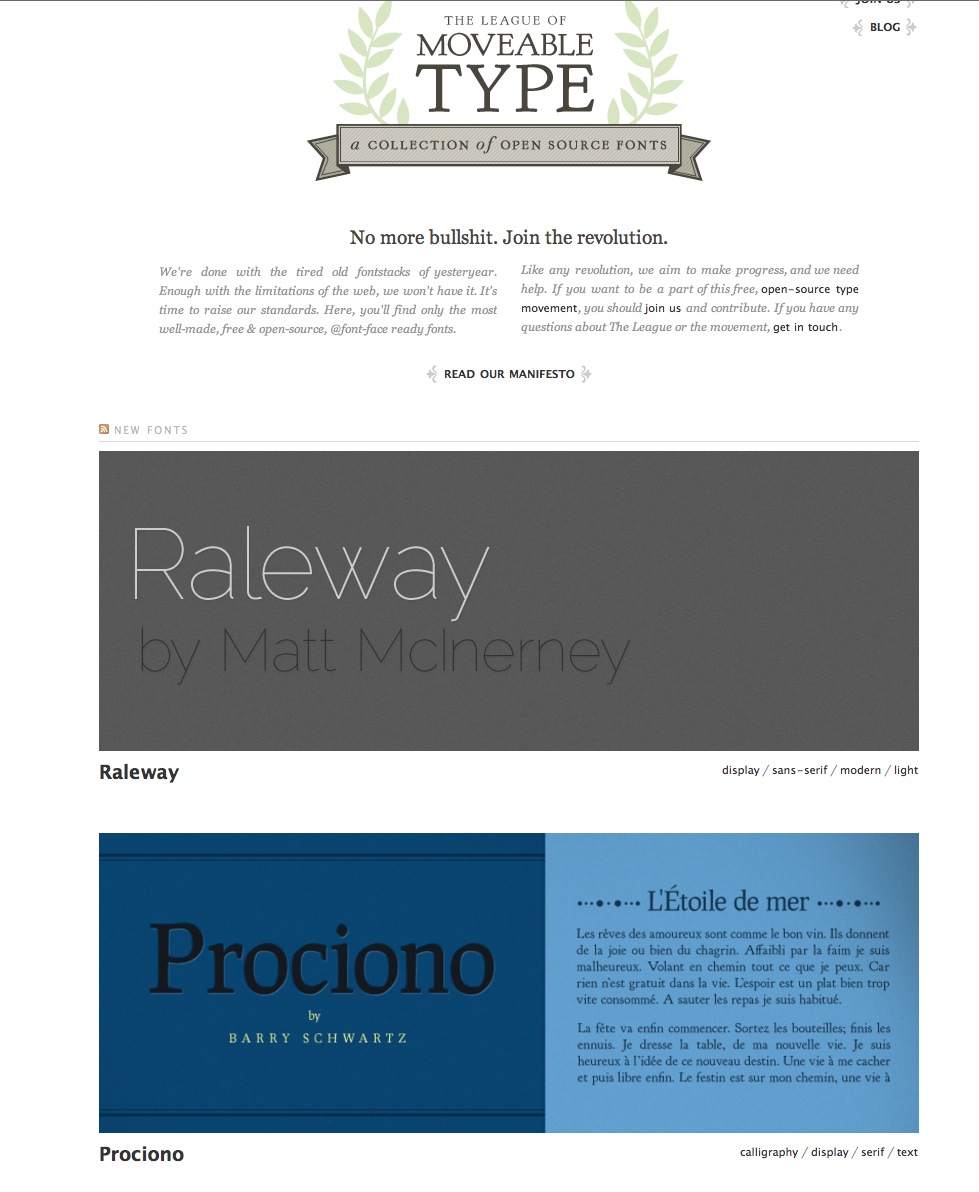
Some great free and not-so-free font sites.
It's easy to find free fonts all over the web, but many free font sites are packed with eccentric font faces only useable in ransom notes or '80's grunge band logos. It's very hard to sift through them for usable fonts with the spacing, design and legibility we used to expect from traditional font foundries. While completing a recent design project, I found several sites that deliver only high-quality font sites. Some specialize in free fonts, others are mostly for-purchase, with a few free samples that are nonetheless worth mentioning.
The advent of @font-face means we can soon start expecting the same quality typography in web that is available in print. While cloud-based solutions (fonts.com, typekit, etc.) for commercial font licensing issues are starting to show up, there are also some opensourced web fonts out there that you can download and start using today for free on your sites.
MyFonts.com
My first choice for great fonts is not a free font site, but it does offer selected font cuts for free. MyFonts is a very high quality font shop run by Bitstream, that makes selected cuts from various font-families available at no charge.
This page lists all their free fonts.

Of course MyFonts.com is hoping that the free samples get you interested in purchasing the rest of the font family, and since their prices are quite reasonable, you may find yourself doing just that.
Where MyFonts really shines is in the many ways you can search for fonts, and the work they have put into carefully categorizing and tagging all their fonts. They also offers an amazing online utility called "WhatTheFont" that will examine your uploaded typographic image and find the closest matches to it in their database. You can even submit type samples directly from your iPhone using their native app.

FontSquirrel.com
Font Squirrel features a hand-picked collection of beautifully designed typefaces that are licensed for commercial use.
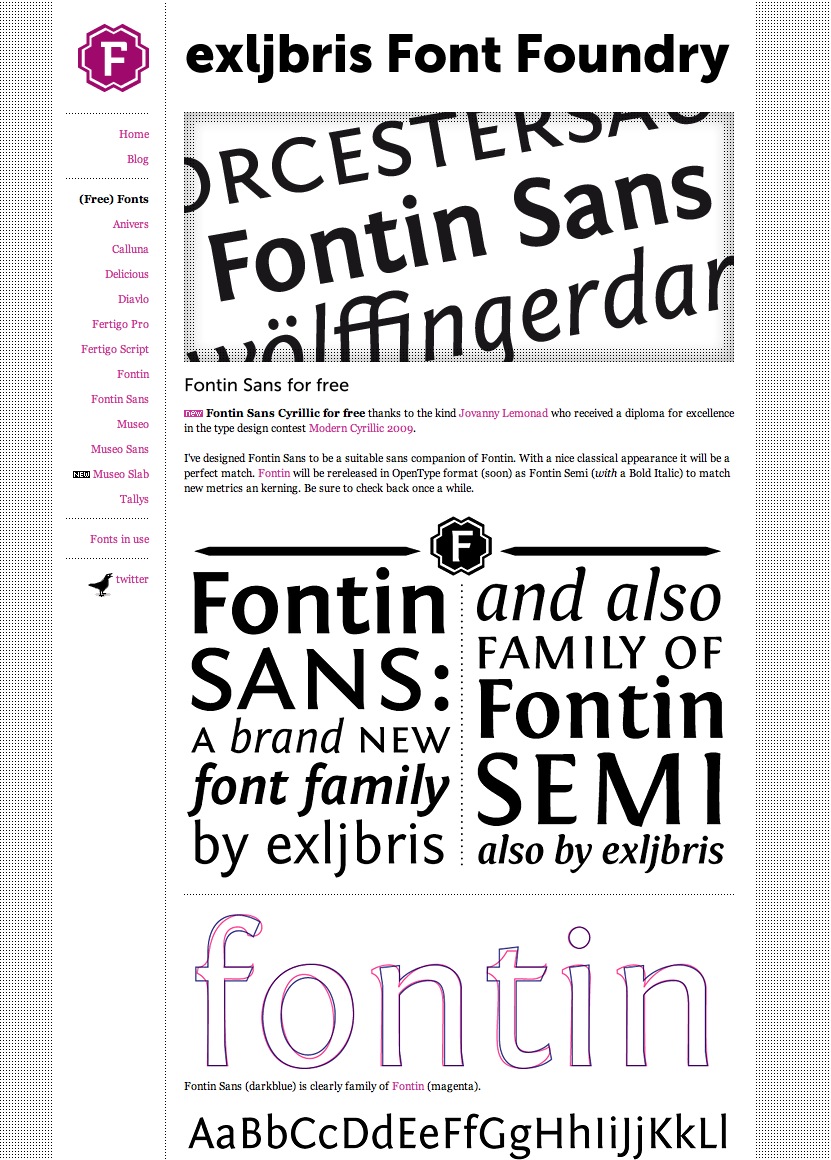
exljbris Font Foundry
I've mentioned this site before in another post, but they made it to this list also because of the consitently high quality of their offerings.
A curated selection of individual free fonts
A great collection of individual free fonts, curated by Smashing Magazine: 40-excellent-freefonts-for-professional-design

40 excellent free fonts for professional design
- Smashing Magazine: Beautiful High-Quality Free Fonts For Your Designs
- 25 Best Free Quality Fonts
- Extraordinary Free Fonts Collection
July 9, 2010
Add phpMyAdmin to your Web Platform Installer IIS setup
One key item that seems to be inexplicably missing from Microsoft's Web Platform Installer is some kind of front end like phpMyAdmin for administering mySQL databases. It installs one for SQL Server Express, but not for mySQL. Fortunately, it's only a 5 minute job to install phpMyAdmin yourself.
After running the Microsoft Web Platform Installer and installing whatever PHP/mySQL applications you want to run, download and decompress a copy of the latest version of phpMyAdmin from this page. Drop the folder containing the phpMyAdmin files into the inetpub\wwwroot directory on your IIS server. Shorten the name of the folder to "phpmyadmin" or something appropriate when typing a URL.
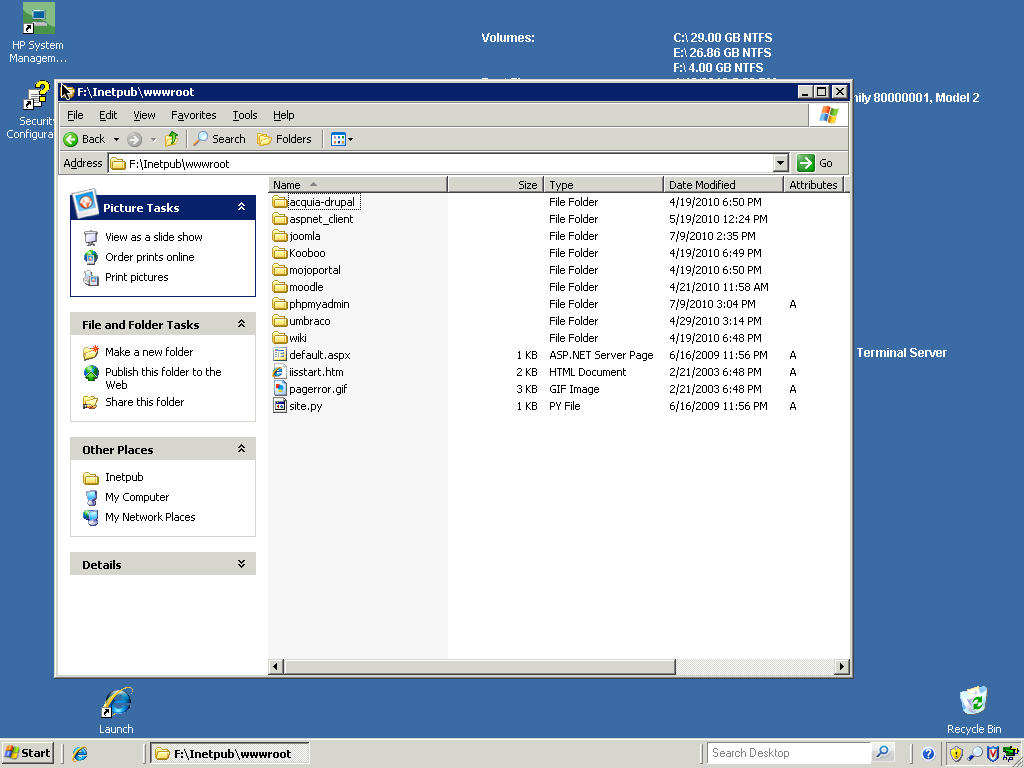
Rename the file config.sample.inc.php to config.inc.php.
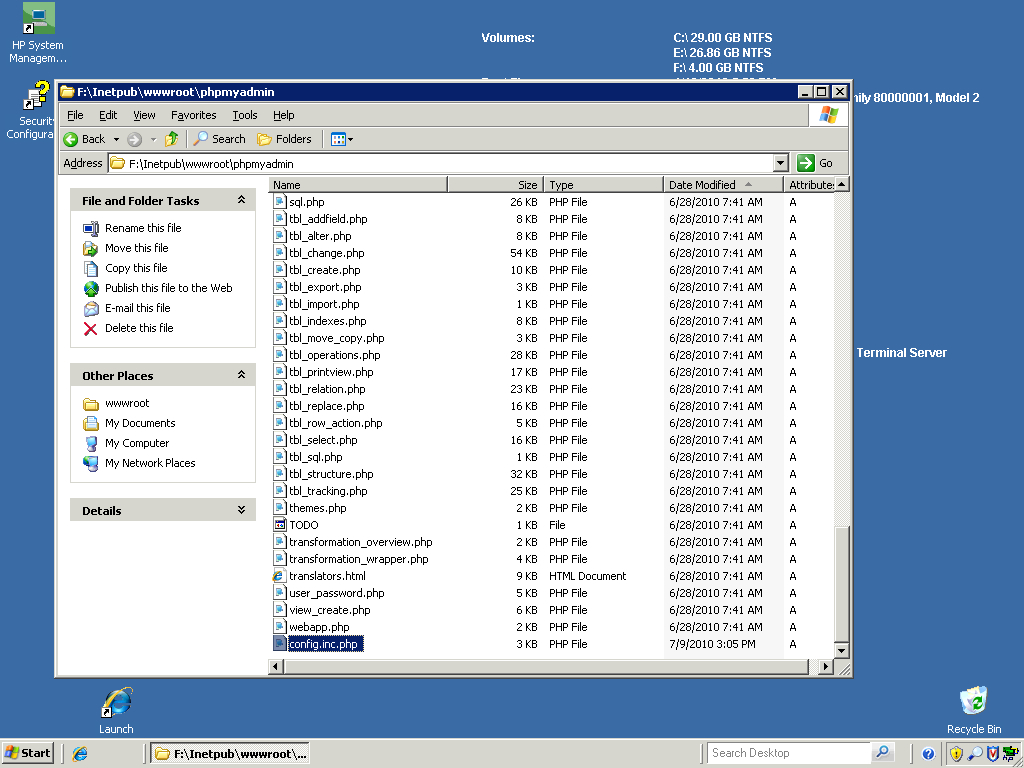
Open the file in a text editor and find line 18. Type any word that occurs to you inside the single quotes. Anything at all will do.
$cfg['blowfish_secret'] = 'yourwordgoeshere '; /* YOU MUST FILL IN THIS FOR COOKIE AUTH! */Log in to phpMyAdmin at
http://localhost/phpmyadmin/

or at

http://myservername.com/phpmyadmin
Log in with the username and password you selected when you used the Web Platform Installer to install mySQL. No further configuration is necessary. That's really all there is to it!
Microsoft Web Platform installer: Drupal on IIS, the easy way.
If you work with Windows servers, then you have probably gotten used to doing without the many opensource web applications taken for granted outside the enterprise environment. Drupal, WordPress, phpBB, Moodle, etc. were all out of reach. Yes, it was possible to install PHP and mySQL, but it took a level of commitment and dogged troubleshooting persistence that few people are willing to undertake.
Well, now you can have your enterprise cake and your opensource software too! Microsoft's Web Platform Installer, introduced a couple of years ago, makes the process of installing all those LAMP-style web apps easy. When I say easy, I really mean easy! It just works!
Besides installing the fundamentals, like IIS 6 or 7, SQL Server Express, .NET Framework, etc. the Web Platform Installer will setup PHP, mySQL, and web applications like Joomla, Moodle, Aquia Drupal, Wordpress, Gallery and many more. There is so much here that you'll probably find yourself experimenting with things you've never heard of, just to see what they do.
Of course it will also install .NET applications as well. Indeed, the reason I first tried the WPI is that it makes installing and managing SQL Server Express relatively easy, and I needed that for a new elearning application I wanted to test.
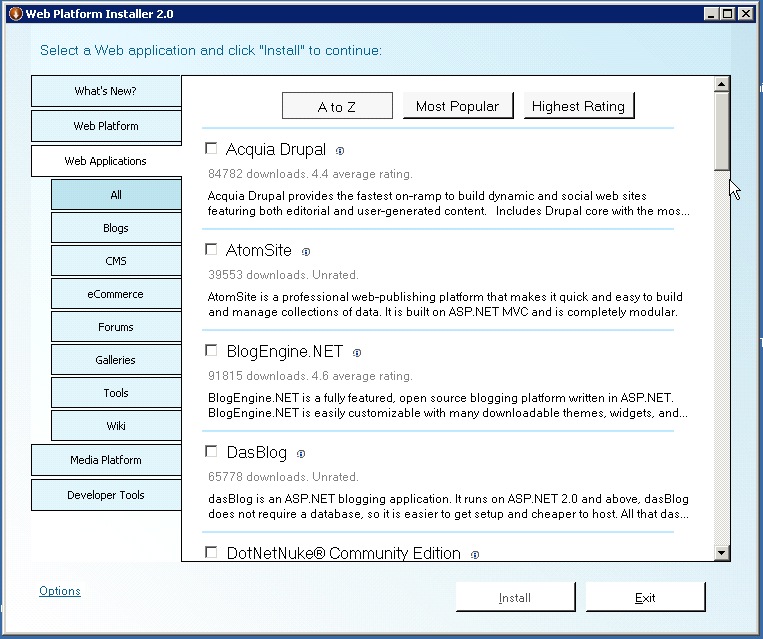
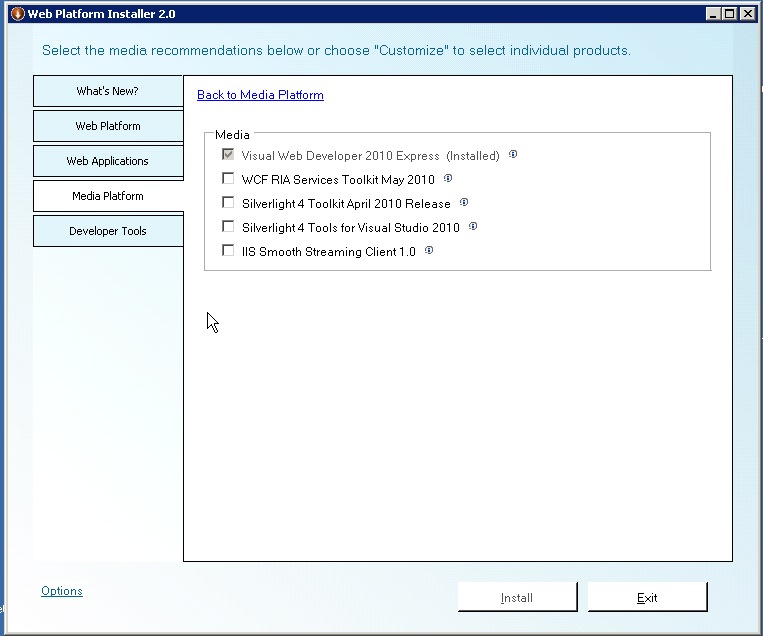
Here are some screenshots from the installer - you can see that it's packed with options. As Microsoft adds new items, they will appear when you next launch the installer. You don't have to re-download the installer to get the latest stuff.
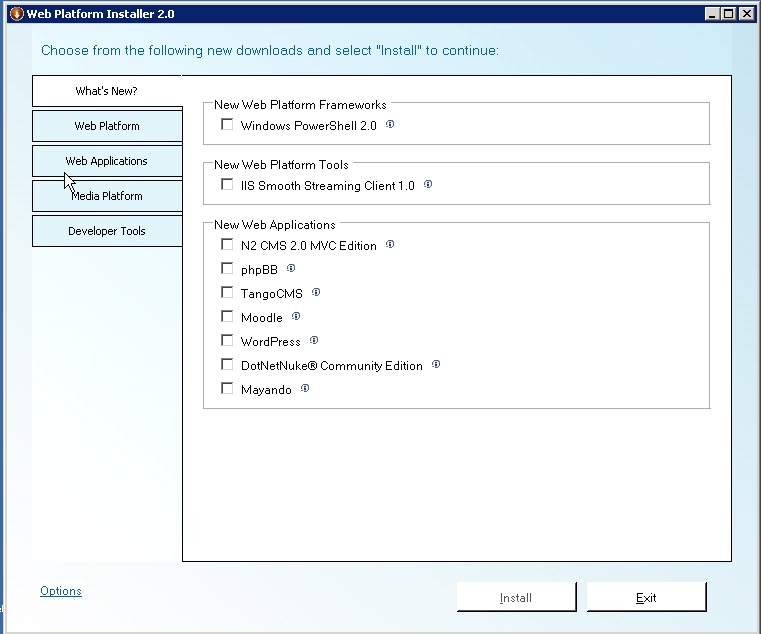
It will install IIS in the appropriate version, various frameworks, databases, and developer tools.

Then you get to the good stuff: Drupal, Wordpress, shopping carts, content management systems, galleries, wikis, etc. An up-to-date list is available here: [Windows Web App Gallery]
The installer also makes it possible to set up encoding and streaming services, albeit with a heavy emphasis on Silverlight, but it really makes it easy to get started with serving media.
For more information and to download the Web Platform Installer, visit Microsoft/web
July 5, 2010
Use inexpensive Korg Controllers to control Logic Pro interfaces
Logic Pro is a popular digital audio workstation/ Midi sequencer for the Mac. It contains many virtual models of mixers, effects, synths, drum machines and sequencers. Since the typical audio gear requires simultaneous fine-grained control of multiple parameters, the typical adjustment method is with a knob or slider control.
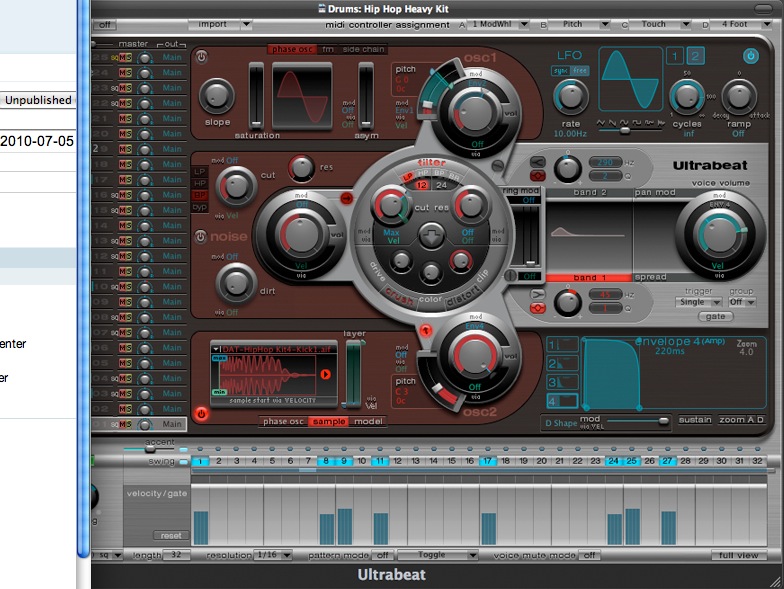
A standard mouse is not the best way to control such a UI. Many companies sell USB-Midi control surfaces with knobs and faders that allow real-time control of the sound using Logic's virtual mixers and effects. However these can be very expensive. For those who are on a budget it can be a high price to pay to get started.
For several years, Korg has been offering the "Nano Kontrol" line, which retail for around $50-$60 and about half that on Ebay. You can even combine several of them for a less-expensive multi-channel mixing setup.
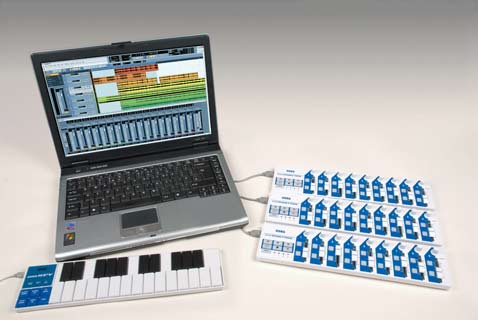
The problem has been how to map these units effectively to Logic Pro. Until recently this had to be done using a Logic "template" and the Logic Environment interface, which was a complicated and problematic procedure.
Now Korg has provided a Plugin that does the setup for you for both Logic Pro and Apple's GarageBand.
Download the plugin from this page and install it. If you ever installed the template, follow the instructions that come with the plugin for removing that first.
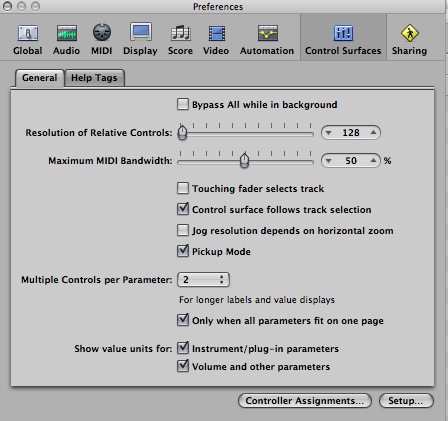
Once installed, the nanoKontroller may not run correctly, and you may have to rescan the device models to get it to correctly recognize the setup. To rescan, select Logic Pro > Preferences > Control Surfaces. Then click the Setup button at lower right.
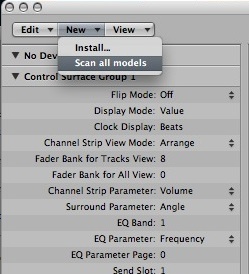
Select Scan all models from the New menu.
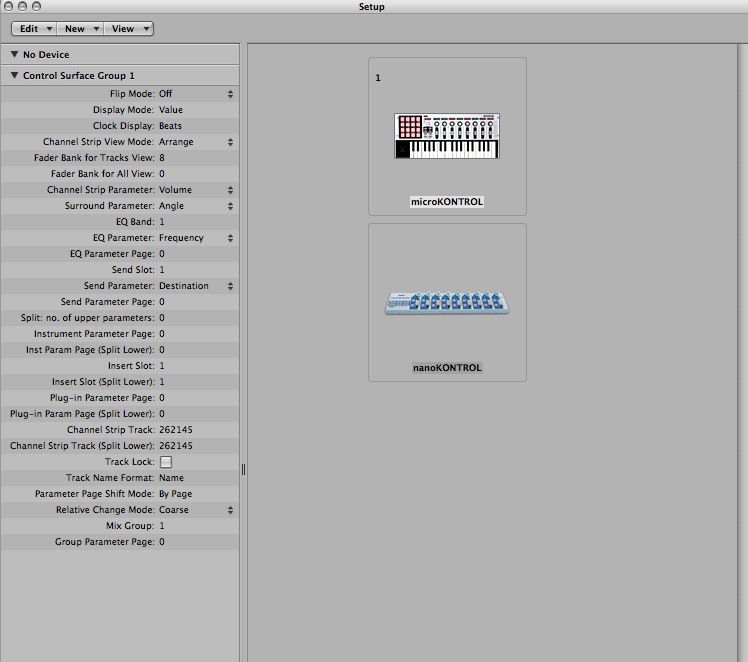
It should scan your setup and then display the controls you have installed, at which point they should function correctly. Further instructions are included with the plugin.
July 4, 2010
A visit to Frederik Meijer Gardens
Yesterday we drove out to Grand Rapids to see the sculpture garden at Frederik Meijer Gardens. I was blown away by the quality of the art and the beauty of the gardens. What made the visit even more exciting was the collection of Chihuly glass sculpture installations all over the grounds.

Beside the fantastic outdoor art and flower collection there's an immense indoor botanical conservatory, with desert, carnivorous, tropical and Victorian garden sections. The enormous Tropical conservatory also features unusual tropical birds, along with many Chihuly pieces large and small which can be discovered among the palm leaves.
The fun started right in the parking lot with Tony Cragg's "Bent of Mind." Recalling the optical illusions of faces and vases, in three dimensions, faces appear and disappear as you walk around the sculpture.


Nearly everywhere you look there is some unusual planting or beautiful touch of color in the gardens.


The main conservatory building is really large as these things go. The stepped glass enclosure shown here is just the tropical section. The other conservatory environments are behind it.

Probably the only thing I've seen that rivals the size (but not the interesting layout) is the hotel/conservatory at Opryland in Nashville, shown below:
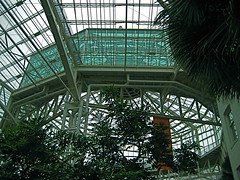
On the way in to the front door, you'll see the first Chihuly, a riot of red and yellow glass tendrils, growing out of the ground.

Right out the back door is another one: a tower of rose crystal chunks, about 20 feet high. I think Chihuly favors the towers for outdoor exhibits because they handle wind and weather better than some of the other structures he uses, such as the chandeliers.

A detail of the Rose Crystal tower:

I'm not sure who this piece is by, but these acrobat angels peeking over a hill attracted my lens:


I was happy to find this sculpture in the collection - previously, I've only seen pictures of the work of Deborah Butterfield, who creates horse forms from driftwood pieces. This one is a bronze cast of one of her works.

Chihuly has a way of enhancing natural beauty with seemingly natural creations of his own. This pond setting incorporates three pieces, "Blue Moon, Walla Wallas (the floating "onions" scattered around the pond) and "Yellow Boat".
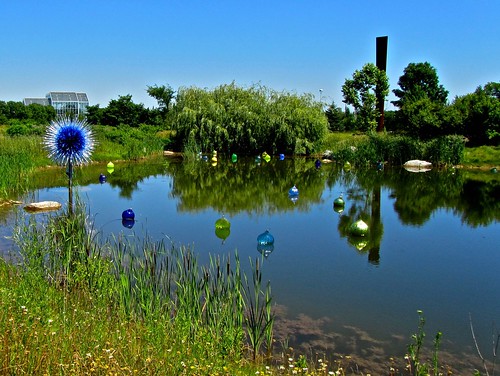
Next up, one of my favorite artists, Kenneth Snelson's Tensegrity structure: B-tree II. Tensegrity is like a three dimensional form of weaving where rigid struts are supported without touching each other by tension wires. (See Snelson's site for more details)

This monumental horse pays homage to Leonardo Da Vinci's lost equine statue. At 24 feet hight, it completely dwarfs any humans that happen to be near it, but there are smaller versions in the plaza to view up close.

Apparently a team attempted to recreate the lost statue unsuccessfully, then hired Akamu, who had training in Renaissance art and sculpture techniques. See this page for more information on the making of this piece.
Another standout among the outdoor collection is this piece by Alexander Liberman, called Aria. It's hard to get a bad picture of this one!



Inside the vast conservatory, the centerpiece is a huge cluster of Chihuly polyvitro spheres hanging amidst exotic tropical splendor.




The polyvitro chandelier seen through the palm leaves.
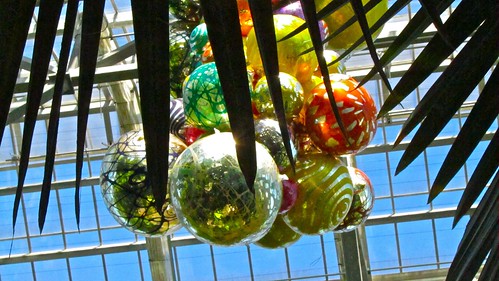
Throughout the tropical gardens, there are constant colorful surprises, both "vitro"...

and "vivo"...


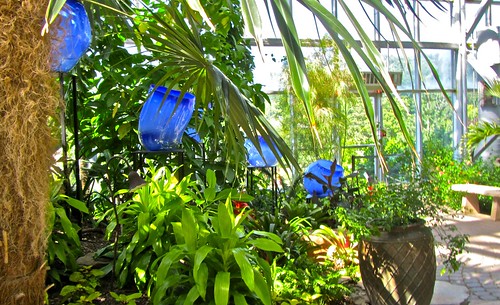


A small room contains the impressive and rather anxiety provoking carniverous plant collection. A few of these trumpet and pitcher plants looked big enough to take on small mammals.

The Arid conservatory is a museum of fantastic cacti and succulents, along with this cute little javalina bronze by Irvin Burkee, a Colorado artist who died a few years ago.


A word of advice if you visit during the summer: bring water with you while touring the outside gardens, and wear a hat! It's very easy to get too much sun and find yourself far from anywhere you can get a drink. I managed to completely overheat (it's hard to leave anything unphotographed!) and was benched in the café with a cold root beer until my temperature dropped. However, this gave me a chance to shoot pictures of the incredible Chihuly ceiling in the Café!