July 24, 2005
Google vs. AskJeeves
A 1-round search battleI recently read that AskJeeves (now "ask.com") would be making some changes to try to reclaim some market share from Google. I hadn't used that site in a while, so I decided to test it against Google. I came up with one of those questions that rattle around in my head:
How do they train oil tanker captains?
Ask.com Results (click to enlarge)
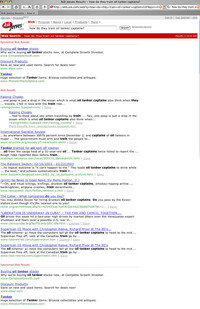
AskJeeves first gave me a series of text ads long enough to push the results halfway down the screen. The ads actually look like they are search results, and if you aren't careful, you might mistake them for real results. They are titled "sponsored web results" which implies that they might be relevant to the search anyway, but none of these ads come close to answering my question.
The actual search results focus on oil spills, old superman movies, and drunken oil tanker captains. Not a single helpful result on the entire first page.
Google Results (click to enlarge)
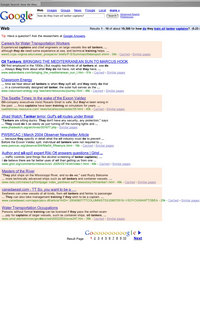
Google, on the other hand, gave me 4 or 5 answers on the first page that looked promising: a couple on water transportation careers, and one that mentions that oil tanker captains use simulators to train. ask.com isn't getting my little market-share any time soon.
July 11, 2005
iTunes won't recognize music folder on another machine
I recently got a new Mac, and wanted to use the iTunes music folder I had been using with the old one. The iTunes Music folder is on a firewire drive, so I plugged that in, and selected it as the new library folder in itunes preferences. Nothing happened.
I thought at first it was a permissions issue, but it turned out, it was a matter of importing the old library listing.
The solution:
You need to have access to your old home drive on the old computer.
- Open iTunes on the new computer select File: Import.
- Then select the file: Users/username/Music/iTunes/iTunes Music Library.xml
- Then the entire library will import.
See Apple TechNote on this topic
July 8, 2005
Wacom tablet jittery after moving to new machine
I recently moved my Wacom tablet to my new G5. I installed the very latest driver, which is compatible with Tiger. When I tried to move the pen around the tablet, it was so jumpy and jittery as to be almost unusable.
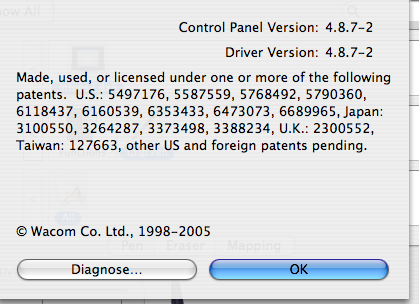
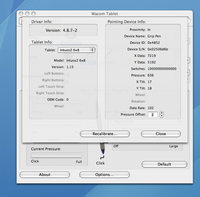
It turns out the fix was to open the preference pane for the Wacom, click the "About" button, and then hold down the Option key while clicking the "Diagnose" button. This brings up the diagnostic panel, but with an additional button - "Recalibrate". Click the Recalibrate button, and it will probably fix the tablet!
July 1, 2005
Increasing System font size in Tiger
I got a new 30" Cinema display, and the high resolution setting is wonderful for working, but the system fonts are too small in some cases for my tired eyes.
Here's how to increase their size, but this technique can cause problems with dashboard widgets and other things.
Install the developer tools.
Start up "Quartz Debug" in the folder Developer Tools/Performance Tools/
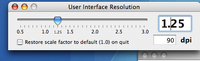
Select Show Interface Resolution from the Tools menu.
Then increase the resolution slightly - this will increase menu and window title sizes. However it may cause problems with Widgets, since they do not stretch to accomodate large text, and parts get cropped off.
Update 7-27-09: Safari 4 has a new feature that is very helpful. When you click the "Zoom" button or use the keystrokes "Command +" now both the fonts AND the graphics increase in size. This is great for tiny thumbnails and icons.