January 30, 2013
My favorite apps for taking notes and sense-making from PDF and Kindle
Most of what I read for work these days is in PDF or Kindle format, and there's an awful lot of it. Trying to make sense out of the ever-faster firehose of information, most of it on subjects that are new to me, has forced me to rethink my research methods, or lack of them. I've never been able to take great notes by hand - I'm a much faster typist than hand-writer, and depend on being able to search within my notes, so I've mainly concentrated on electronic workflows.
Outlining, notetaking, annotation, highlighting:
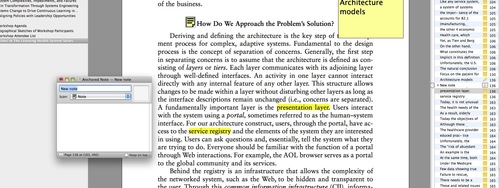
Skim: PDF annotation, notetaking, highlighting
Skim allows you to annotate, highlight, and bookmark PDFs, then export your notes and highlights to text for further editing or present the annotated PDF with Powerpoint-like transitions.
I use the exported Skim Notes file as a basis for writing my own summaries of long documents for reference and distribution. Skim-annotated PDFs can be flattened with embedded notes for reading by any PDF viewer, or retained in PDF-bundle format which allows further editing and annotation in Skim.
PDF Outliner Table of Contents and Outline creation for PDFs
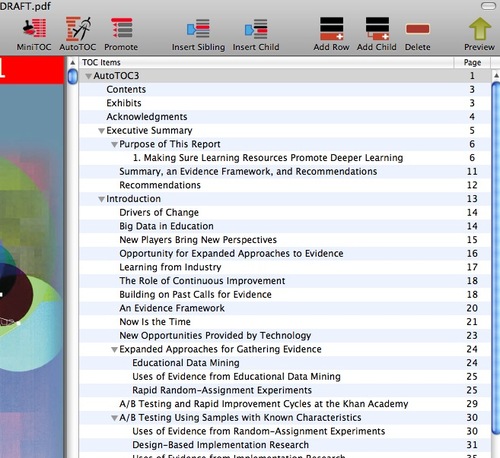
Many PDFs don't take advantage of all the Table of contents, bookmarking or other internal navigation features available within Acrobat. For long articles, the lack of internal navigation can make it much more difficult to read and process. And sometimes it is helpful to create your own custom outline from a document.
PDF Outliner makes it easy to create a Table of Contents or custom outline using a variety of automatic and manual methods, that permit annotation, custom linking within the document and custom formatting of the outline or TOC.
Checkvist: outlining, notetaking
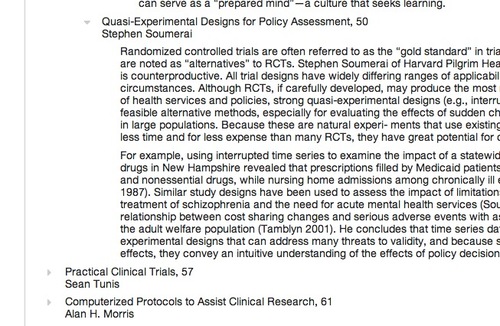
Checkvist is a web based outliner, checklist maker, hierarchical thinking assister, brain dump receptacle - with a very easy learning curve. I use it for outlining, starting to think about a project, capturing ideas. I don't use it for task management but it looks like it would be great for that too. Allows export to text and OPML, and there's an API for further integration.
SimpleMind for mindmapping
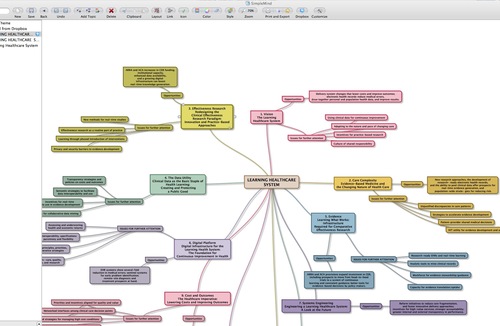
Everyone has their favorite app for mindmapping. People have recommended The Brain to me for its flexibility and for organizing any type of information, but most of the time I just want a clean simple app to map out one project or concept at a time. SimpleMind is my mindmapping choice of the moment. SimpleMind syncs between desktop, iOS and Android devices and Dropbox, takes no effort to learn and exports to a variety of formats.
Papers research, PDF management, annotation, sharing
Incredible search and organization features for academic papers make this a standout. I find myself using it a bit less since switching mainly to Google Drive for managing PDFs, but I suspect it would integrate with GD. Automatically maps all the bibilographic information available on the web or JStor to your PDFs. Kind of addictive to use for research - you just have to try it.
January 29, 2013
Video ethnography for quality improvement
Watching patient/provider interactions in realtime can make it easier to see the process from the patient perspective and spot opportunities for improvement. In healthcare interactions, as in just about any people-oriented service, issues that are obvious when seen in context can get lost when an interaction is described by bare data. In an era where structured data is so important, it can be very useful to step back and look for a richer picture of the service you are providing, without a preconception of what is going to be significant.
I was interested to read about Kaiser Permanente's use of video ethnography to observe patients as they receive care in order to gain insight into unmet patient needs and overlooked issues. From an article on collaborations between insurers and providers to use data owned by the insurer to improve population health:
California-based Kaiser Permanente is using video ethnography to identify and address gaps in communication and care. The approach builds on the fields of anthropology and social science, but adds modern technological components such as video and data analytics to tackle vexing problems such as high readmission rates for senior citizens with heart failure. By studying videotaped interactions between patients and caregivers, Kaiser soon had a clearer picture of why some heart patients were returning to the hospital so quickly. In many instances, confusing medication instructions or a lack of access to nutritious food were the culprits-- painfully obvious on the videos. After revamping their processes, 30-day readmission rates at one medical center fell from 13.6 percent to 9 percent in six months. --Source: Advancing healthcare informatics: insurers lead the way
The resulting video clips from this type of project can help identify gaps and opportunities, explain discrepancies between what people say and do, and highlight unexpressed patient needs - needs that they may not even recognize themselves.
One problem noted in Kaiser's Toolkit is that "the compelling nature of video ethnography can create a risk that your organization may want to chase after anecdotes and act immediately in response to individual patient stories." It can also be very difficult for stakeholders to set aside personal views and listen to some of the more problematic situations described by interviewees.
January 26, 2013
Firefox not displaying XML file as a tree
I usually troubleshoot XML files by simply dragging them into a Firefox browser window. Unlike other text files, Firefox displays XML in a handy tree format, as show below.
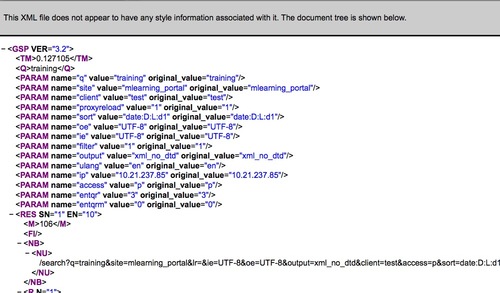
Any syntax errors or typos in the XML result in a clear indication of where the problem is.
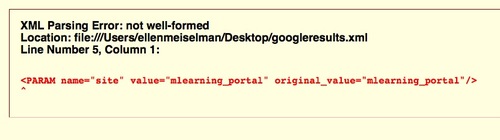
So I was surprised when an XML file refused to display as XML in Firefox. Instead, it showed up as the unhelpful run-together text below:
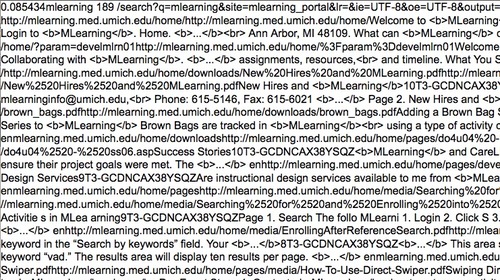
It turned out that certain versions of Firebug will interfere with XML rendering. The bug was supposedly fixed, but appears to be still active in some cases.
Disabling Firebug will bring back the XML tree display.
The future Healthcare Learning Landscape - a 10,000 foot view
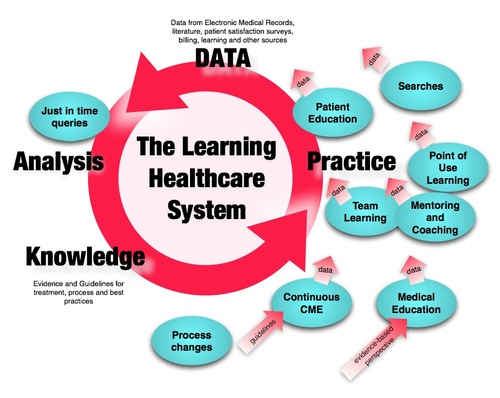
The field of Healthcare today is filled with opportunities for improvement. Inconsistent treatment, preventable illness, and medical errors that result in injury are all too common, along with enormous inefficiency and waste.
The Institute of Medicine, the medical arm of the National Academy of Sciences, is leading an initiative that descibes a better organizing principle for healthcare - a "Learning Healthcare System." A learning healthcare system is simply one that continuously "Learns," meaning that healthcare data from many sources, including electronic medical records is turned into guidelines and knowledge and that knowledge is swiftly translated into practice so that all clinical decisions and processes are based on the best available and most current evidence. New knowledge is in turn generated in the course of practice, and the cycle continues, fostering continuous improvement at all levels: national, organizational, unit, team and individual.
To achieve this vision, there must be changes to the way evidence is generated, changes to medical and nursing education, huge changes in incentive structure and culture, changes in process, changes in staff training and performance support, basically enormous changes everywhere.
Right now, my interest is in the opportunities for contributing to this vision in the fields of learning and training. It seems to me that with the TinCan API, we now have the potential means for providing data about training, practice, just-in-time learning and even patient education in a consistent data model that could be correlated with performance and perhaps even clinical outcomes.
We are working the problem from several directions, but IANAC (I am not a clinician) and so of course all suggestions for projects and approaches for any part of this picture are very welcome.
January 13, 2013
Now everyone's a "Maker"
My ship has come in, literally. Here is the SS Ellen:
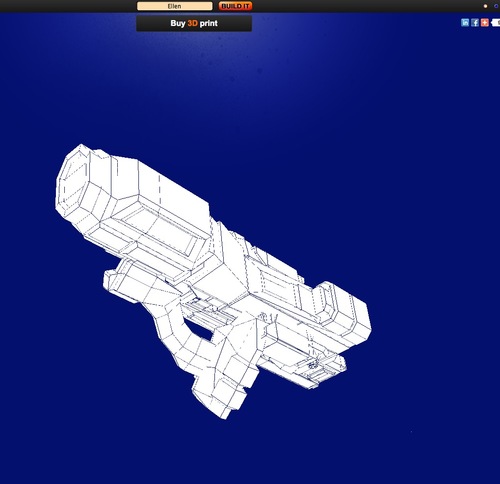
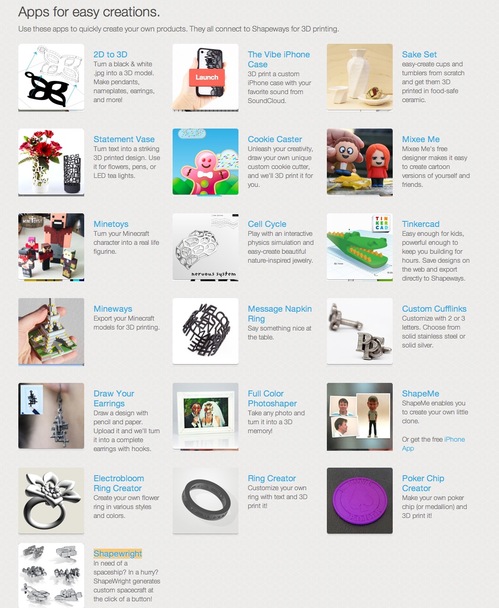
I just discovered Shapeways, an online 3D printing service that lets you build your own (somewhat random) spaceship in one of three colors, and have it delivered to your door. You can also create jewelry, your own mini-Me-style action figure, and even iPhone cases based on Soundcloud waveforms.
You don't need to be a CAD expert: there are apps and pre-designed models to get you started. Materials include plastics, metals, sterling silver and sandstone.
January 8, 2013
Guide to the 4 and 5 finger swipes on iPad
Probably because I never read the manual, or perhaps because they were hidden in an update, I didn't know about these iPad gestures till recently, but they are very handy, and I occasionally need a reminder as to what they are.
First, make sure Multitasking gestures are enabled in your iPad:
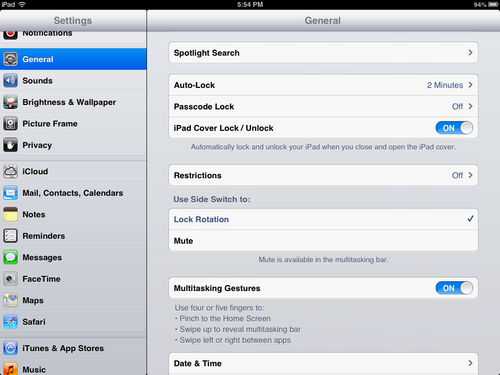
Five-finger pinch to get back to the home screen. "Grab" the screen while inside any application, and it will minimize. You will be back on the Home screen.
Four-finger swipe up to show multitasking bar. Inside any application, swipe upward to see what other apps are currently open. Use as a launch bar, or if you are on an older iPad like me, you may want to use the bar to close any other open apps to save memory.
Four-finger swipe left or right to move between open apps.
January 6, 2013
Word 2007, 2008: "Insert Section Break" commands grayed out after Endnotes
If you are having trouble inserting a page or section break at the end of a Word document with Endnotes, you have two choices. You could either insert the new section BEFORE the Endnotes area, or change the Endnotes settings to display Endnotes at the end of each section .
Word considers the end of the document to be the one and only end, so nothing can come after it. It is easy to mistake the white space after the last Endnote for normal document space, but it is an "endnote-only" area.
Somewhat like headers and footers, Endnotes are their own walled-off section where the usual tools and commands do not apply. If you try to insert a section or page break while your cursor is in the Endnote area the Break commands will be grayed out as shown below.
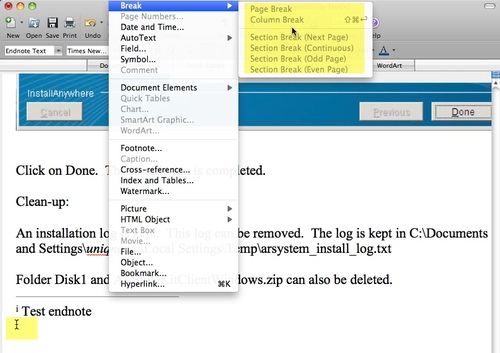
To change Endnote location settings, click Options in the Footnote and Endnote window.
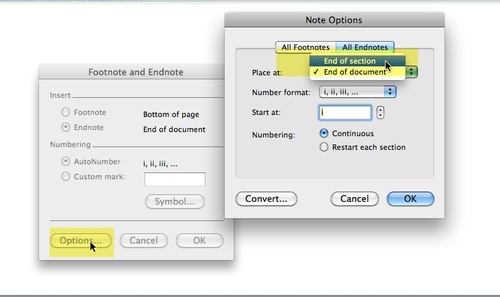
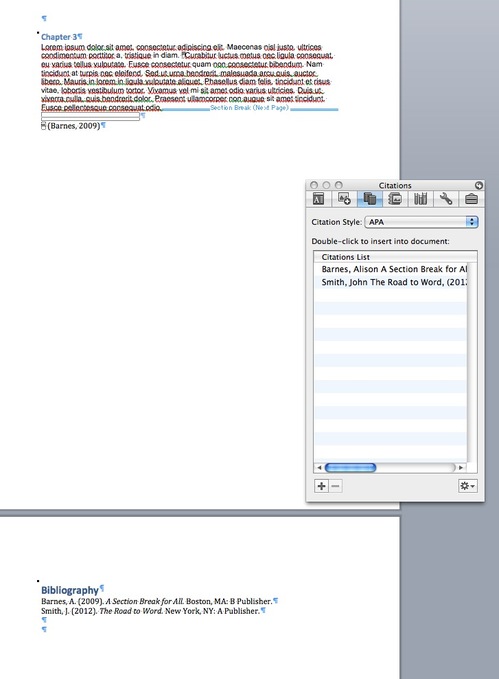
This results in Endnotes at the end of each section, and allows you to locate the Bibliography at the very end.
Resources