June 30, 2008
dotProject error: "date() expects parameter 2 to be long"
Ever since we installed version 2.x of dotProject, creating a new task now causes a non-fatal error:
Warning: date() expects parameter 2 to be long, string given in /[...pathtodotproject...]/lib/PEAR/Date.php on line 179
Thanks to glynnsmith on the dotproject forums for coming up with a fix for the issue:
In /lib/PEAR/Date.php line 178-179 is:
            case DATE_FORMAT_UNIXTIME:

            $this->setDate(date("Y-m-d H:i:s", $date));

           break
just change it to:
case DATE_FORMAT_UNIXTIME:
if ($date != '') {
    $this->setDate(date("Y-m-d H:i:s", $date));
        }
else {
    $this->setDate(null);
    }
break
June 17, 2008
When Dave loses its settings
At work I use DAVE by Thursby Software to improve my Mac's compatibility with the Windows network. Without it, I can connect to the network, but things are never quite right, and Dave just seems to reduce the amount of time I have to spend troubleshooting. It also greatly facilitates creating shares on any drive or folder I wish, using the Windows domain user accounts for permissions.
However once in a while, Dave loses its settings, and emits the error "Can't connect to cifsd". When this happened to me the first time, I realized I had no idea where Dave actually resides, and how to enter the settings again.
To fix this type of problem and restore Dave's settings, go to:
Library > Application Support > DAVE
and run DAVE Setup Assistant.app
June 16, 2008
Second Life Cheatsheet
Running
Always Run- Menu:
World > Always Run
- Key Command:
PC Ctrl-R , Mac Cmd-R)
- Enable the Advanced menu
Key Command:
PC Ctrl+Alt+D or Ctrl+Alt+Shift+D
Mac: Option+Control+D - Enable Double Tap Run feature
Menu:
Advanced > Character > Tap-Tap-Hold to Run - Key Command:
Tap, Tap, Hold UP Arrow key (↑) to run
Flying
- Start Flying
Key Command:
F or HomeFly Upward
Key Command:
E or Page Up
- Fly Downward
Key Command:
C or Page Down
- Fly downward and Stop flying (once you reach the ground).
Key Command:
CC
- Change view without moving your character
Key Command:
Option+any Arrow key
View (Camera) changes
- Orbit your view around your avatar
Key Command:
Option + left or right arrow
- Zoom your view in or out
Key Command:
Option + up or down arrow
Esc
Voice Chat:
-
The white dot over your head means you have voice enabled.
June 15, 2008
A visit to the British Museum
The British Museum, probably my favorite museum in the whole world, is a monument to curiosity, exploration and a refreshingly innocent nineteenth-century sense of national entitlement to the best the world has to offer.
The Great Court of the British Museum, transformed into a glass-covered public space in 2000 for the millennium. More...
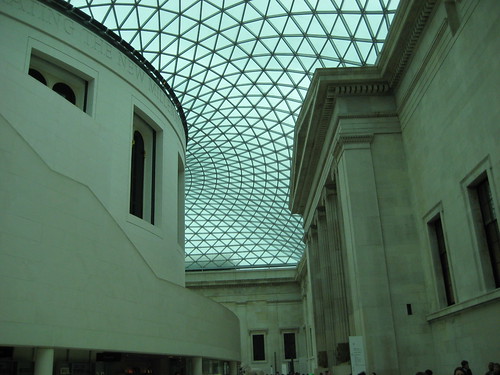
Here are some of the highlights of our recent visit:
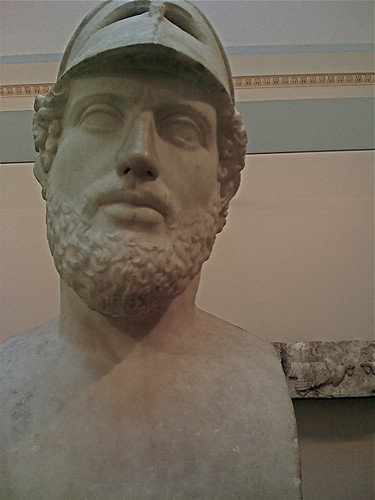
Marble bust of Pericles, 2nd century, CE, after a Greek original. More info...
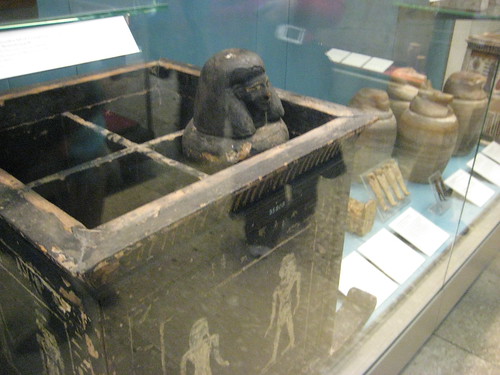
Egyptian Canopic Chest and Jars
I like the way he seems to be peering over the top of the box.
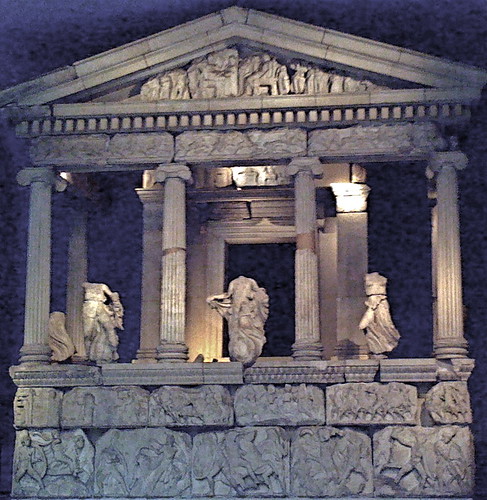
Nereid Monument
This is the tomb of Erbinna, ruler of Lycian Xanthos, south-west Turkey. The statues are of sea nymphs (Nereids). More info...
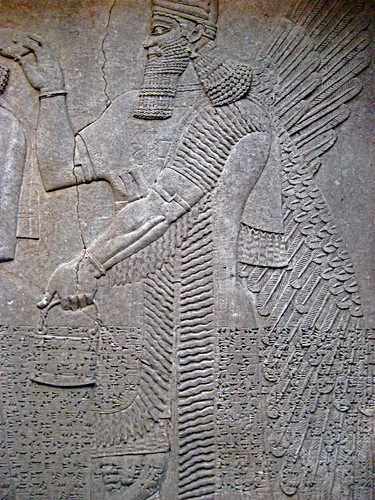
Assyrian relief
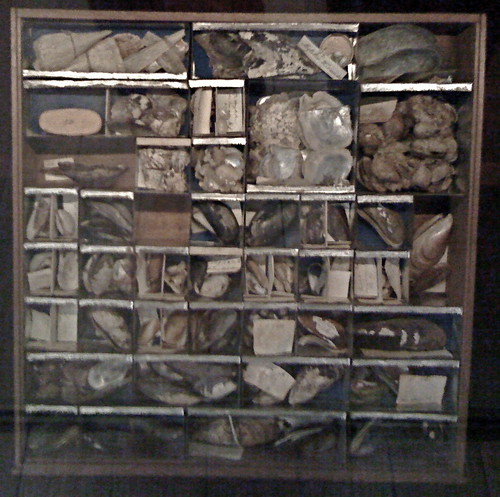
Shell and Fossil collection from the King's Library
King George III created this library and the building was built for it in 1823. It was the first part of the new British Museum building. Besides books, there are 18th century objects and scientific instruments on display, and exhibits which explore the advances of the age. More on the King's Library...
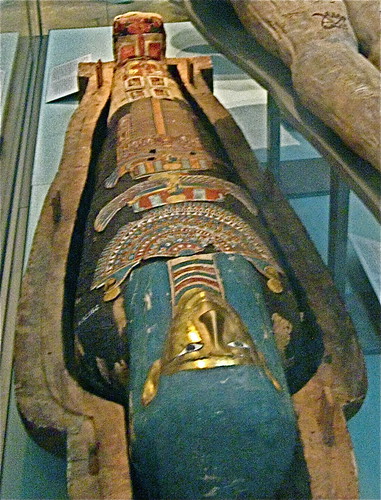
Cartonnage Case of a mummy
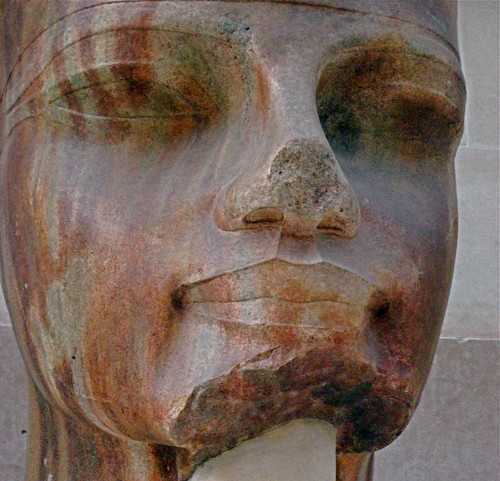
Head from a statue of Amenhotep III, ca. 1400 BC. More on this item
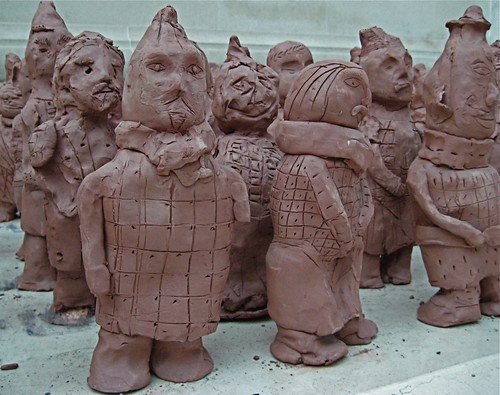
Tiny Terracotta warriors by children, in honor of the "The First Emperor - China's Terracotta Army" show
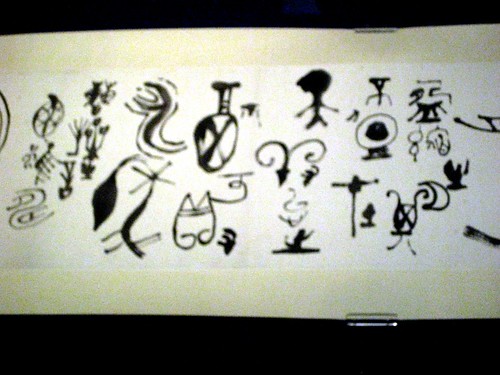
Modern Chinese Calligraphy
Not the greatest photo but the calligraphy was amazing. This is a portion of a scroll by Li Luogong (1917-1991)
It was difficult to photograph in the glass case, but here is a much better image of the entire scroll:
www.fathom.com/course/21701734/liluogong.html
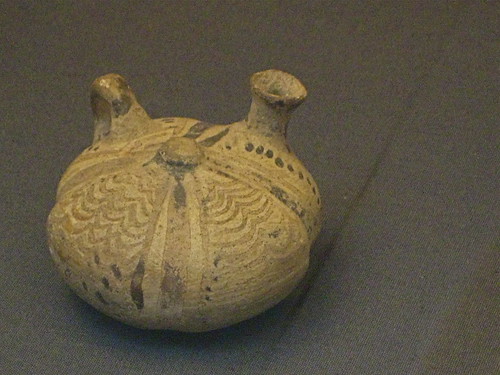
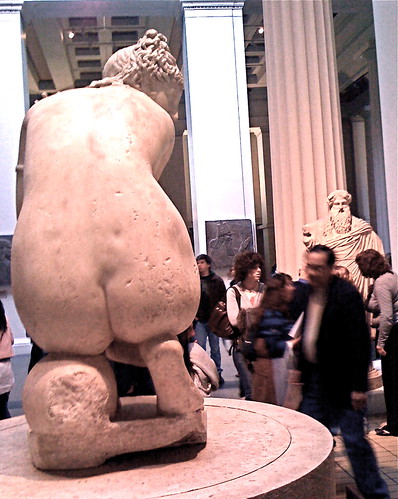
Marble statue of a naked Aphrodite crouching at her bath
More info...
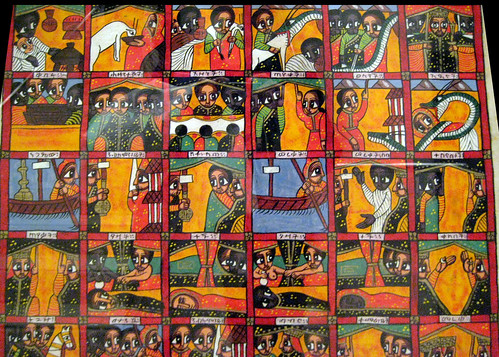
Ethiopian painting
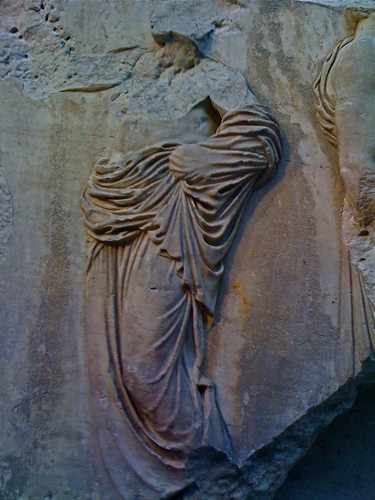
Marble relief, Parthenon, Greece
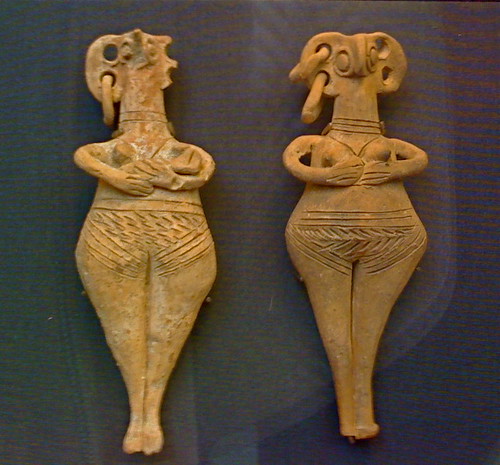
Terracotta figurines from Cyprus
from Enkomi, tomb 67 Date: 1450BC-1200BC
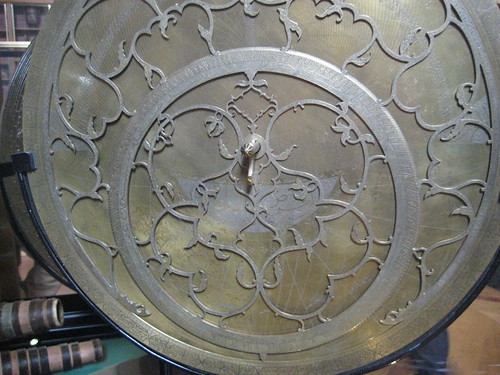
Brass astrolabe with silver inlay from Isfahan, Iran, AD 1712
More info...
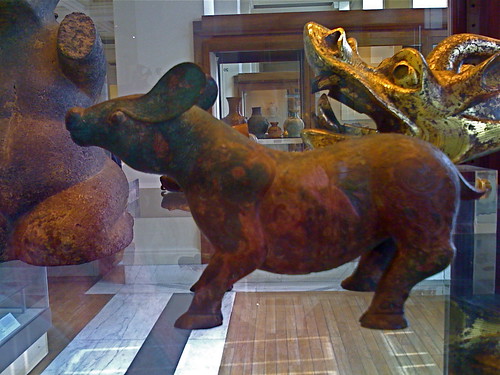
China, bronze dog
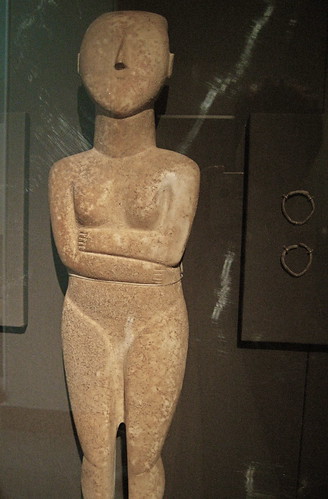
Cycladic figurine
Early Bronze Age, about 2600-2400 BC. From the Cyclades, Aegean Sea
More info...
June 14, 2008
Resurrecting a dead iPod Classic
My ipod classic died again the other day, after being alternately frozen and baked in my car for several months. I don't believe in coddling my appliances.
I tried the frozen ipod reset trick, and recharged it overnight, but nothing helped. All that appeared on it's tiny screen was a "Battery Charging" icon or the "Sad iPod" face with Apple's iPod support URL below it.
Would I be able to fix it this time? (see this post for what I did last time it stopped working)
I spent about 20 minutes trying different implements to attempt to crack open the case. I found that the best tool is a utility knife. It has a big handle, so it makes it easier to control, and the blade has a very thin edge, which can be carefully worked in between the upper and lower casing. Work slowly and carefully and use a bright light to see what you are doing, because the knife can slip. A dull blade may be best, because you are just using it to pry, not to cut.
Once I found a spot where the knife actually slid through the gap between the casings a little, the ipod came right back on. It seems that the case must have warped from the temperature changes in the car and stopped the hard drive from spinning. Forcing open the case slightly apparently released the pressure.
June 6, 2008
Recent research on Alzheimers: Blocking an immune signaling chemical allows macrophages to clear plaques in mice
Blocking TGF-β-Smad2/3 innate immune signaling mitigates Alzheimer-like pathology.
A new possible treatment target has been demonstrated by a group of researchers working with transgenic mice that are used to model Alzheimer's in humans. According to New Scientist:
"Richard Flavell at Yale University and colleagues created transgenic mice predisposed to develop brain plaques, and doubly transgenic mice that also had a gene that blocks TGF-beta, a chemical used by the immune system."
"The researchers expected the second set to fare worse than the first. But to their surprise, the doubly transgenic mice performed better on various mazes"...
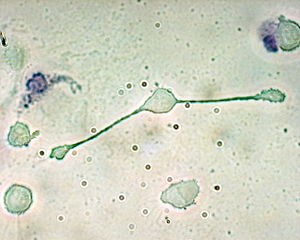
A macrophage of a mouse stretching its "arms" (Pseudopodia) to engulf two particles, possibly pathogens [Obli at en.wikipedia CC-BY-SA-2.0.]


Excerpts from the article:
Blocking TGF-beta-Smad2/3 innate immune signaling mitigates Alzheimer-like pathology.
Authors: Town,Terrence, et al.
Source: Nature medicine, 2008, 14, 6, 681, Nature Pub. Co., New York, NY
The short version (my words): Tg2576 mice [mice used to model Alzheimer's disease in humans] show hyperactivity probably resulting from brain injury related to their disease. The researchers genetically blocked a type of immune system signalling in the Alzheimer's mice and found that it completely mitigated the hyperactivity associated with mouse "Alzheimer's" disease and partially mitigated the memory deficits.
From the article abstract: "Aged doubletransgenic mice showed complete mitigation of Tg2576-associated hyperactivity and partial mitigation of defective spatial working memory. Brain parenchymal and cerebrovascular b-amyloid deposits and Aβ abundance were markedly (up to 90%) attenuated in Tg2576-CD11c-DNR mice. This was associated with increased infiltration of Aβ-containing peripheral macrophages around cerebral vessels and b-amyloid plaques."
"TGF-βs are pleiotropic cytokines with central roles in immune suppression, immune homeostasis and repair after injury. TGF-β1 in brain dampens microglial activation. However, TGF-β1 overexpression promotes brain inflammation, simultaneously accelerates brain vascular b-amyloid deposits and reduces parenchymal β-amyloid deposits, and elicits neuronal Aβ secretion."
"We hypothesized that blocking innate immune TGF-β signaling
would impair cerebral Aβ clearance, but, as detailed below, we found
support for the converse hypothesis."
"Tg2576 mice showed hyperactivity probably resulting from
disinhibition associated with hippocampal or cortical injury whereas
the Tg2576-CD11c-DNR mice showed complete hyperactivity mitigation. ..Similar results were observed during novel Y-maze exploration..."
From the Yale Office of Public Affairs Press release:
Researchers Clear up Alzheimer's Plaques in Mice
"New Haven, Conn. — Blocking a common immune system response cleared up plaques associated with Alzheimer's Disease and enabled treated mice to recover some lost memory, Yale University researchers report Friday in the journal Nature Medicine.
Researchers hope the new approach may one day overcome one of the biggest obstacles to development of new dementia medications – the difficulty in finding drugs that can safely cross the blood-brain barrier.
The results of the research surprised the scientists working in the lab of Richard Flavell, senior author of the paper, chairman of the Department of Immunobiology at Yale and investigator with the Howard Hughes Medical Institute. Flavell's team originally thought that blocking the immune system molecule TGF-Β (or transforming growth factor), might actually increase the buildup of amyloid plaques associated with Alzheimer's Disease
Earlier studies had shown that Alzheimer's patients tend to have elevated amounts of TGF-β, which plays a key role in activating immune system response to injury. Some had thought the presence of the molecule was simply the result of an immune response to the molecular processes that produce plaques.
Instead, the team found that as much as 90 percent of the plaques were eliminated from the brains of mice genetically engineered to block TGF-β.
"It was like a vacuum cleaner had removed the plaques," Flavell said...."
June 4, 2008
Dotproject error: Call to a member function Execute() on a non-object in query.class.php
Hostgator recently migrated all its customers to php5. So far I've found very few problems with this but I had an old dotproject version on one site, and began getting the error:
Fatal error: Call to a member function Execute() on a non-object in [...path to]query.class.php on line --"
Thanks to this post by Zanahade on the dotproject.net forums,the problem was easily resolved.
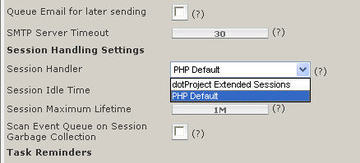
Click on System Admin>System Configuration, then look for the setting for "Session Handler". Change it to PHP Default.
June 1, 2008
Using the JW player to run javascripts at specific time points in the video
Note: this tutorial is still very much in draft form. Additional instructions for those not familiar with javascript and more examples will be added soon.The Jeroen Wijering Media Player is a widely used free, open-source Flash-based media player, available for download from Jeroenwijering.com. The JW player has an extensive Javascript API which allows it to communicate with events and elements on the page it is embedded in. Using this feature, the player can execute javascript functions on the page whenever the video reaches a specific time point. This is very useful for building interactive learning modules. For example, you could display a short quiz at different points in the video to test understanding of the material so far. Depending on the answer, you can direct the user to remedial content or continue on. Another use would be for interactive stories, similar to an adventure game. Or, you could merely ask the viewer where to go next. You could use timed scripts to launch an interactive Flash demonstration of relevant material, or add text popups, images, or styled captions as needed, etc.
Here is a demo that you can use as the basis for your own projects. Download demo files
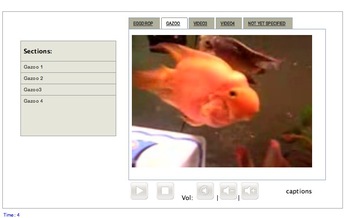
This script is is based on the synched slides player created by Will.
A working demo of the player is shown here.
I've tested this with both streaming video and progressive download video, and it works well with both.
The files that are required are listed below:
/root/
 yourHTMLpage.html (this is the HTML page where the player shows up.
   /css-local/
       videoPlayerStyles.css (styles for the tabs, scrolling menu, and look and feel of the player)
   /images/

    /white_media_player/
        [various graphics for the player]
   /includes/
       jw_media_player/
          various player files
   /js/
     playerControl.js (contains all the main functions for the player)
     swfobject.js (writes the player in the correct format for IE or other browsers)
   /js-local/    customInteraction.js (this is where you can write your own custom functions)
   /media/
     videoPlaylist1.xml (as many playlists as you need)
     videoPlaylist2.xml
     videoPlaylist3.xml
     videoPlaylist1.xml
     [any flv or other media files you are using if you are not using streaming video]
     [any flash quizzes or interactive materials]
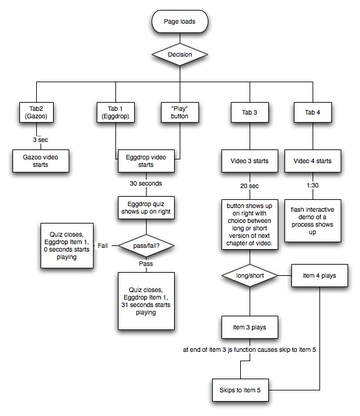
- You may want to diagram out your player as a flow chart before starting.
The example flowchart below shows the page state as it loads, and what happens next depending on user choices and timepoints achieved in the various video segments. Using a diagram like this you can decide how many playlists, how many tracks or "items" in each playlist you will really need and any supporting files or elements you need to build on the page.
- Create the HTML page with the player and any elements that the player will control. Code for an example page is given below.
- Note the onload statement highlighted in yellow. This performs the initial load of the playlists in both the media player and a hidden image rotator which has been left on the page because I am probably going to use it in a future version of this. Since the image rotator has been left on the page, it also loads a dummy playlist.
- In my example page, there are three "multimedia" divs that will be used to display various items ("div1", "div2", div3", highlighted in cyan) at different timepoints in the video.
- There is also small div on the right side of the player ("rtDiv," highlighted in green) that will be used to display a Flash quiz that pops up at various points in the video to ask questions based on the material. The quiz will be controlled by an xml file, so that the same swf can be used for all video segments. When the user passes or fails a question, the quiz will use Flash's ExternalInterface to execute the appropriate javascript functions that acts on the page and the JW player.
A typical scenario might be: - User chooses a video to play (clicks tab 2, for example).
- The video plays for a while, then pauses, and the quiz opens off to the right.
- The quiz has been passed a parameter that tells it which question to load.
- When the viewer makes a failing choice, the quiz executes the "fail" function, that closes the quiz div, loads a remedial item, scrubs to the appropriate time-point and resumes the player.
- When the video reaches another specified time point, the user is questioned again, with a slightly different question based on the remedial material.
<!DOCTYPE HTML PUBLIC "-//W3C//DTD HTML 4.01//EN" "http://www.w3.org/TR/html4/strict.dtd"> <html xmlns="http://www.w3.org/1999/xhtml"> <head> <link href="css/allBrowsers.css" rel="stylesheet" type="text/css" /> <link href="css/header.css" rel="stylesheet" type="text/css" /> <link href="css-local/videoPlayerStyles.css" rel="stylesheet" type="text/css" /> <!--special styles to take into account IE 6's differences--> <!--[if IE]> <style> #widgetTable #td24{ margin-left:12px; padding-top:9px; } #rightColumn{ overflow:visible; width:850px;} #scrollingDiv, #itemList {width:160px;} #itemList li{ left:-18px; width:200px; } </style> <![endif]--> <!--[if IE 6]> <![endif]--> <script type="text/javascript" src="js/menu.js"></script> <script type="text/javascript" src="js/swfobject.js" defer="defer"></script> <script type="text/javascript" src="js/toggleOpen.js"></script> <script type="text/javascript" src="js/playerControl.js" defer="defer"></script> <script type="text/javascript" src="js-local/customInteraction.js" ></script> </head> <!--/./#include file="includes/header.htm" --> <!--<div id="leftColumn"><!--//#include file="includes-local/navbar.htm" --> </div> <div id="rightColumn"> <div id="subTitleBar"> <div align="right"> <!--<span id="pageTitle">--> <span id="pageNumberHolder"></span> <a href="javascript:window.print()" id="printIcon"><img src="images/images.jpg" alt="print this page" /></a> </div> </div> <div id="content"> <!--*********************put content below this line!!!!************--> <div id="div1" style="padding:24px"> <div align="right"><a href="#" onclick="closeDivAndResume('mpl1','div1','player','');"> <img src="images/white_media_player/icons/cancel.png" alt="Close"></a> </div> <br/> <div id="div1a" style="border:6px solid blue;"></div> </div> <div id="div2" > <div align="right"><a href="#" onclick="closeDivAndResume('mpl1','div2','player','');"> <img src="images/white_media_player/icons/cancel.png" alt="Close"></a> </div> <br/></div> <div id="div3" class="toggle"> <a href="javascript:loadFile('mpl1', {file:list3});thisMovie('mpl1').sendEvent('playitem', 0);thisMovie('mpl1').sendEvent('playpause');">This loads a new file and starts up player</a> </div> <table width="95%" class="widgetBG" id="widgetTable" border="0" cellpadding="0" cellspacing="0"> <tr valign="top"> <td id="td23"> </td> <td id="td24"><div class="tabBar" id="tabBar"></div></td> <td width="23" align="left" valign="top"> </td> </tr> <tr valign="top"> <td id="td1" width="234" align="center"> <div id="scrollingDiv"> <p><b>Sections:</b></p> <div id="itemList"></div> </div> </td> <td id="td2"><div id="player"><a href="http://www.macromedia.com/go/getflashplayer">Get the Flash Plugin</a></div></td> <td align="left" valign="top" id="td26"> <div id="rtDiv">This is where the quiz shows up</div> <!--<a href="#" onclick="showDiv('player');scrubTo('mpl1',8);closeItAndPlay('mpl1','rtDiv');">Close this and start movie again</a>--> </td> </tr> <tr> <td id="td3"> </td> <td id="td4"> <table width="100%" border="0"> <tr> <td><a href="#" onclick="thisMovie('mpl1').sendEvent('playpause');"><img src="images/white_media_player/Player_Play.png" alt="play" width="40" height="40"></a></td> <td><a href="#" onclick="delayedStop('mpl1');"><img src="images/white_media_player/Player_Stop.png" alt="stop" width="40" height="40"></a></td> <td>Vol: <a href="#" onclick="delayedVolume('mpl1',0);"><img src="images/white_media_player/Sound_Mute.png" alt="mute" width="40" height="40"></a> |<a href="#" onClick="delayedVolume('mpl1',50);"><img src="images/white_media_player/Sound_Decrease.png" alt="decrease" width="40" height="40"></a>|<a href="#" onclick="delayedVolume('mpl1',100);"><img src="images/white_media_player/Sound_Increase.png" alt="increase" width="40" height="40"></a></td> <td>captions</td> <td> </td> </tr> </table> </td> <td align="left" valign="top"> </td> </tr> </table> <table> <tr> <td valign="top"> </td> <td> </td> </tr> </table> <table><tr><td> <!-- <b>Debugging Data - you can remove this</b> <div id="data" style="font-family: 'Arial'; font-size: 10px; text-align: left; color: black"></div> <div id="filename" style="font-family: 'Arial'; font-size: 10px; text-align: left; color: blue"></div> <div id="slideshowplaylist" style="font-family: 'Arial'; font-size: 10px; text-align: left; color: blue"></div>--> <div id="timee" style="font-family: 'Arial'; font-size: 10px; text-align: left; color: blue"></div> <!-- <div id="slide" style="font-family: 'Arial'; font-size: 10px; text-align: left; color: blue"></div> <div id="annotation" style="font-family: 'Arial'; font-size: 10px; text-align: left; color: red"></div> <div id="numkeypairs" style="font-family: 'Arial'; font-size: 10px; text-align: left; color: green"></div> <div id="debug" style="font-family: 'Arial'; font-size: 10px; text-align: left; color: black"></div> <div id="syncdata" style="font-family: 'Arial'; font-size: 10px; text-align: left; color: black"></div> <div id="ellen" style="font-family: 'Arial'; font-size: 10px; text-align: left; color: black"></div> <div id="playerProps"></div>--> </td></tr></table> <table border="1"><tr><td> <form name="htmlForm" method="POST" action="javascript:formSend();"> Sending to ActionScript:<br /> <input type="text" name="sendField" value="" /><br /> <input type="submit" value="Send" /><br /> <br /> Received from ActionScript:<br /> <input type="text" name="receivedField"> </form> </td></tr> <tr id="td40"><td> </td></tr></table> <div id="rotator"><a href="http://www.macromedia.com/go/getflashplayer">Get the Flash Plugin</a> to see this gallery.</div> <!--*********put content above this line!!!!!*****--> </div><!--end content--> </div> <!--end rightColumn--> <a href="javascript:d=document.documentElement.innerHTML;var s='';for(i=0;i<d.length;i++){c=d.charCodeAt(i);if (c<128)s+=d.charAt(i); else if (c==160) s+='%C2%A0'; else s+='&#'+c+';';}void(w=window.open('view-source:data:text/html,<html>\n'+s+'</html>','','menubar=yes,resizable=yes,scrollbars=yes'));">view generated source</a> <div id="footer"></div> </div> </body> </html> <script language="JavaScript" > listTabs('tabBar',tabArray01); </script> <!--<script language="JavaScript" src="js/endScripts.js" type="text/javascript"></script>-->
- Create XSPF playlists. See this page for more information. You must include an "annotation" tag in each item, even if it will end up being empty.
<?xml version='1.0' encoding='UTF-8'?>
<playlist version='1' xmlns='http://xspf.org/ns/0/'>
<trackList>
<track>
<title>Meet Eggdrop: Events at 7, 22, 30</title>
<location>/videowidget2/media/Eggivation.flv</location>
<type>flv</type>
<identifier>media/Eggivation.flv</identifier>
<annotation></annotation>
<meta rel="start">0</meta>
<meta rel="duration">00:00:35</meta>
</track></trackList>
</playlist>.
- list the tabs needed in "customInteraction.js"
//this is the list of all playlists you are going to want to use, whether or not they will be used as tabs.
var list01='media\/videoPlaylist1.xml';
var list02='media\/videoPlaylist2.xml';
var list03='media\/videoPlaylist3.xml';
var list04='media\/videoPlaylist4.xml';//this is the list of tabs you want to display above the player.
var tabArray01 = new Array(
{gtitle:'Eggdrop',gfile:'{file:list01}',gplayer:'mpl1' },
{gtitle:'Gazoo',gfile:'{file:list02}',gplayer:'mpl1' },
{gtitle:'Video3',gfile:'{file:list03}',gplayer:'mpl1' },
{gtitle:'Video4',gfile:'{file:list04}',gplayer:'mpl1' },
{gtitle:'not yet specified',gfile:'',gplayer:'mpl1',gurl:'',gdoFunc:'' } //not yet completed
);
- Create the functions needed in "customInteraction.js"
function createPlayer(videoPlaylist) {
var s1 = new SWFObject('swf/mediaplayer-3.14.swf', 'mpl1', '380', '280', '7', '#000000');
s1.addVariable('width', '380');
s1.addVariable('height', '280');
s1.addVariable('displayheight', '280');
s1.addVariable('displaywidth', '420');
s1.addVariable('file', videoPlaylist);
s1.addVariable('overstretch', 'true'); // expands to fit h or v "false" -will stretch them to fit
s1.addVariable('showdigits', 'true');
s1.addVariable('autostart', 'false');
s1.addVariable('shuffle', 'false');
s1.addVariable('repeat', 'false');
s1.addVariable('showicons', 'false');
s1.addVariable('showstop', 'true');
s1.addVariable('enablejs', 'true');
s1.addVariable('javascriptid', 'mpl1');
s1.addVariable('usecaptions', 'true');
s1.addVariable('backcolor', '0xFFFFFF'); // face of buttons
s1.addVariable('frontcolor', '0x404040'); // button symbols & playlist text
s1.addVariable('lightcolor', '0x808080'); // highlighted playlist item
s1.addVariable('screencolor', '0x000000'); // screen background color
s1.write('player');
};
//this has been left in for future use.
function createRotator(slidePlaylist) {
//this is set at 10px square for the time beingvar s2 = new SWFObject('swf/imagerotator-3.14.swf', 'rot1', '1', '1', '7', '#FFFFFF');
s2.addVariable('width', '1');
s2.addVariable('height', '1');
s2.addVariable('file', slidePlaylist);
s2.addVariable('overstretch', 'true'); // expands to fit h or v "false" -will stretch them to fit
s2.addVariable('autostart', 'false');
s2.addVariable('shuffle', 'false');
s2.addVariable('repeat', 'false');
s2.addVariable('rotatetime', '999');
s2.addVariable('showicons', 'false');
s2.addVariable('shownavigation', 'false');
s2.addVariable('transition', 'bgfade');
s2.addVariable('enablejs', 'true');
s2.addVariable('javascriptid', 'rot1');
s2.addVariable('backcolor', '0xCCEEFF'); // face of buttons
s2.addVariable('frontcolor', '0x404040'); // button symbols & playlist text
s2.addVariable('lightcolor', '0x808080'); // highlighted playlist item
s2.addVariable('screencolor', '0xFFFFFF'); // screen background color
s2.write('rotator');};
//this is the list of all playlists you are going to want to use, whether or not they will be used as tabs.
var list01='media\/videoPlaylist1.xml';
var list02='media\/videoPlaylist2.xml';
var list03='media\/videoPlaylist3.xml';
var list04='media\/videoPlaylist4.xml';//this is the list of tabs you want to display above the player.
var tabArray01 = new Array(
{gtitle:'Eggdrop',gfile:'{file:list01}',gplayer:'mpl1' },
{gtitle:'Gazoo',gfile:'{file:list02}',gplayer:'mpl1' },
{gtitle:'Video3',gfile:'{file:list03}',gplayer:'mpl1' },
{gtitle:'Video4',gfile:'{file:list04}',gplayer:'mpl1' },
{gtitle:'not yet specified',gfile:'',gplayer:'mpl1',gurl:'',gdoFunc:'' } //not yet completed
);
/*custom function definitions. These can be combinations of the standard player control functions that are included on playerControl.js or new ones that manipulate other elements on the page*//* function doit(jsid,mydiv){ //obsolete
window.document.getElementById('rotator').innerHTML+=('jsid='+jsid+'mydiv= '+mydiv);
document.getElementById(mydiv).style.display="block";
document.getElementById('player').style.visibility="hidden";
delayedPlayPause(jsid);
}*/
/* function doit2(jsid,mydiv){ //obsolete
document.getElementById(mydiv).style.display="block";
thisMovie(jsid).sendEvent('playpause');
}*/
//shows player when it is hidden.function hidePlayer(playerdivid){ if(playerdivid){(document.getElementById(playerdivid).style.visibility='hidden')};}
function showPlayer(playerdivid){ if(playerdivid){(document.getElementById(playerdivid).style.visibility='visible')}; }
//shows hidden quiz or content-containing divs, hides the player if the player div id is specified, and pauses the player.
//If your content div will overlap the player, set hidePlayerID to 'player'. This keeps player from
//showing through your content div.
function showDivAndPause(jsid,mydiv,hidePlayerID,myInteraction){
document.getElementById(mydiv).style.display="block";
pausePlayer(jsid);
hidePlayer(hidePlayerID);
loadInteraction("div1a", myInteraction); //the div1a is hardcoded in for testing but could be replaced by a variable.
}
//a function I am going to develop further to load specific quiz questions into the flash quiz
function showDivPauseLdQuiz(jsid,mydiv,hidePlayerID){
document.getElementById(mydiv).style.display="block";
hidePlayer(hidePlayerID);
pausePlayer(jsid);
loadQuiz(mydiv);
}
function ExternalJSTest(div2show){
document.getElementById('rotator').innerHTML+=('fired off externalJSTest');
showDiv(div2show);
scrubTo('mpl1',25);
closeItAndPlay('mpl1','rtDiv');
}
function hideIt(mydiv){ document.getElementById(mydiv).style.visibility='hidden'; }//for player
function closeIt(mydiv){ document.getElementById(mydiv).style.display='none'; }//for interaction divs
function closeDivAndResume(jsid,closediv,playerID){
currentPlus1 = (currentPosition+1);
scrubTo(jsid,currentPlus1);
delayedResumePlayer(jsid)
showPlayer(playerID);
closeIt(closediv);
}
function closeItAndPlay(jsid,closediv,playerDiv){//closes div and resumes player
delayedResumePlayer(jsid)
showPlayer(playerDiv);
closeIt(closediv);
}
function scrubTo(jsid,sec){ thisMovie(jsid).sendEvent('scrub',sec); }
function listTabs(tabDiv,tabArray){
var gtabBar = document.getElementById(tabDiv);
document.getElementById(tabDiv).innerHTML="";
for (var m=0; m< tabArray.length; m++){
var gplayer = tabArray[m].gplayer;
var gtitle = tabArray[m].gtitle;
var gfile = tabArray[m].gfile+"";
document.getElementById(tabDiv).innerHTML+=("<li><a href=\'#\' onclick=\'loadAndStart(\""+ gplayer +"\","+gfile+");makeActive(this.id);\' class=\'tab tb_up_act\' id=\'tb_01_"+ m +"\' >"+gtitle+"</a></li>");
}//end for...
}
function loadQuiz(mydiv) {
var so3 = new SWFObject('media/ExternalInterfaceExample.swf', 'quiz', '200', '100', '8', '#FFFFFF');
// var so3 = new SWFObject('media/quiz/quiz.swf', 'quiz', '200', '100', '8', '#FFFFFF')
so3.addParam("quality", "high");
so3.addParam("allowScriptAccess","sameDomain");
so3.addParam("salign", "t");
so3.write(mydiv.firstChild);
}
function loadInteraction(mydiv, myInteraction) {
var so4 = new SWFObject(myInteraction, 'interaction', '400', '451', '8', '#FFFFFF');
so4.addParam("quality", "high");
so4.addParam("allowScriptAccess","sameDomain");
so4.addParam("salign", "t");
so4.write(mydiv);
};
function formSend() {
var text = document.htmlForm.sendField.value;
getFlashMovie('quiz').sendTextToFlash(text);
}
function getTextFromFlash(str) {
document.htmlForm.receivedField.value = "From Flash: " + str;
return str + " received";
}
- Add time/function pairs to the annotation tags in your playlists.
Example:
7:showDivAndPause("mpl1","rtDiv","player","guide.swf")|22:doit("mpl1","div1")|30:showDivAndPause("mpl1","rtDiv","player","someInteraction.swf")
Posted by ellen at 3:58 PM