April 22, 2011
Adobe Captivate: Should I publish in ActionScript 2 or ActionScript 3?
Captivate 5 removed the need to answer this question: it only publishes in ActionScript 3 format, and correspondingly limits the compatibility of the published SWF file in certain situations as described below.
But if you are using Captivate v. 4 or earlier, you may still be wondering which to choose.
First, are you going to embed the published SWF into a Flex, Articulate, Flash or other project? If so, you need to determine what format the container file will be using. Adobe AIR and Flex support only ActionScript 3.0 whereas Adobe Flash supports both ActionScript 2.0 and ActionScript 3.0. Articulate Presenter requires ActionScript 2.
Also consider your target audience. ActionScript 3 can only be played on Flash Player 9 or later. If your audience can't upgrade their Flash players, AS2 may still be more compatible.
April 16, 2011
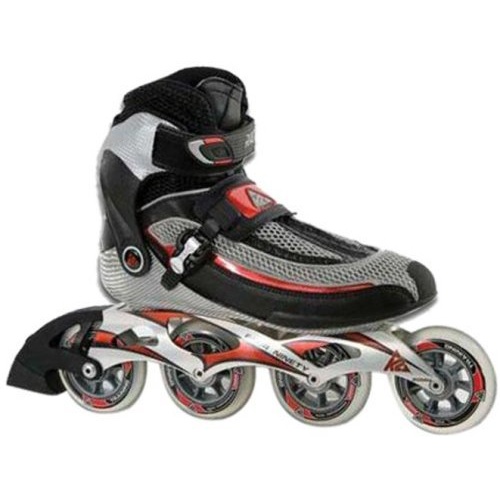
How to unlatch the K2 Radical boot strap.
So I opened the box to my new K2 Radicals rollerblades, and was immediately stymied by the bootstraps which seemingly could not be opened by any means. The plastic pieces on either side of the metal lever look like they open when squeezed toward the center of the strap, but this is not the case.
Watching the available videos didn't enlighten me either, and there was nothing on it in the manual, but I finally figured it out. Here's how to do it - perhaps it will save you some time.
The gray plastic levers must be simultaneously pressed DOWN toward the boot, not inward toward the metal lever.
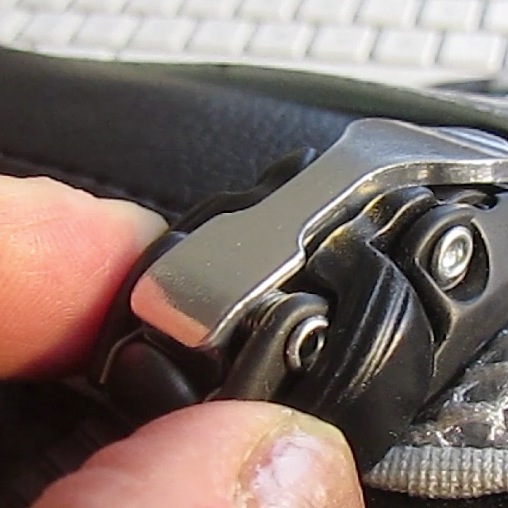
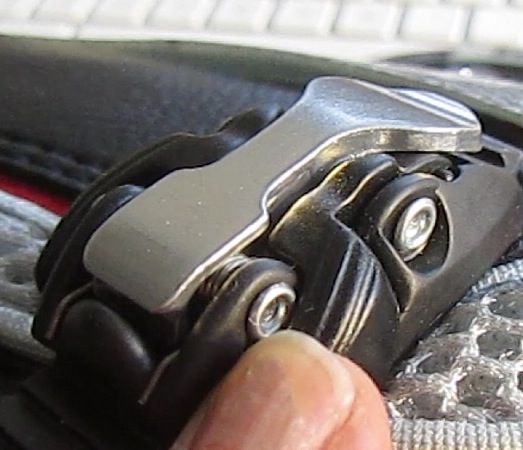
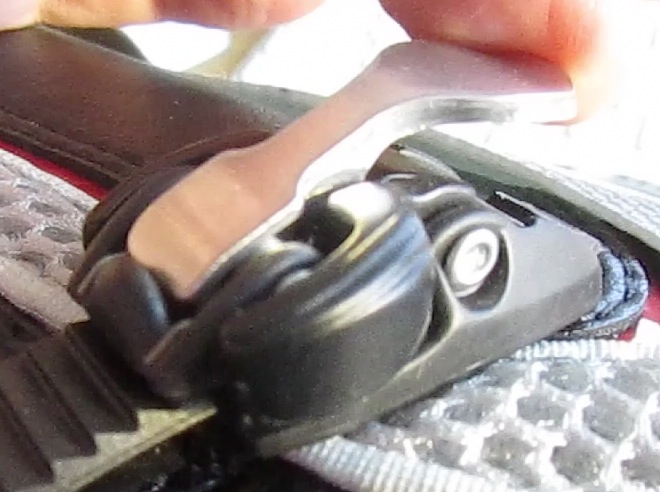
April 12, 2011
Spam prevention on Drupal sites
I run a Drupal site with several thousand users. Users self-register, and there are no other moderators but myself, so it needs to be virtually maintenance free to be sustainable.
And for years, it was! Since the site's members are well-behaved, the only major maintenance besides keeping the Drupal installation updated was cleaning up spam posts. Usually, there weren't many to clean: perhaps a few per week, but nothing that took a lot of work to get rid of. Early on, I had installed the Anti-spam module which provides three anti spam services to choose from. I selected Defensio, which offers a free filtering service for sites with less than 25,000 posts/month.
Defensio caught most of the bad posts, but I also added captcha on all the forms to try to make it a more comprehensive defense system.
All this worked pretty well, until about six weeks ago. A spam attack started that was much more aggressive than normal. Defensio still caught about 95% of the hundreds of spam comments and posts that appeared every day, but that still left quite a few that made it through the filter.
Spambots were creating new accounts on the site at the rate of 500 a day or more. There were hundreds o spam posts per day, and enough would get through to require me to check the front page of the site a couple of times a day. I started searching the Drupal forums for tips on fighting this plague.
Finally I found a Drupal module called spamicide, which prevents automated account creation by tricking the bots to act differently than humans - sort of like captcha tries to do. So far, this has been the most effective spam prevention module I've seen yet. In the few days it's been in place, it's prevented hundreds of new accounts from being created, and spam posts have dropped to zero.
After spamicide blocked the creation of new spam accounts, I cleaned up the user table to remove all the old accounts. This is necessary because the bots apparently remember all the old account names and use whichever ones are still active. Once I got them all, there has been no new spam.
Spammers might eventually adjust their software to get around this approach, but the Spamicide module is being actively maintained, and it looks like they may make close some loopholes in the near future.
If spam is a problem for your Drupal site, I would suggest trying spamicide!
Prettify XML text in BBEdit
When XML data is sent back from a web service, it is in the form of a stream: there are no line breaks or indents to make it easier for humans to read. The example below is typical: the entire XML result is one continuous line. This makes it very hard to troubleshoot your application: you need a utility to put the indents and line-breaks back in.
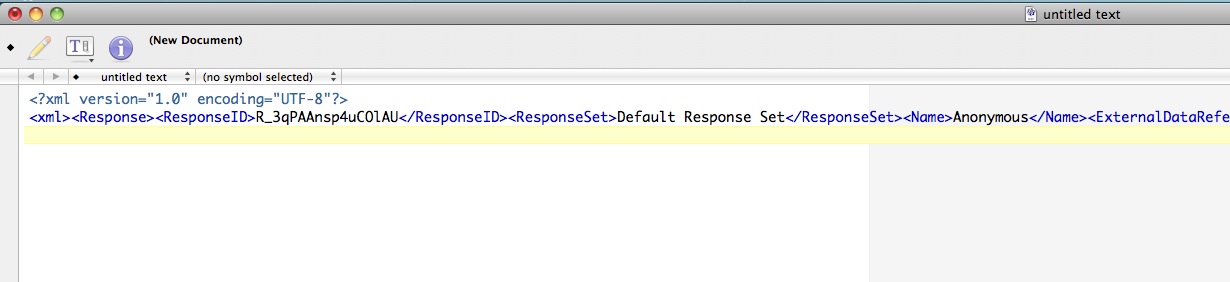
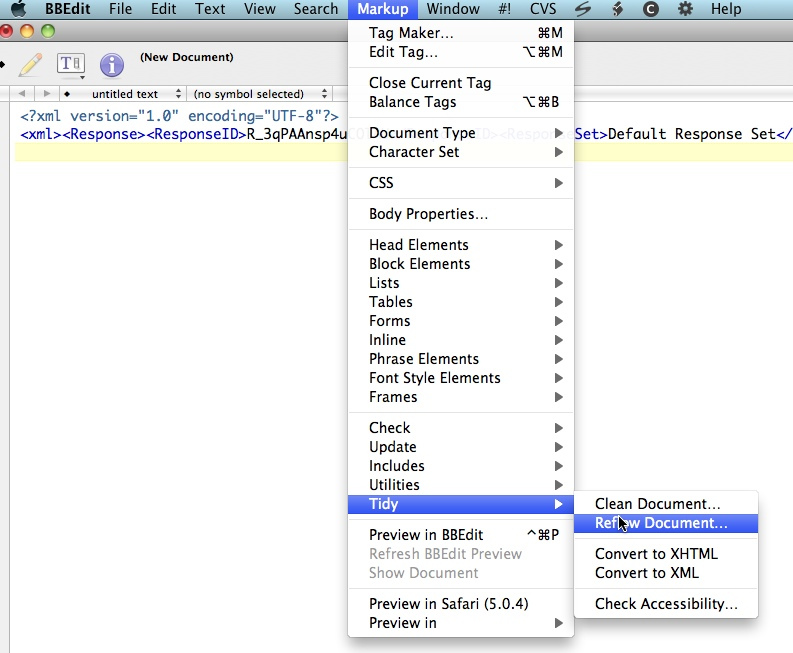
Many users of BBEdit may not be aware that it has cleanup functions that will rapidly reformat HTML and XML code into a more legible structure. Here's how to get to them:
Select "Tidy" from the Markup menu in BBEdit. Click on Reflow Document.
The default selections are probably OK, but you may want to check off the indenting options for block-level tags and attributes.

Click Reflow, and you should see something similar to the result shown here. Much easier to read!
