March 24, 2011
Exploring Flame Painter's Flame brush - Part 2
Flame Painter is a procedural painting application by Peter Blaškovič available on http://www.escapemotions.com/.There are three brush types in Flame Painter: Flame, Follow and Ribbon. Each produces an amazing variety of results depending on the settings chosen.
The images below show the results of incremental changes in the settings of the "Flame" brush. The changed setting is circled in red in each case. Click any image to see it enlarged.
 |
 |
 |
 |
 |
 |
 |
 |
 |
 |
 |
x  |
 |
 |
 |
 |
 |
 |
 |
And here are a few extras!
 |
 |
 |
 |
 |
 |
|
Prev Page |
2 |
- See more examples of some of the effects you can get with Flame Painter: My Flame Painter collection on Flickr
- Try Flame Painter for free online! http://www.escapemotions.com/
- Explore more Flame Painter tutorials
- Flame Painter group on Deviantart.com
Exploring Flame Painter's Flame brush - Part 1
Flame Painter is a procedural painting application by Peter Blaškovič available on http://www.escapemotions.com/.There are three brush types in Flame Painter: Flame, Follow and Ribbon. Each produces an amazing variety of results depending on the settings chosen.
The images below show the results of small changes in the settings of the "Flame" brush. Click any image to see it enlarged.
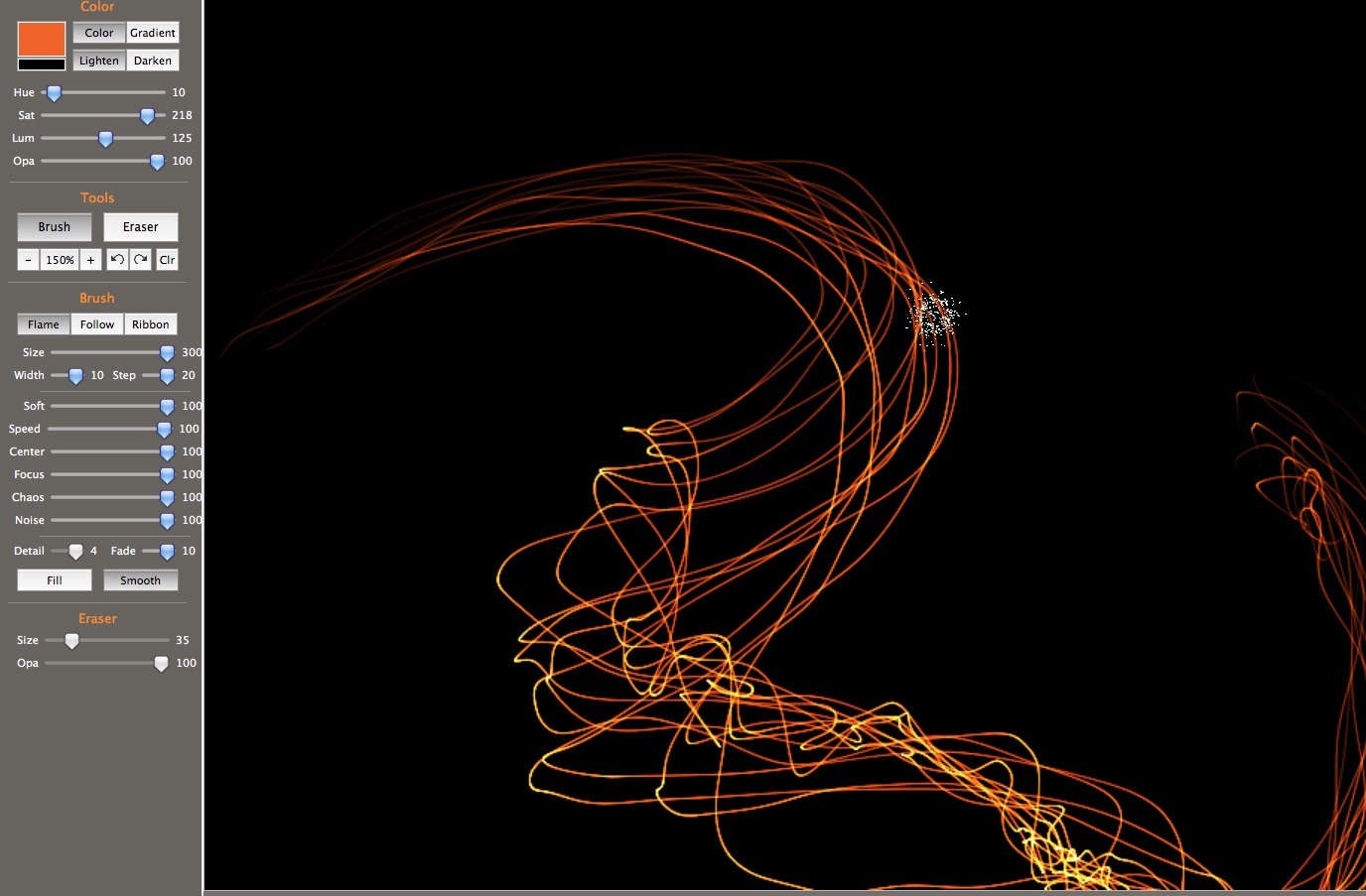 |
 |
 |
 |
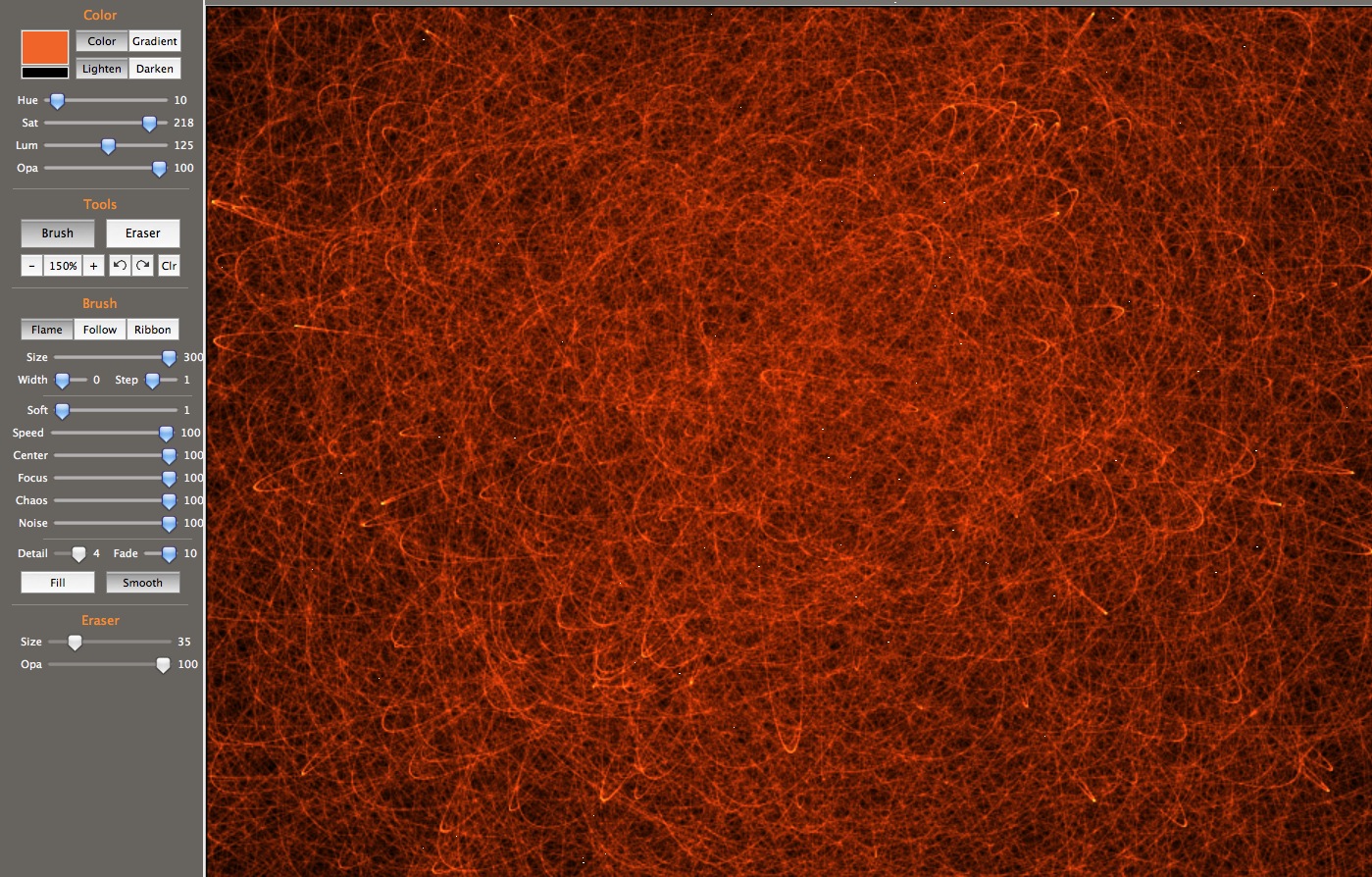 |
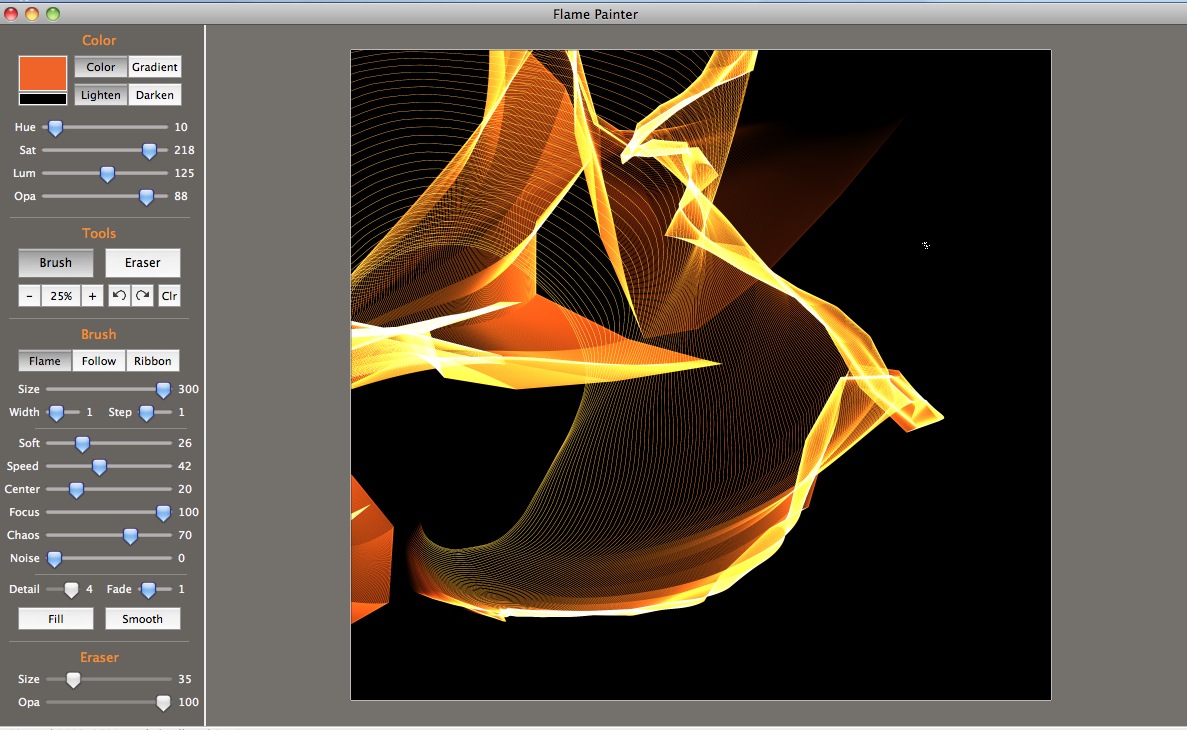 |
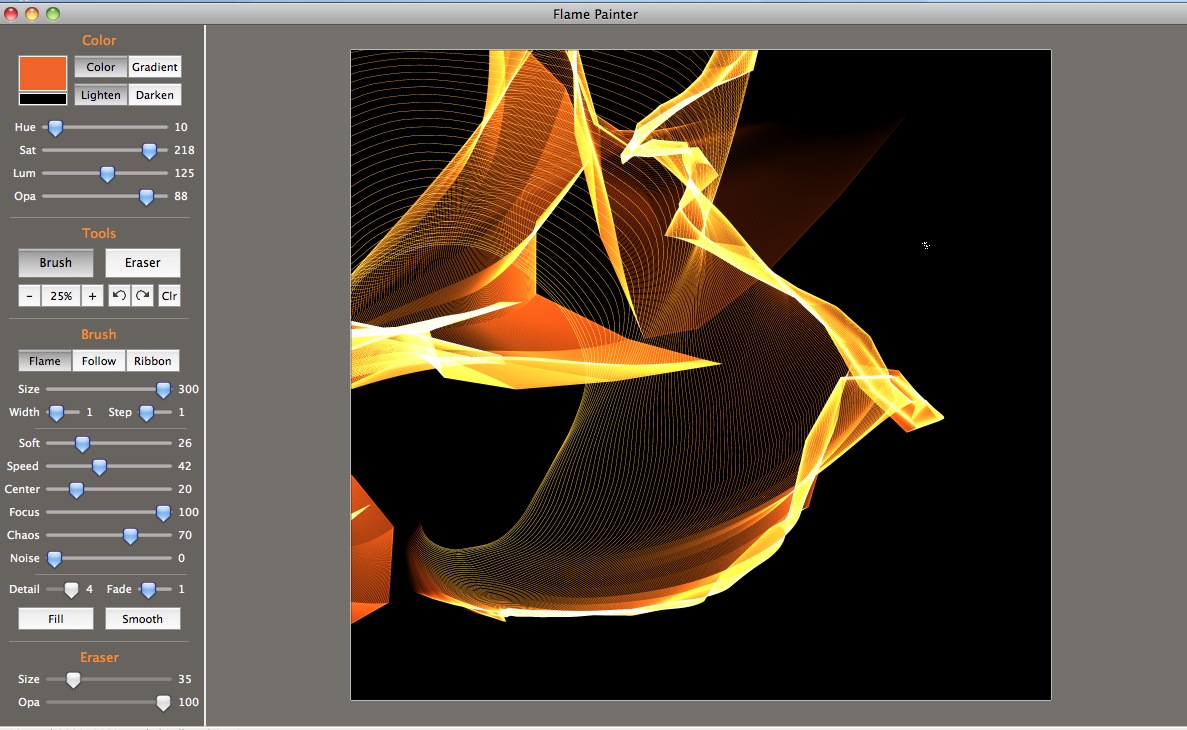 |
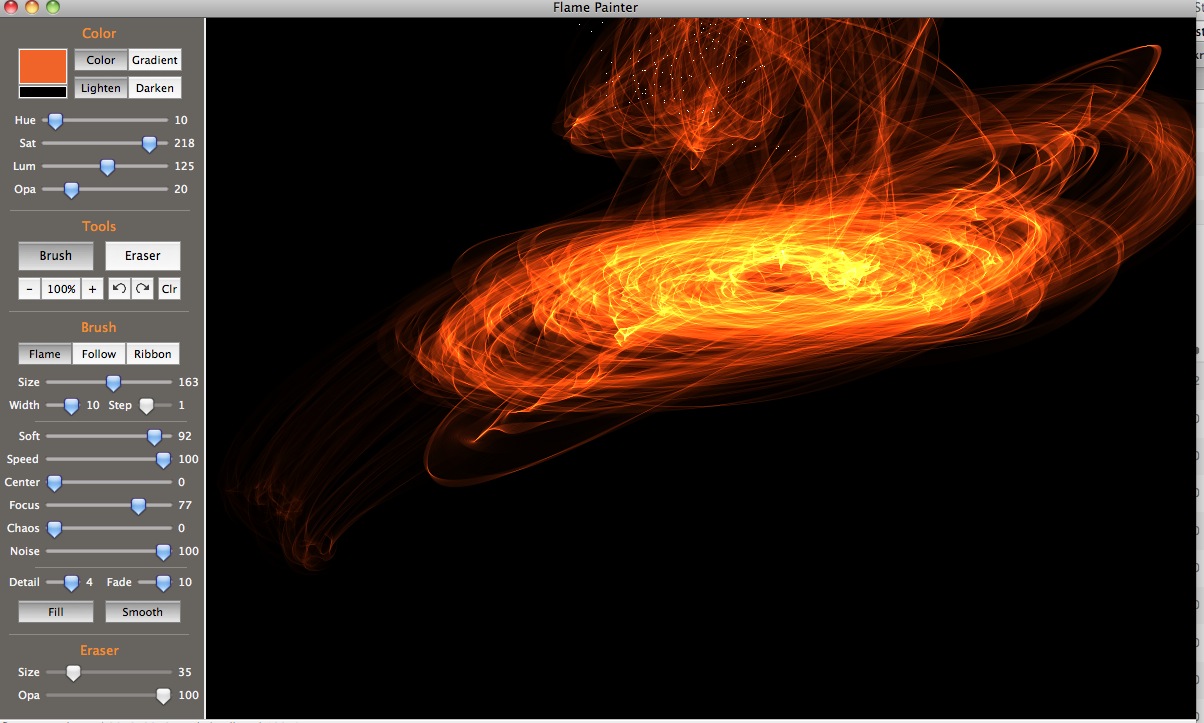 |
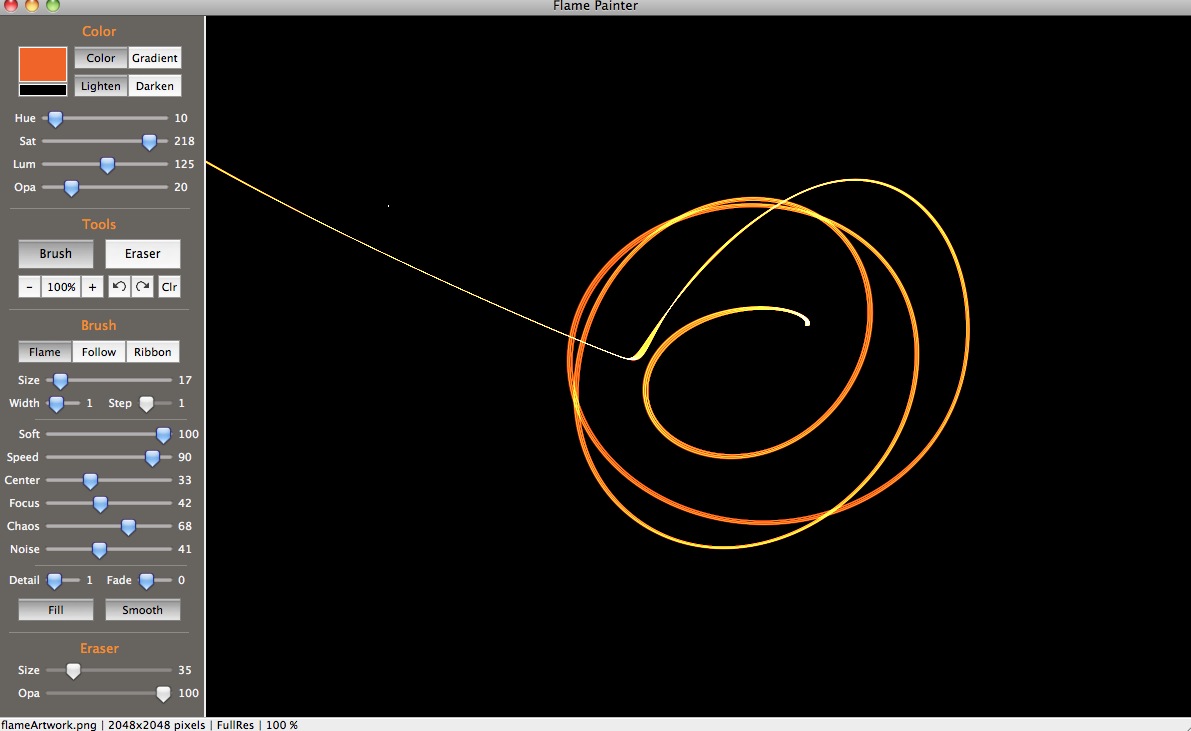 |
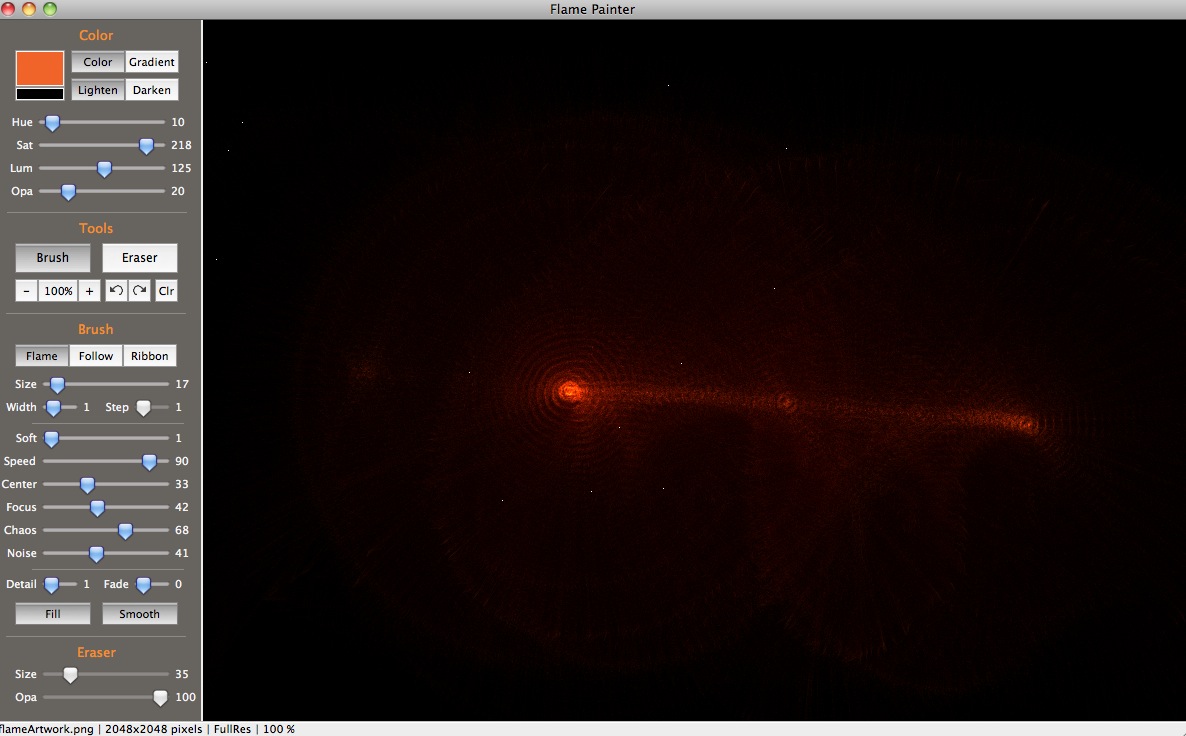 |
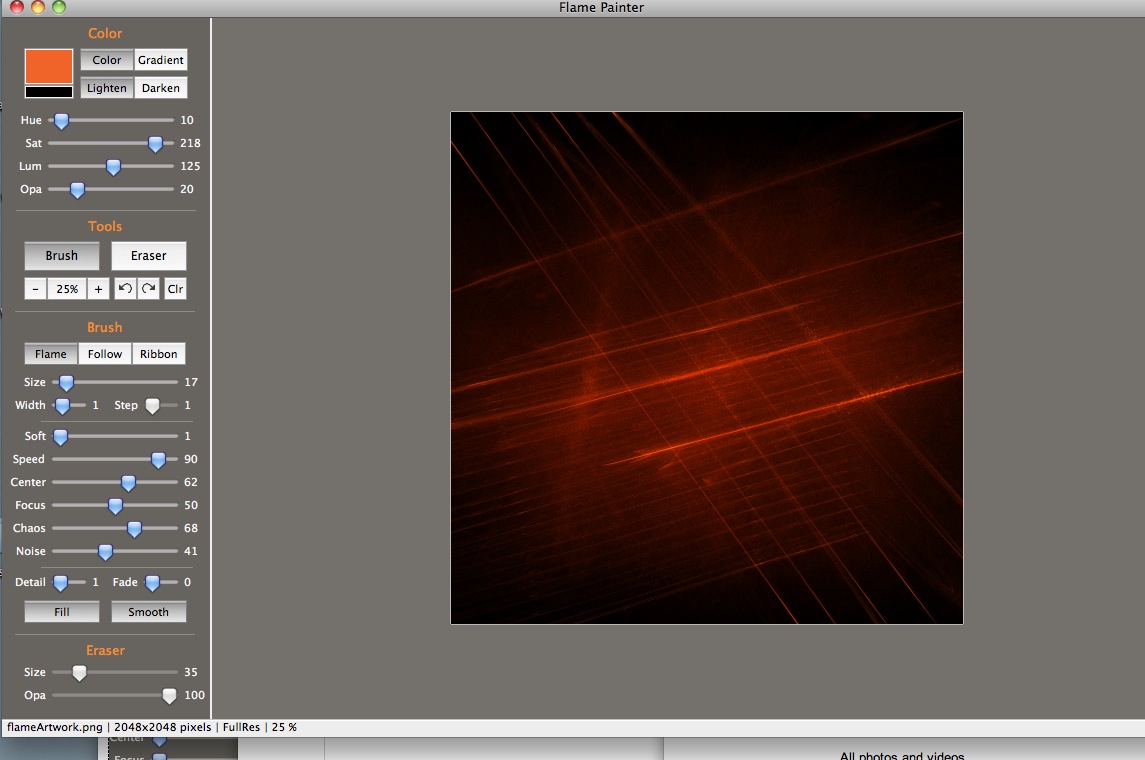 |
 |
 |
 |
 |
 |
| 1 |
Next Page |
- See more examples of some of the effects you can get with Flame Painter: My Flame Painter collection on Flickr
- Try Flame Painter for free online! http://www.escapemotions.com/
- Explore more Flame Painter tutorials
- Flame Painter group on Deviantart.com
March 23, 2011
XCode 4 installation fails with error
XCode, the developer tools suite provided by Apple is available to registered Apple Developers for free. If you are not a registered developer with Apple, you can still get XCode for a small fee through the App Store. But unlike many of the app store applications, clicking the "Install" button under the XCode description does not directly result in a working application appearing in your dock. The icon for an XCode installer shows up there instead. And that can installer isn't trouble-free.
When I tried to run the XCode installer, it failed when it was nearly done, and displayed a message to go look for an error in the log (/var/log/install.log) where I found errors like this:
Xcode install Underlying Error=(Error Domain=NSPOSIXErrorDomain...
A quick search of the Apple discussions showed that many people are having the same problem. Possible fixes include:
- restarting your computer
- Right click on the installer, select "Show Content" then find and launch the real installer (see below*)
- freeing up space on their hard drive, and
- simply trying the install again
What worked for me was simply trying again - it installed fine this time.
*The launch procedure for option 2 is:
- Go to Applications-folder. Find "Install Xcode".
- Right-click and choose "Show Content" (or something, swedish language activated).
- Go to Contents > Resources and doubleclick Xcode and iOS SDK.mpkg.
- XCode should now install.
(thanks to
mkeriksson )
March 22, 2011
There are purchased items on the iPod that have not been transferred
If you get this error when trying to upgrade the operating system on an iPhone or iPad:
"There are purchased items on the iPhone (iPad) "[name of device]" that have not been transferred"
Things to try:
- Is your computer is already authorized to the iTunes store account being used on the device? If not, authorize it:
Open iTunes. From the Store menu, choose Authorize Computer. In the dialog that appears, the Apple ID button is selected by default. If you have an AOL account, select AOL. Enter your Apple ID or AOL screen name and password, then click the Authorize button. If the iTunes Store purchases on your device were purchased with multiple accounts, you will need to authorize the computer for each one.
- Try manually transferring purchases:
With the device connected to the computer, select its icon in the left column of iTunes, and select "Transfer Purchases from "Your device name" from the File menu. - Try unplugging the device, deauthorize and then authorize the computer, plug the device back in and try updating again.
March 8, 2011
Flame Painter: Sparkler effects!
Flame Painter is a procedural painting application by Peter Blaškovič available on http://www.escapemotions.com/.There are three brush types in Flame Painter: Flame, Follow and Ribbon. Each produces an amazing variety of results depending on the settings chosen.
The images below show the results of incremental changes in brush settings, all of which result in various fireworks or sparkler effects. In each case, the changed setting is circled in red. Click any image to see it enlarged.

|

|

|

|

|
 |
 |
- See more examples of some of the effects you can get with Flame Painter: My Flame Painter collection on Flickr
- Try Flame Painter for free online! http://www.escapemotions.com/
- More of my Flame Painter tutorials
- Flame Painter group on Deviantart.com
March 5, 2011
Slow Publishing in Movable Type caused by ImageValidate plugin
This blog runs on the Movable Type engine, selected mainly because I like the fact that it publishes a static HTML file for each article.
For a long time, Movable Type appeared to be slowing down at publishing posts, particularly ones containing many images. It could take anywhere from a few seconds to five minutes or more just to publish an article! Yet when the images were not uploaded as Movable Type "assets" but simply added using HTML image tags, the publishing went much faster.
The source of the problem turned out to be a plugin called "ImageValidate", an old plugin that I don't even remember adding to the system. According to its read-me file,
"ImageValidate is meant to help authorized Movable Type administrators identify images that contain harmful HTML and prevent those file from being uploaded into the Movable Type Asset Manager. If an image file containing HTML is uploaded, the plugin will cause the following error to be displayed: "Saving [filename] failed: Invalid image file format."
March 4, 2011
Exploring Flame Painter's Follow brush - Part 2
Flame Painter is a procedural painting application by Peter Blaškovič available on http://www.escapemotions.com/.
There are three brush types in Flame Painter: Flame, Follow and Ribbon. Each produces an amazing variety of results depending on the settings chosen.
The images below show the results of incremental changes in the settings of the "Follow" brush. The changed setting is circled in red in each case. Click any image to see it enlarged.

|

|

|

|

|

|

|

|

|

|

|
|
|
Prev. Page |
2 |
- See more examples of some of the effects you can get with Flame Painter: My Flame Painter collection on Flickr
- Try Flame Painter for free online! http://www.escapemotions.com/
- Explore more Flame Painter tutorials
- Flame Painter group on Deviantart.com
March 3, 2011
Exploring Flame Painter's Follow brush - Part 1
Flame Painter is a procedural painting application by Peter Blaškovič available on http://www.escapemotions.com/.
There are three brush types in Flame Painter: Flame, Follow and Ribbon. Each produces an amazing variety of results depending on the settings chosen.
The images below show the results of incremental changes in the settings of the "Follow" brush. Click any image to see its settings.
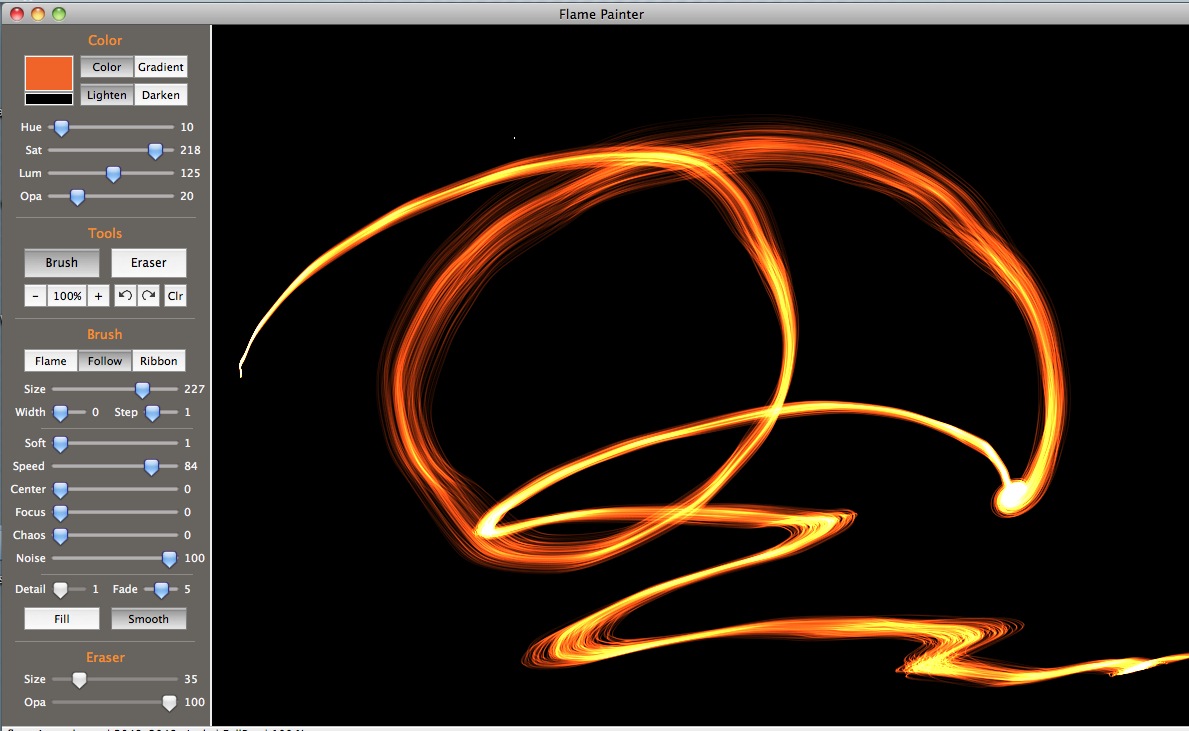
|
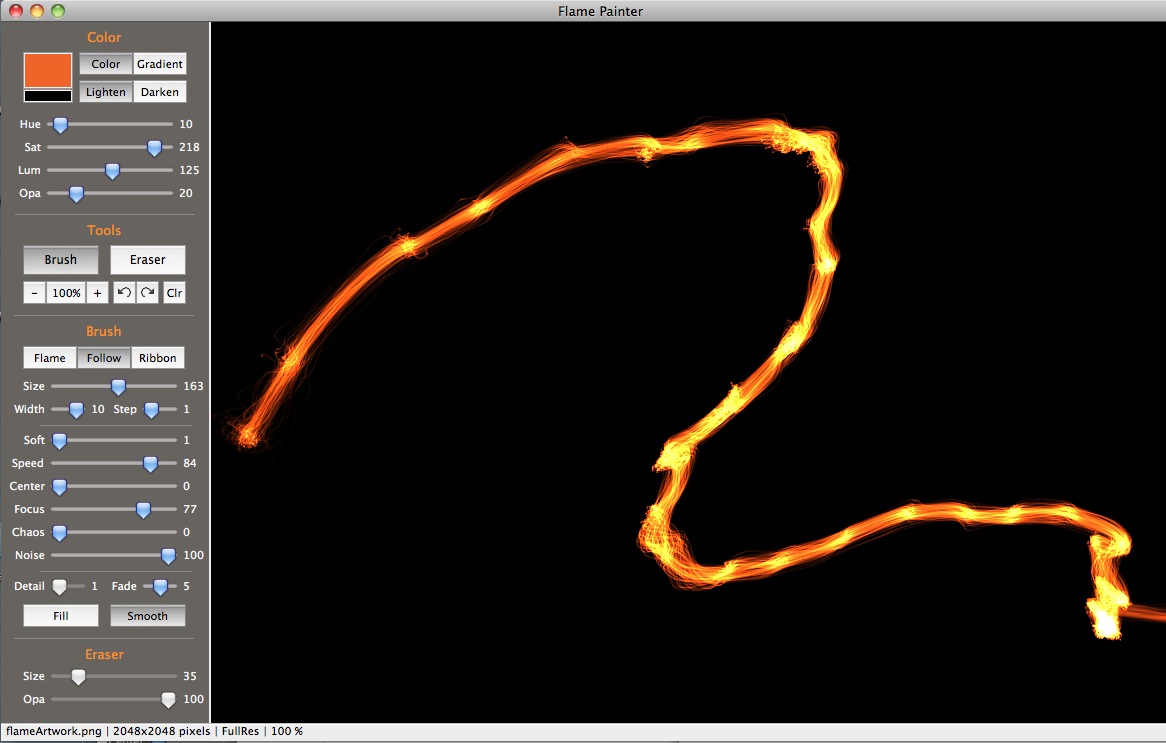
|

|
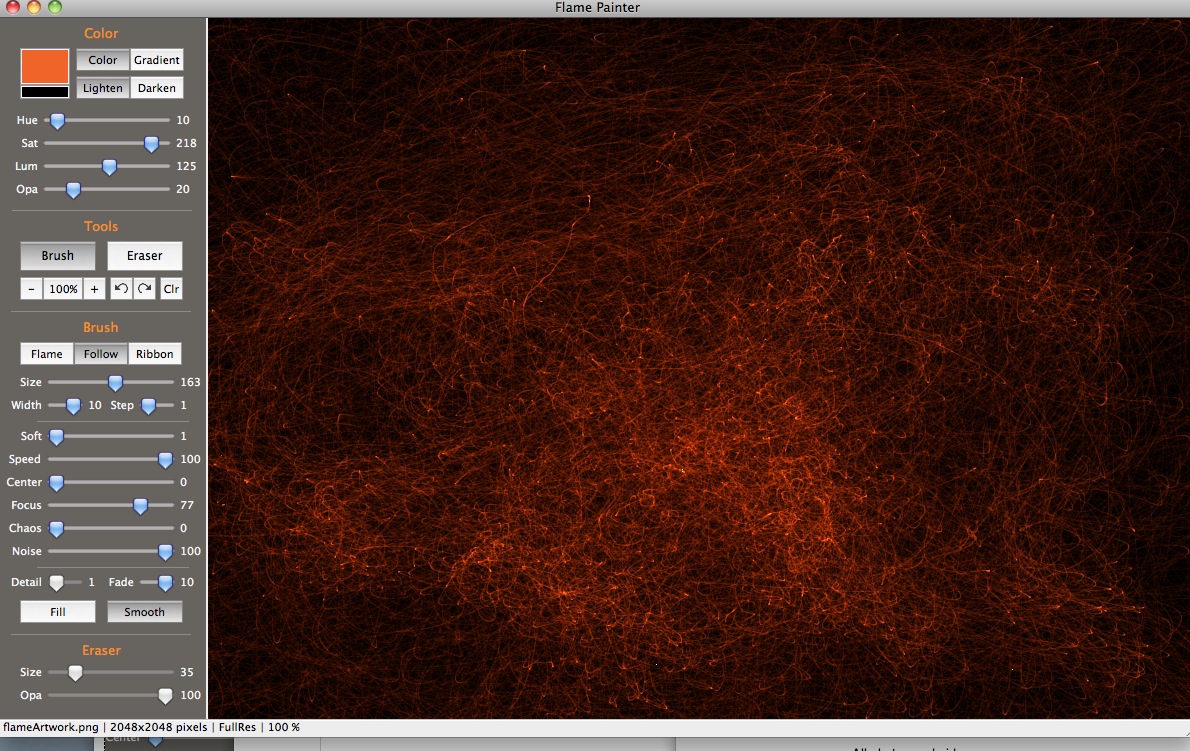
|
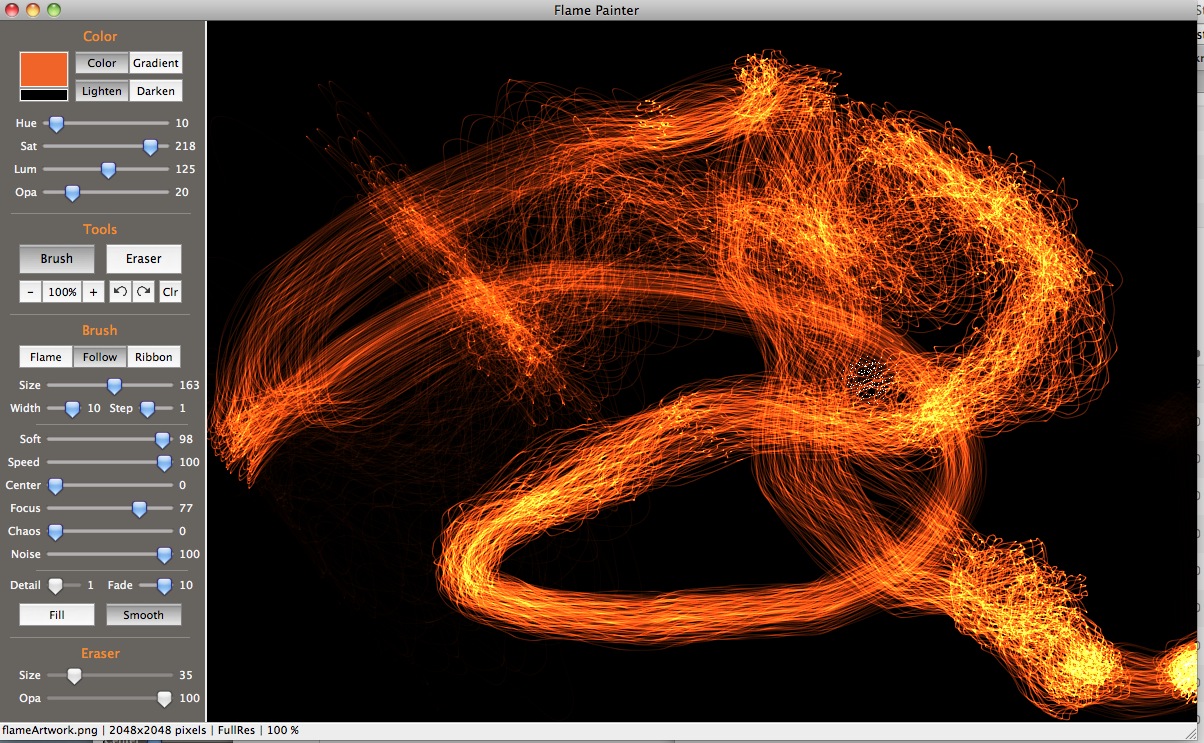
|
| 1 |
Next Page |
- See more examples of some of the effects you can get with Flame Painter: My Flame Painter collection on Flickr
- Try Flame Painter for free online! http://www.escapemotions.com/
- Explore more Flame Painter tutorials
- Flame Painter group on Deviantart.com
March 2, 2011
Flame Painter: settings for miscellaneous brush effects
Settings for some of Flame Painter's less obvious effects are shown here. Click any image to see the settings that created it.Scratchboard
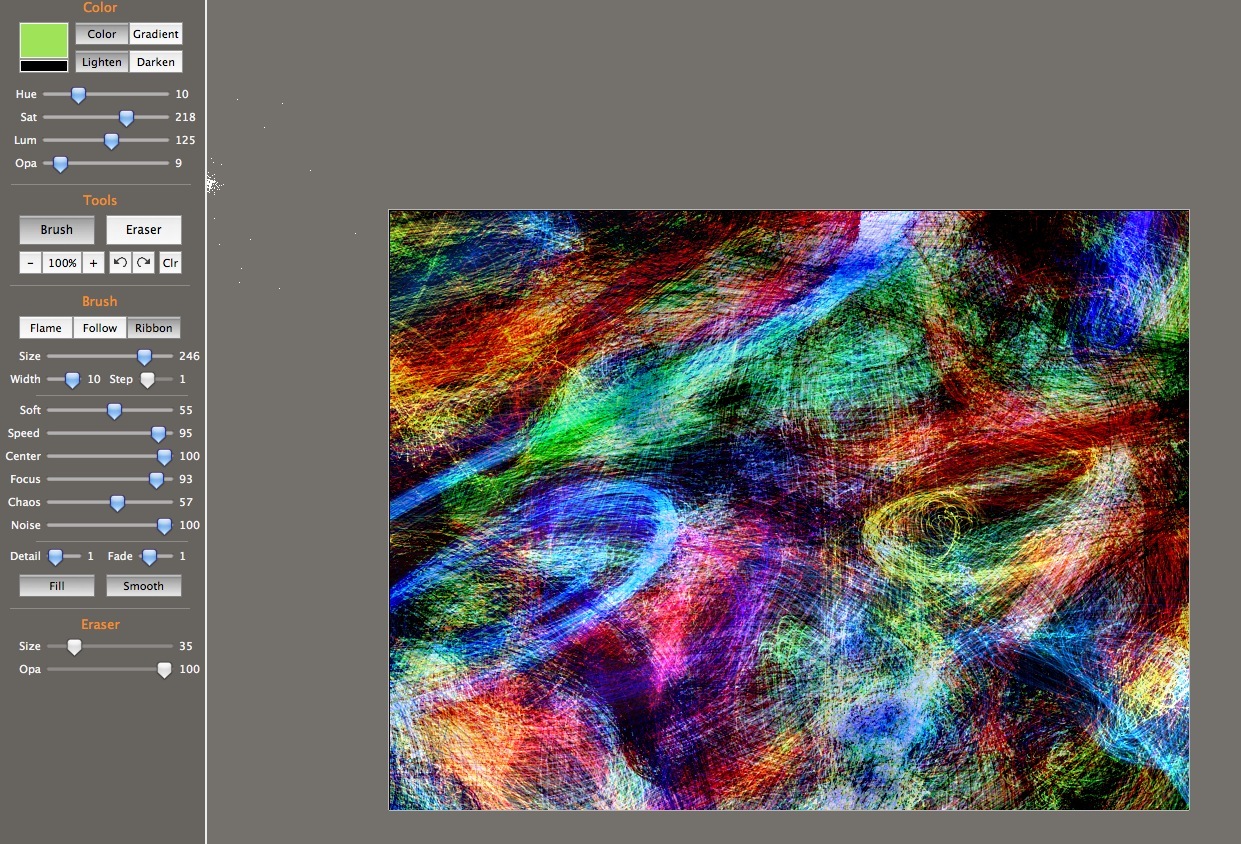
Energetic Ink Spatter (Think Ralph Steadman!)

Shell Forms

Light Flares and star effects
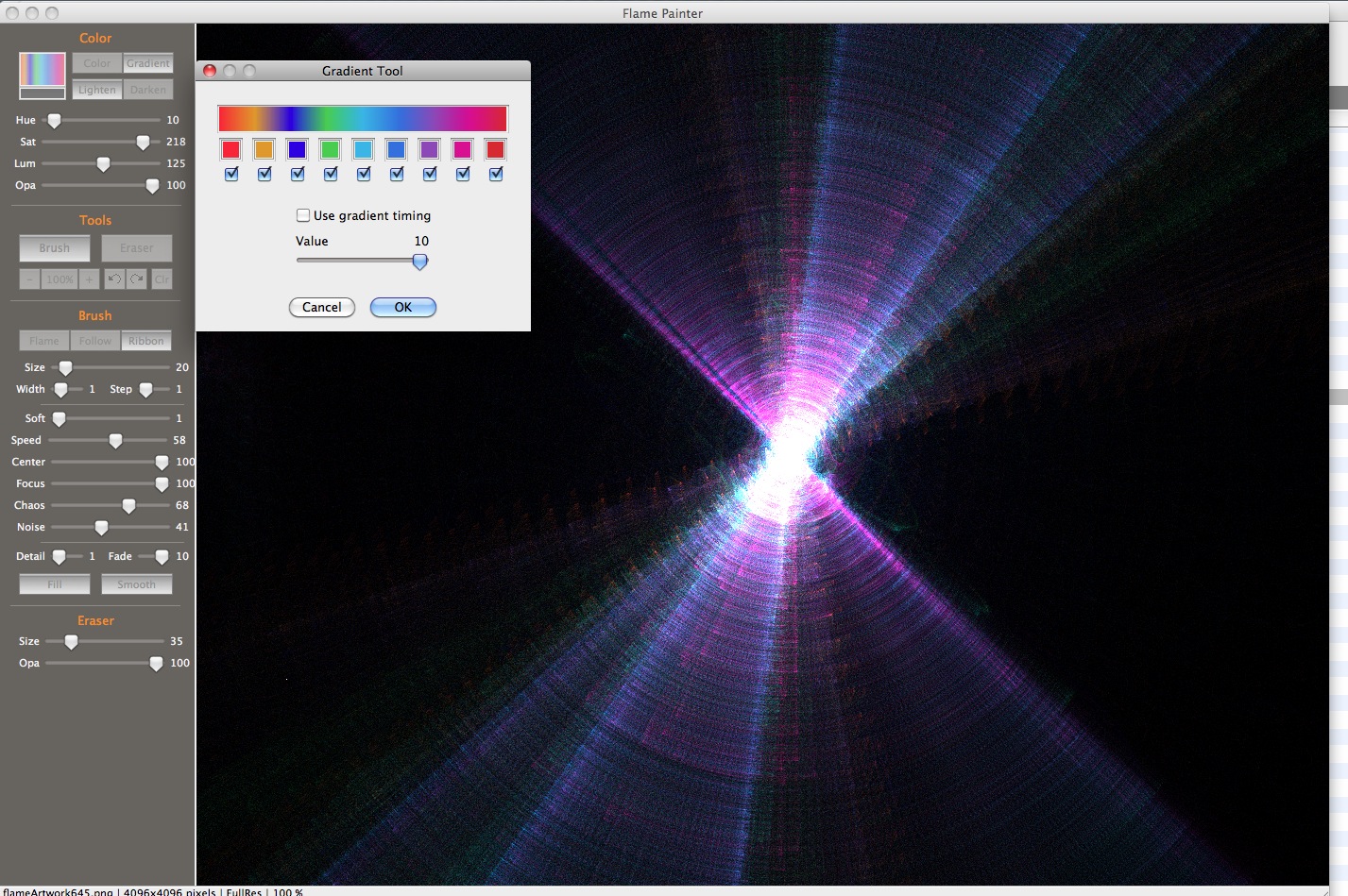
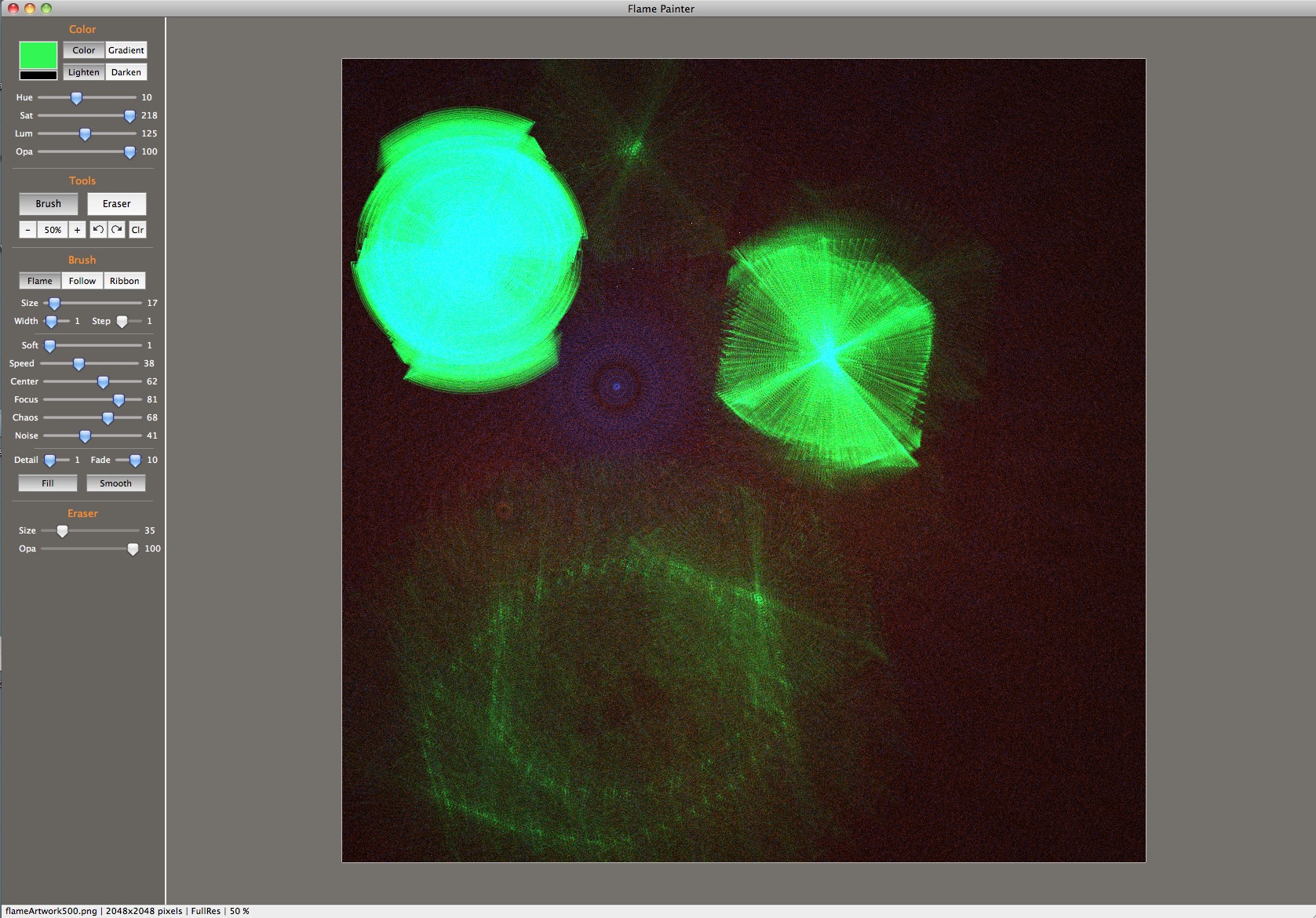
Grainy and Fibre textures
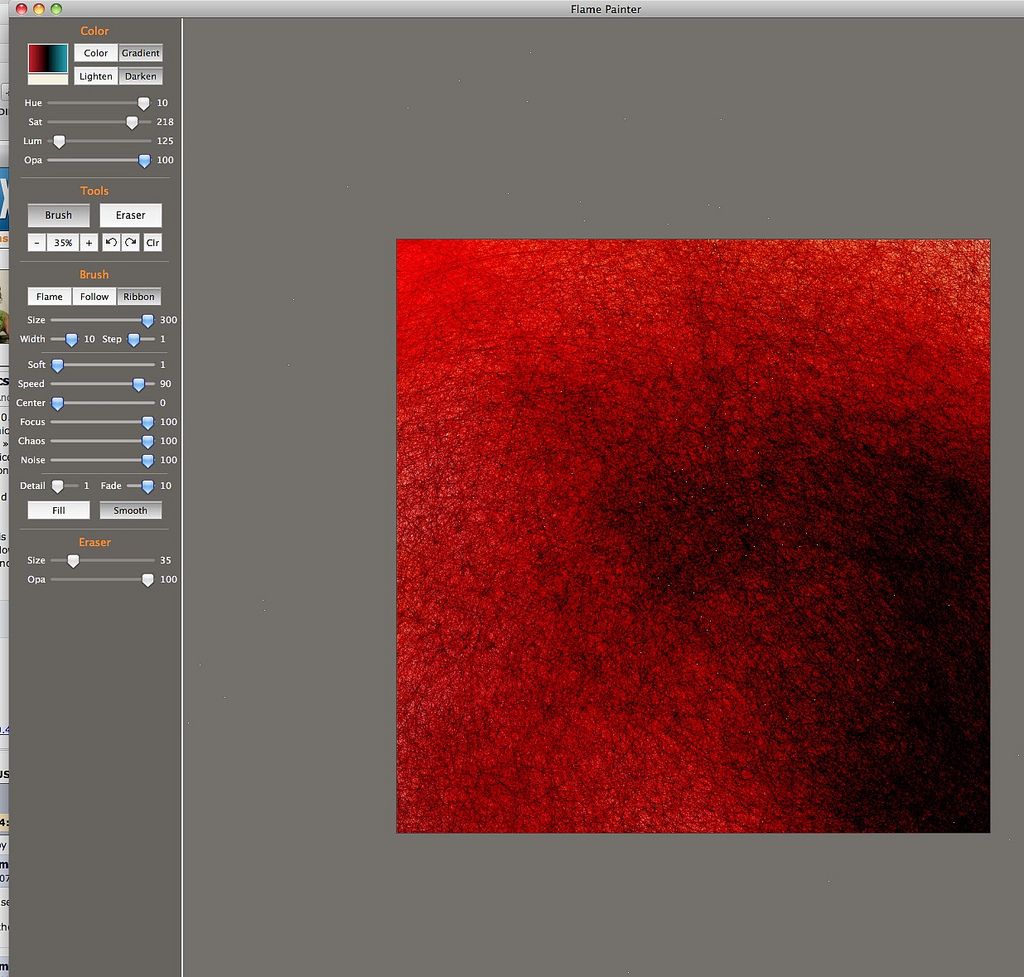
Scribbles

- See more examples of some of the effects you can get with Flame Painter: My Flame Painter collection on Flickr
- Try Flame Painter for free online! http://www.escapemotions.com/
- More posts about Flame Painter settings
- Flame Painter group on Deviantart.com
March 1, 2011
Using the Qualtrics API with PHP and javascript to create custom reports
Qualtrics.com is an extraordinarily full-featured online survey application that offers nearly every type of built-in report on your survey data you could ever want. But eventually, there comes a time when nothing but a custom report will do. Or you may want to integrate Qualtrics data into another application. For those times, Qualtrics has an extensive API which allows access to both data and functionality.
Qualtrics University doesn't have many details of how to use the API, so to help you get started, I'm providing an example of how I used the Qualtrics API with a PHP proxy and Adobe's Spry Framework to build a simple custom report.
The survey I used for this report is a graded quiz, with the user's name and ID number sent to Qualtrics in the survey launch link and this information can be retrieved with the quiz results. The report displays quiz raw and percentage scores, completion date and the user's name and ID number. The report can be easily searched for the name or ID number of a given user.
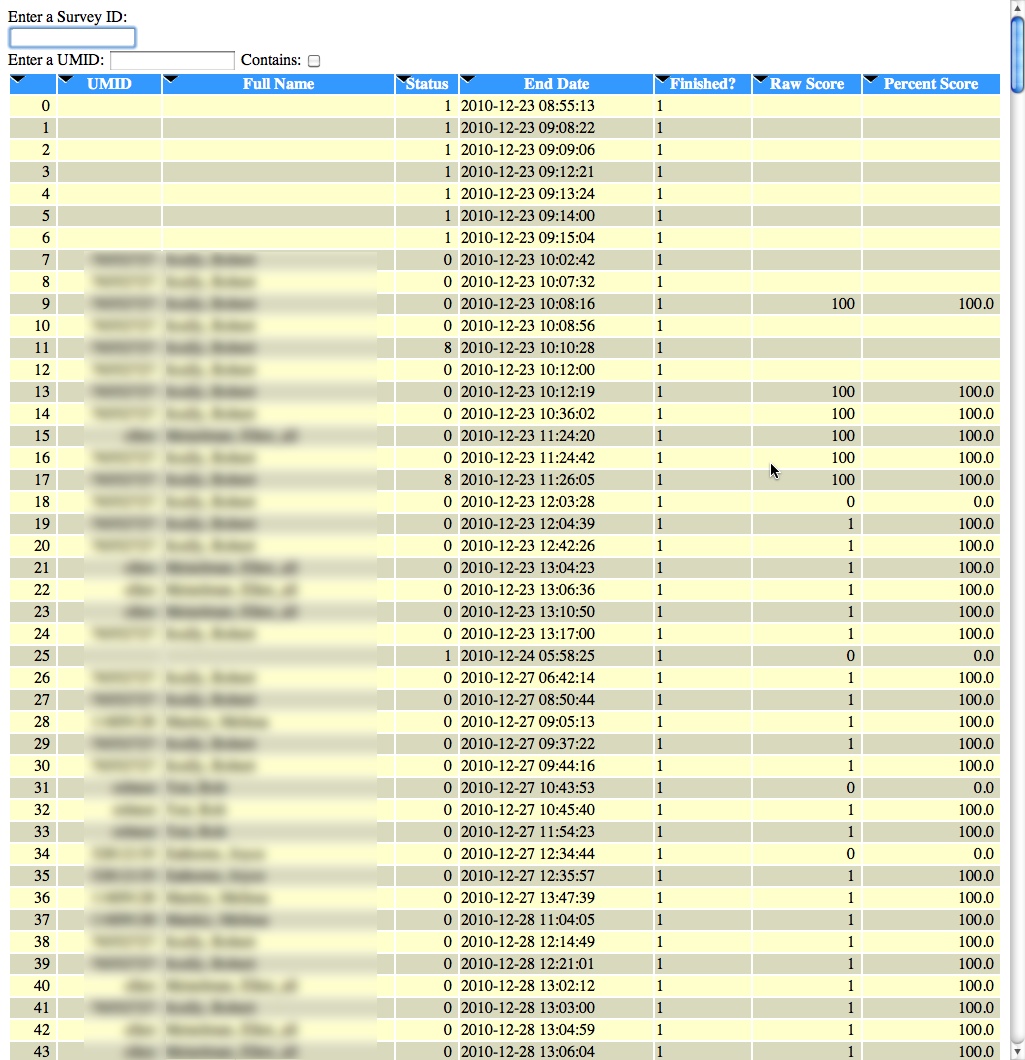
Steps to build a similar report:
- Create a survey to test with. Take the survey a number of times so that there will be some result data to report on.
- Ask Qualtrics' customer service for a copy of the Qualtrics API documentation.
- Create a new user account on Qualtrics.com who will be used only for API-related tasks.
- Assign the API-user rights to use the API. You will need administrator access to do this, so you may have to ask Qualtrics for help if you are not a brand-administrator.
- Set the rights on the test survey you created to collaborate with the API-user account so that it has reporting rights for that survey.
- Copy my modified version of Simple PHP Proxy from github and add in your own API-user account information where indicated. Test the proxy to make sure it is working.
- Examine the results and decide which fields should go into your report
- Modify my HTML to display the fields you are interested in.
Proxy page
Javascript cannot access content in remote webpages without cross-domain security limitations, so you must use some sort of server-side proxy to act as an intermediary between the Javascript and the remote data source. The proxy makes the request for the data to the remote server, and returns the results back to the javascript. Scroll down and modify the lines highlighted in yellow with your own information.
Modify the Simple PHP Proxy code where indicated with yellow highlighting
Test the proxy page by browsing to it with a URL like this: (if your proxy page is named "proxy.php") http://yourdomain.com/proxy.php?surveyid=SV_8GLWaEK3Fncs<?PHP
// Script: Simple PHP Proxy: Get external HTML, JSON and more! // // *Version: 1.6, Last updated: 1/24/2009* // // Project Home - http://benalman.com/projects/php-simple-proxy/ // GitHub - http://github.com/cowboy/php-simple-proxy/ // Source - http://github.com/cowboy/php-simple-proxy/raw/master/ba-simple-proxy.php // // About: License // // Copyright (c) 2010 "Cowboy" Ben Alman, // Dual licensed under the MIT and GPL licenses. // http://benalman.com/about/license/ // // About: Examples // // This working example, complete with fully commented code, illustrates one way // in which this PHP script can be used. // // Simple - http://benalman.com/code/projects/php-simple-proxy/examples/simple/ // // About: Release History // // 1.6 - (1/24/2009) Now defaults to JSON mode, which can now be changed to // native mode by specifying ?mode=native. Native and JSONP modes are // disabled by default because of possible XSS vulnerability issues, but // are configurable in the PHP script along with a url validation regex. // 1.5 - (12/27/2009) Initial release // // Topic: GET Parameters // // Certain GET (query string) parameters may be passed into ba-simple-proxy.php // to control its behavior, this is a list of these parameters. // // url - The remote URL resource to fetch. Any GET parameters to be passed // through to the remote URL resource must be urlencoded in this parameter. // mode - If mode=native, the response will be sent using the same content // type and headers that the remote URL resource returned. If omitted, the // response will be JSON (or JSONP). <Native requests> and <JSONP requests> // are disabled by default, see <Configuration Options> for more information. // callback - If specified, the response JSON will be wrapped in this named // function call. This parameter and <JSONP requests> are disabled by // default, see <Configuration Options> for more information. // user_agent - This value will be sent to the remote URL request as the // `User-Agent:` HTTP request header. If omitted, the browser user agent // will be passed through. // send_cookies - If send_cookies=1, all cookies will be forwarded through to // the remote URL request. // send_session - If send_session=1 and send_cookies=1, the SID cookie will be // forwarded through to the remote URL request. // full_headers - If a JSON request and full_headers=1, the JSON response will // contain detailed header information. // full_status - If a JSON request and full_status=1, the JSON response will // contain detailed cURL status information, otherwise it will just contain // the `http_code` property. // // Topic: POST Parameters // // All POST parameters are automatically passed through to the remote URL // request. // // Topic: JSON requests // // This request will return the contents of the specified url in JSON format. // // Request: // // > ba-simple-proxy.php?url=http://example.com/ // // Response: // // > { "contents": "<html>...</html>", "headers": {...}, "status": {...} } // // JSON object properties: // // contents - (String) The contents of the remote URL resource. // headers - (Object) A hash of HTTP headers returned by the remote URL // resource. // status - (Object) A hash of status codes returned by cURL. // // Topic: JSONP requests // // This request will return the contents of the specified url in JSONP format // (but only if $enable_jsonp is enabled in the PHP script). // // Request: // // > ba-simple-proxy.php?url=http://example.com/&callback=foo // // Response: // // > foo({ "contents": "<html>...</html>", "headers": {...}, "status": {...} }) // // JSON object properties: // // contents - (String) The contents of the remote URL resource. // headers - (Object) A hash of HTTP headers returned by the remote URL // resource. // status - (Object) A hash of status codes returned by cURL. // // Topic: Native requests // // This request will return the contents of the specified url in the format it // was received in, including the same content-type and other headers (but only // if $enable_native is enabled in the PHP script). // // Request: // // > ba-simple-proxy.php?url=http://example.com/&mode=native // // Response: // // > <html>...</html> // // Topic: Notes // // * Assumes magic_quotes_gpc = Off in php.ini // // Topic: Configuration Options // // These variables can be manually edited in the PHP file if necessary. // // $enable_jsonp - Only enable <JSONP requests> if you really need to. If you // install this script on the same server as the page you're calling it // from, plain JSON will work. Defaults to false. // $enable_native - You can enable <Native requests>, but you should only do // this if you also whitelist specific URLs using $valid_url_regex, to avoid // possible XSS vulnerabilities. Defaults to false. // $valid_url_regex - This regex is matched against the url parameter to // ensure that it is valid. This setting only needs to be used if either // $enable_jsonp or $enable_native are enabled. Defaults to '/.*/' which // validates all URLs. // // ############################################################################
// Change these configuration options if needed, see above descriptions for info. $enable_jsonp = false; $enable_native = true; //**************************************// //$valid_url_regex = '/.*/'; //***modify the line below to allow only your domain, or uncomment the line above this to allow all domains ***// $valid_url_regex = '/http://yourdomain.com/*/';
//**************************************// //########################################################################### $surveyid= $_GET['surveyid'];//alphanumeric //$surveyid= 'SV_8GLWaEK3FncsmMs'; $labels= $_GET['labels'];//1,0 //StartDate YYYY-‐MM-‐DD or No The date the responses must be after. YYYY-‐MM-‐DD HH:MM:SS //EndDate YYYY-‐MM-‐DD or No The date the responses must be before. YYYY-‐MM-‐DD HH:MM:SS //**************************************// //add your own api-user account information into the line below $url = 'https://new.qualtrics.com/Server/RestApi.php?Request%3DgetResponseData%26User%3Dqualtricsapiaccount@yourdomain.com%26Password%3Dyourpassword%26SurveyID%3D'.$surveyid.'%26Format%3DXML&mode=native''; //**************************************// if ( !$url ) { // Passed url not specified. // $contents = 'ERROR: url not specified'; //$url='https://new.qualtrics.com/Server/RestApi.php?Request=getResponseData&User=qualtricsapiaccount@yourdomain.com&Password=password&SurveyID=SV_8GLWaEK3FncsmMs&Format=XML'; //$status = array( 'http_code' => 'ERROR' ); }
// else if ( !preg_match( $valid_url_regex, $url ) ) { // Passed url doesn't match $valid_url_regex. //$contents = 'ERROR: invalid url'; //$status = array( 'http_code' => 'ERROR' ); //} else { //**************************************// //add your own api-user account information into the line below $ch = curl_init( 'https://new.qualtrics.com/Server/RestApi.php?Request=getResponseData&User=qualtricsapiaccount&Password=password&SurveyID='.$surveyid.'&Format=XML&mode=native'); //**************************************// // if ( strtolower($_SERVER['REQUEST_METHOD']) == 'post' ) { curl_setopt( $ch, CURLOPT_POST, true ); curl_setopt( $ch, CURLOPT_POSTFIELDS, $_POST ); // } if ( $_GET['send_cookies'] ) { $cookie = array(); foreach ( $_COOKIE as $key => $value ) { $cookie[] = $key . '=' . $value; } if ( $_GET['send_session'] ) { $cookie[] = SID; } $cookie = implode( '; ', $cookie ); curl_setopt( $ch, CURLOPT_COOKIE, $cookie ); } curl_setopt( $ch, CURLOPT_FOLLOWLOCATION, true ); curl_setopt( $ch, CURLOPT_HEADER, true ); curl_setopt( $ch, CURLOPT_RETURNTRANSFER, true ); curl_setopt( $ch, CURLOPT_USERAGENT, $_GET['user_agent'] ? $_GET['user_agent'] : $_SERVER['HTTP_USER_AGENT'] ); list( $header, $contents ) = preg_split( '/([\r\n][\r\n])\\1/', curl_exec( $ch ), 2 ); $status = curl_getinfo( $ch ); curl_close( $ch ); }
// Split header text into an array. $header_text = preg_split( '/[\r\n]+/', $header );
if ( $_GET['mode'] == 'native' ) { if ( !$enable_native ) { $contents = 'ERROR: invalid mode'; $status = array( 'http_code' => 'ERROR' ); } // Propagate headers to response. foreach ( $header_text as $header ) { if ( preg_match( '/^(?:Content-Type|Content-Language|Set-Cookie):/i', $header ) ) { header( $header ); } } print $contents; } else { // $data will be serialized into JSON data. $data = array(); // Propagate all HTTP headers into the JSON data object. if ( $_GET['full_headers'] ) { $data['headers'] = array(); foreach ( $header_text as $header ) { preg_match( '/^(.+?):\s+(.*)$/', $header, $matches ); if ( $matches ) { $data['headers'][ $matches[1] ] = $matches[2]; } } } // Propagate all cURL request / response info to the JSON data object. if ( $_GET['full_status'] ) { $data['status'] = $status; } else { $data['status'] = array(); $data['status']['http_code'] = $status['http_code']; } // Set the JSON data object contents, decoding it from JSON if possible. $decoded_json = json_decode( $contents ); $data['contents'] = $decoded_json ? $decoded_json : $contents; // Generate appropriate content-type header. $is_xhr = strtolower($_SERVER['HTTP_X_REQUESTED_WITH']) == 'xmlhttprequest'; header( 'Content-type: application/' . ( $is_xhr ? 'json' : 'x-javascript' ) ); // Get JSONP callback. $jsonp_callback = $enable_jsonp && isset($_GET['callback']) ? $_GET['callback'] : null; // Generate JSON/JSONP string $json = json_encode( $data ); print $jsonp_callback ? "$jsonp_callback($json)" : $json; }
?>
HTML page example
this is an example report, which uses Adobe's Spry framework to parse and filter the xml returned by the proxy.This is a sample XML survey response result sent back by the server (this is just one result from the long list of results that generated the report shown in the image above.)<!DOCTYPE html PUBLIC "-//W3C//DTD XHTML 1.0 Transitional//EN" "http://www.w3.org/TR/xhtml1/DTD/xhtml1-transitional.dtd"> <html xmlns="http://www.w3.org/1999/xhtml" xmlns:spry="http://ns.adobe.com/spry"> <head> <meta http-equiv="Content-Type" content="text/html; charset=UTF-8" /> <title>Untitled Document</title> <style> #data{/*display:none;*/} #changing, #loading{margin-top::20%;margin-left:auto;margin-right:50%;width:300px;float:left;} body{font:Arial, Helvetica, sans-serif;} th {color:#FFF;cursor:pointer;background: #39F url(images/arrow-down.gif)top left no-repeat; } .even { background-color:#D9D9BE;} .odd { background-color: #FFFFCC; } .other { background-color: #6699CC; }
</style> <script src="../../SpryAssets/xpath.js" type="text/javascript"></script> <script src="../../SpryAssets/SpryData.js" type="text/javascript"></script> <script type="text/javascript"> var surveyid; //add your own survey id into the line below var ds1 = new Spry.Data.XMLDataSet("proxy.php?surveyid=SV_8GLWaEK3FncsmMs&mode=native", "xml/Response");
var obs = new Object; ds1.addObserver(obs); function fetchdata(surveyid){ var urlstr = "proxy.php?mode=native&surveyid="+surveyid; ds1.setURL(urlstr); //var ds1 = new Spry.Data.XMLDataSet(urlstr, "xml/Response"); ds1.loadData(); //var ds1 = new Spry.Data.XMLDataSet("proxy.php?mode=native", "/xml/Response[id = 'ellen']"); document.getElementById("loading").style.display="block"; } function showchanging(){ document.getElementById("data").style.display="none"; document.getElementById("changing").style.display="block"; setTimeout('datachangehandler()',1000); } function dataloadhandler(){ // ds1.loadData(); document.getElementById("loading").style.display="none"; document.getElementById("data").style.display="block"; document.getElementById("userfilter").style.display="block"; }
function datachangehandler(){ document.getElementById("changing").style.display="none"; }
obs.onPostLoad = function(notifier, data) { // Spry.Debug.trace("obs.onPostLoad called!"); dataloadhandler(); }
//obs.onDataChanged = function(notifier, data) //{ //Spry.Debug.trace("obs.onDataChanged called!"); //};
//var dsStates1 = new Spry.Data.XMLDataSet("../../data/states/states.xml", "/states/state[position() >= 30 and position() < 40]"); //var dsStates2 = new Spry.Data.XMLDataSet("../../data/states/states.xml", "/states/state[name = 'New York']"); ////////////////////////////
function FilterData() { var tf = document.getElementById("filterTF"); if (!tf.value) { // If the text field is empty, remove any filter // that is set on the data set.
ds1.filter(null); return; }
// Set a filter on the data set that matches any row // that begins with the string in the text field.
var regExpStr = tf.value; if (!document.getElementById("containsCB").checked) regExpStr = "^" + regExpStr;
var regExp = new RegExp(regExpStr, "i"); var filterFunc = function(ds, row, rowNumber) { var umid = row["id"]; var name = row["fn"] if ((umid && umid.search(regExp) != -1)||(name && name.search(regExp) != -1)) return row; return null; };
ds1.filter(filterFunc); }
function StartFilterTimer() { if (StartFilterTimer.timerID) clearTimeout(StartFilterTimer.timerID); StartFilterTimer.timerID = setTimeout(function() { StartFilterTimer.timerID = null; FilterData(); }, 100); }
</script></head> <body>
<div id="searchbox"> Enter a Survey ID: <form name="form1"> <input type="text" id="selectSurvey" name="selectSurvey" value="SV_8GLWaEK3FncsmMs" onblur="fetchdata(this.value);"/> <!-- <input type="submit" value="go" onclick="fetchdata(document.surveyid.value);"/>--> </form>
</div> <div id="userfilter" style="display:none;"> Enter a UMID: <input type="text" id="filterTF" onmousedown="this.value=''" onkeyup="StartFilterTimer();" /> Contains: <input type="checkbox" id="containsCB" />
</div> <center><div id="loading" align="center" style="display:block;margin:100px 25% 0 25%;"><img src="images/ajax-loader.gif"/><br/>Data takes a few seconds to load. Please wait.</div> <div id="changing" style="display:none;margin:100px 25% 0 25%;" align="center"><img src="images/ajax-loader.gif"/><br/>Sorting. Please wait.</div></center> <div spry:region="ds1" id="data" style="display:none">
<table border=0 width="100%"> <tr style="background-color:#36C;" class="header"> <th> </th> <th spry:sort="id" onmousedown="showchanging()">UMID</th> <th spry:sort="fn" onmousedown="showchanging()">Full Name</th> <th spry:sort="Status" onmousedown="showchanging()">Status</th> <th spry:sort="EndDate" onmousedown="showchanging()">End Date</th> <th spry:sort="Finished" onmousedown="showchanging()">Finished?</th> <th spry:sort="Grade" onmousedown="showchanging()">Raw Score</th> <th spry:sort="GradePercent" onmousedown="showchanging">Percent Score</th> </tr> <tr spry:repeat="ds1" class="{ds_EvenOddRow}"> <td style="text-align:right;padding:0px 6px 0px 3px;">{ds_RowNumber}</td> <td style="text-align:right;padding:0px 6px 0px 3px;">{id}</td> <td>{fn}</td> <td style="text-align:right;padding:0px 6px 0px 3px;">{Status}</td> <td>{EndDate}</td> <td>{Finished}</td> <td style="text-align:right;padding:0px 6px 0px 3px;">{Grade}</td> <td style="text-align:right;padding:0px 6px 0px 3px;">{GradePercent}</td> </tr> </table> </div>
</body> </html>
<Response>
<ResponseID>R_1T88lp9rma0GS6o</ResponseID>
<ResponseSet>Default Response Set</ResponseSet>
<Name>Anonymous</Name>
<ExternalDataReference></ExternalDataReference>
<EmailAddress></EmailAddress>
<IPAddress>101.210.13.00</IPAddress>
<Status>0</Status>
<StartDate>2011-01-06 13:54:04</StartDate>
<EndDate>2011-01-06 13:54:37</EndDate>
<Finished>1</Finished>
<Grade>
<Sum>1</Sum>
<WeightedMean>1</WeightedMean>
<WeightedStdDev>0</WeightedStdDev>
</Grade>
<fn>Smith, Bob</fn>
<id>5555995859</id>
<Grade>1</Grade>
<GradePercent>100.0</GradePercent>
<url>
<![CDATA[http://ourlmsserver.com/modules/subject/qualtricsWrap.htm]]>
</url>
<o></o>
<Q1>1</Q1>
<Q2>1</Q2>
<Q3>2</Q3>
<Q4>7</Q4>
<Q5>1</Q5>
<Q6></Q6>
<Q7></Q7>
<Q8></Q8>
<Q9></Q9>
<Q10></Q10>
<Q11></Q11>
<Q12></Q12>
<Q13></Q13>
<Q14></Q14>
<Q15></Q15>
<Q16></Q16>
<Q17></Q17>
<Q18></Q18>
<Q19></Q19>
<Q20></Q20>
<Q21></Q21>
<Q22></Q22>
<Q23></Q23>
<Q24></Q24>
<Q25></Q25>
<Q26></Q26>
<Q27></Q27>
<Q28></Q28>
<Q29></Q29>
<Q30></Q30>
<Q31></Q31>
<Q32></Q32>
<Q33></Q33>
<Q34></Q34>
<Q35></Q35>
<Q36></Q36>
<Q37></Q37>
<Q38></Q38>
<Q39></Q39>
<Q40></Q40>
<Q41></Q41>
<Q42></Q42>
<Q43></Q43>
<Q44></Q44>
<Q45></Q45>
<Q46></Q46>
<Q47></Q47>
<Q48></Q48>
<Q49></Q49>
<Q50></Q50>
<Q51></Q51>
<Q52>1</Q52>
</Response>
Date-controlled random rotating banner script
This script text and HTML from an XML listing, based on the end date. It scans through the list, finds the first section with an end-date greater than today's date, then pulls random banner text/HTML from that section. The example shown here uses a flat color banner with white text, but you could also use this same script to generate image or flash-based banners. I've also added a nice jQuery fade-in effect but that is optional.View Demo
Download source files
"index.htm"
Sample HTML page:
banners.xml<!DOCTYPE html PUBLIC "-//W3C//DTD XHTML 1.0 Strict//EN" "http://www.w3.org/TR/xhtml1/DTD/xhtml1-strict.dtd"> <html xmlns="http://www.w3.org/1999/xhtml"> <head> <meta http-equiv="Content-Type" content="text/html; charset=UTF-8" /> <title>Rotating banner example</title> <!-- layout style --> <link href="style.css" rel="stylesheet" type="text/css" media="screen" /> <!-- jquery --> <script src="http://code.jquery.com/jquery-1.5.2.min.js"></script> <script type="text/javascript" src="banner.js"></script>
</head> <body>
<div id="subheader"> <!-- Box Start --> <div class="" style="display:none;" id='thebanner'> <div class="top"><span></span></div> <div class="box-content"> <div class="box-content2"> <div class="box-padding"> <!-- Content Begin --> <div id="newsBanner" align="center"> <b>-Educators:</b> Brighten Your Learning Results: <b>Free sessions</b> for educators and course developers. <a href="#" target="blank">See calendar >>></a> </div><!--end newsbanner--> <!-- Content End --> </div><!--boxpadding--> </div><!--end box-content2--> </div><!--end box-content--> <div class="bottom"><span></span></div> </div><!--end box--> <div class="clear"></div> <!-- Box End --> </div>
</body> </html>
Sample XML file:
<?xml version="1.0" encoding="utf-8"?>
<dates>
<!--put sets in date order, oldest first-->
 <date enddate="02/24/2011" nm='24'>
  <items>
  <item nm="apples">
  <text><![CDATA[   1 ends Feb 24, 2011 and <b>HTML</b> and <a href="http://google.com">links</a>   ]]></text>
  <color>red</color>
  </item>
  <item nm="pears">
  <text><![CDATA[  2 ends Feb 24, 2011 of text and <b>HTML</b> and <a href="http://google.com">links</a>   ]]></text>
  <color>blue</color>
  </item>
  <item nm="pineapples">
  <text><![CDATA[   3 ends Feb 24, 2011 <b>HTML</b> and <a href="http://google.com">links</a>   ]]></text>
  <color>blue</color>
  </item>
  <item nm="vgt">
  <text><![CDATA[   4 ends Feb 24, 2011bunch of text and <b>HTML</b> and <a href="http://google.com">links</a>   ]]></text>
  <color>blue</color>
  </item>
  </items>
  </date>
  <date enddate="02/25/2011" nm='25'>
  <items>
  <item nm="apples">
  <text><![CDATA[   1 ends Feb 25, 2011 and <b>HTML</b> and <a href="http://google.com">links</a>   ]]></text>
  <color>blue</color>
  </item>
  <item nm="pears">
  <text><![CDATA[  2 ends Feb 25, 2011 of text and <b>HTML</b> and <a href="http://google.com">links</a>   ]]></text>
  <color>red</color>
  </item>
  <item nm="pineapples">
  <text><![CDATA[   3 ends Feb 25, 2011 <b>HTML</b> and <a href="http://google.com">links</a>   ]]></text>
  <color>blue</color>
  </item>
  <item nm="vgt">
  <text><![CDATA[   4 ends Feb 25, 2011bunch of text and <b>HTML</b> and <a href="http://google.com">links</a>   ]]></text>
  <color>green</color>
  </item>
  </items>
  </date>
  <date enddate="04/17/2011" nm='20'>
  <items>
  <item id="series_promo">
  <text><![CDATA[  UMHS Educator Learning Series. Free, limited seating.<a href="#">Register today. See calendar.</a>   ]]></text>
  <color>red</color>
  </item>
  <item nm="mih_promo">
  <text><![CDATA[   One-day Conference: Making it Happen. May 19. Ann Arbor.  <a href="#">Register</a>   ]]></text>
  <color>blue</color>
  </item>
  <item nm="next_session_promo">
  <text><![CDATA[   Designing Short, Effective Inservices. Free session. April 12.<a href="#">Register</a>   ]]></text>
  <color>green</color>
  </item>

  </items>
  </date>

  <date enddate="05/17/2011" nm='20'>
  <items>
  <item id="series_promo">
  <text><![CDATA[  ends 05/17/2011 Free, limited seating.<a href="#">Register today. See calendar.</a>   ]]></text>
  <color>red</color>
  </item>
  <item nm="mih_promo">
  <text><![CDATA[   ends 05/17/2011 One-day Conference: Making it Happen. May 19. Ann Arbor.  <a href="#">Register</a>   ]]></text>
  <color>blue</color>
  </item>
  <item nm="next_session_promo">
  <text><![CDATA[   ends 05/17/2011 Designing Short, Effective Inservices. Free session. April 12.<a href="#">Register</a>   ]]></text>
  <color>green</color>
  </item>

  </items>
  </date>
  <date enddate="06/23/2011" nm='28'>
  <items>
  <item nm="apples">
  <text><![CDATA[   1 ends June 23, 2011 and <b>HTML</b> and <a href="http://google.com">links</a>   ]]></text>
  <color>blue</color>
  </item>
  <item nm="pears">
  <text><![CDATA[  2 ends  June 23, 2011 of text and <b>HTML</b> and <a href="http://google.com">links</a>   ]]></text>
  <color>blue</color>
  </item>
  <item nm="pineapples">
  <text><![CDATA[   3 ends  June 23, 2011 <b>HTML</b> and <a href="http://google.com">links</a>   ]]></text>
  <color>green</color>
  </item>
  <item nm="vgt">
  <text><![CDATA[   4 ends  June 23, 2011bunch of text and <b>HTML</b> and <a href="http://google.com">links</a>   ]]></text>
  <color>green</color>
  </item>
  </items>
  </date>

  <date enddate="07/23/2011" nm='28'>
  <items>
  <item nm="apples">
  <text><![CDATA[   1 ends July 23, 2011 and <b>HTML</b> and <a href="http://google.com">links</a>   ]]></text>
  <color>blue</color>
  </item>
  <item nm="pears">
  <text><![CDATA[  2 ends  July 23, 2011 of text and <b>HTML</b> and <a href="http://google.com">links</a>   ]]></text>
  <color>blue</color>
  </item>
  <item nm="pineapples">
  <text><![CDATA[   3 ends  July 23, 2011 <b>HTML</b> and <a href="http://google.com">links</a>   ]]></text>
  <color>green</color>
  </item>
  <item nm="vgt">
  <text><![CDATA[   4 ends  July 23, 2011bunch of text and <b>HTML</b> and <a href="http://google.com">links</a>   ]]></text>
  <color>green</color>
  </item>
  </items>
  </date>
  </dates>
Style sheet:
html, body, #wrapper { height: 100%; }

body > #wrapper{ height: auto; min-height: 100%; }

body {
	background: #fafafa url(../images/body_bg.gif) repeat-x left top;
	font-size: 13px;
	margin: 0;
}


/* Sub Header */
#sub-header {

	width: 960px;
	float: left;
}


/* box style */


.box {
	width: 100%;
	margin-bottom: 15px;
	float: left;

}

.top {
	width:100%;
	height:12px;
	background:url(../images/blue/top.png) no-repeat left top;
}
.bluebox   .top  {background:url(../images/blue/top.png) repeat;}
.redbox   .top  {background:url(../images/red/top.png) repeat;}
.orangebox   .top  {background:url(../images/orange/top.png) repeat;}
.greenbox   .top  {background:url(../images/green/top.png) repeat;}
.purplebox   .top  {background:url(../images/purple/top.png) repeat;}

.top span {
	width: 13px;
	height:12px;
	background: #fafafa url(../images/blue/top-right.png) no-repeat right top;
	float: right;
	overflow: hidden;
}
.bluebox .top span  {background:#fafafa url(../images/blue/top-right.png) no-repeat right top;}
.redbox  .top span  {background:#fafafa url(../images/red/top-right.png) no-repeat right top;}
.orangebox .top span  {background:#fafafa url(../images/orange/top-right.png) no-repeat right top;}
.greenbox  .top span  {background:#1cab09 url(../images/green/top-right.png) no-repeat right top;}
.purplebox  .top span  {background:#4931c3 url(../images/purple/top-right.png) no-repeat right top;}


.box-content {
	/*background: url(../images/blue/bannertile.png) repeat ;*/
	width: 100%;
	float: left;
	/*background-color: #f0f0f0;*/

}


.box-content2 {
	/*background: url(../images/blue/bannertile.png) repeat-y left top;*/
	width: 100%;
	float: left;
}
.bluebox   .box-content, .bluebox   .box-content2  {background:url(../images/blue/bannertile.png) repeat;}
.redbox    .box-content, .redbox    .box-content2  {background:url(../images/red/bannertile.png) repeat;}
.orangebox .box-content, .orangebox .box-content2  {background:url(../images/orange/bannertile.png) repeat;}
.greenbox  .box-content, .greenbox  .box-content   {background:url(../images/green/bannertile.png) repeat;}
.purplebox  .box-content, .purplebox  .box-content   {background:url(../images/purple/bannertile.png) repeat;}


.bottom {
	width:100%;
	height:12px;
	background:url(../images/blue/bottom.png) no-repeat left top;
	float: left;
}
.bluebox .bottom   { background:url(../images/blue/bottom.png) no-repeat left top; }
.redbox .bottom    { background:url(../images/red/bottom.png) no-repeat left top; }
.orangebox .bottom { background:url(../images/orange/bottom.png) no-repeat left top; }
.greenbox .bottom  { background:url(../images/green/bottom.png) no-repeat left top; }
.purplebox .bottom  { background:url(../images/purple/bottom.png) no-repeat left top; }

.bottom span {
	width: 13px;
	height:12px;
	background: #fafafa url(../images/blue/bottom_right.png) no-repeat right top;
	float: right;
	overflow: hidden;
}
.bluebox   .bottom span  {	background: #fafafa url(../images/blue/bottom_right.png) no-repeat right top;}
.redbox    .bottom span  {	background: #fafafa url(../images/red/bottom_right.png) no-repeat right top;}
.orangebox .bottom span  {	background: #fafafa url(../images/orange/bottom_right.png) no-repeat right top;}
.greenbox  .bottom span  {	background: #1cab09 url(../images/green/bottom_right.png) no-repeat right top;}
.purplebox  .bottom span  {	background: #4931c3 url(../images/purple/bottom_right.png) no-repeat right top;}

.box p {
	margin:5px 0 10px 0;
	padding-bottom: 5px;
	clear: both;
}

.box-padding {
	padding: 5px 15px 10px 15px;
}

#content .box-padding  p{
	padding-bottom: 10px;
}


.box-padding h2 {
	padding-top: 0px;
	margin-top: 0;

}
.box-padding h3 {
	padding-top: 0;
	margin-top: 10px;

}
"banner.js"javascript file
if (typeof console == "undefined" || typeof console.log == "undefined") var console = { log: function() {} };
//jquery stuff
$(document).ready(function () {
	var c;
    var t;
    $.ajax({
        type: "GET",
        url: "banners.xml",
        dataType: "xml",
        success: xmlParser
    });


});

function xmlParser(xml) {

     var todaysdatenumber=dayOfYear(new Date());


    $(xml).find("date").each(function ()
		  {
			  var itmend =  $(this).attr("enddate");
			 // console.log('itmend'+itmend);
			  var itmDate = new Date(itmend);
			  var itmendnumber = dayOfYear(itmDate);
			//  console.log('itmendnumber='+itmendnumber);
			  var bannerwritten = 0;
			//  console.log('todaysdatenumber='+todaysdatenumber);

			 console.log(itmendnumber > todaysdatenumber);
				 if((itmendnumber >= todaysdatenumber)&&(bannerwritten==0))
					  {
					   var itemslength =$(this).find('items').find('item').length;
					   var randomnumber=Math.floor(Math.random()*(itemslength))
					   console.log('itmend= '+itmend+' itmendnumber= '+ itmendnumber + ' itemslength='+itemslength);
					   c = $(this).find('items').find('item').filter(function(index) {return index  == randomnumber;}).find('color').text();
					   t = $(this).find('items').find('item').filter(function(index) {return index  == randomnumber;}).find('text').text();
					   console.log('c='+c);
					   console.log('t='+t);
					   $("#subheader").removeClass();
					   $("#subheader").addClass(c+"box");
					  //$("#newsBanner").text(t);
					   $("#newsBanner").html(t);
					   $("#thebanner").fadeIn(1000);
					   bannerwritten=1;
					   }//end if
					   else{
						    $("#subheader").addClass(c+"box");
						     $("#thebanner").fadeIn(1000);
						   }
		   }//end anon function assigned to each
	  );//end each

}	//end function xmlParser


function dayOfYear(dtVal){
	var dtNum;
	var firstDay = Date.UTC(dtVal.getFullYear(), 0, 0);
   	var thisDay = Date.UTC(dtVal.getFullYear(), dtVal.getMonth(), dtVal.getDate());
	dtNum = Math.floor((thisDay - firstDay) / (1000 * 60 * 60 * 24))+1;
   return dtNum;
}
//http://www.webdeveloper.com/forum/showthread.php?t=125078