March 30, 2006
Rate ElderCare Services here!
After some recent experiences with selecting various assisted living and health services for seniors, I began wishing I had the benefit of Amazon.com -style reviews to help make informed choices. I've started a reviews site for any type of ElderCare services. Any service relevant to care-giving, healthcare for seniors, assistive products for seniors, etc. can be reviewed at ElderCareRatings.net
No signup needed - just add a service and review it. If you put in the exact location it will show up on a google map as well.
Everyone can benefit from your experience - add some reviews today!
March 7, 2006
Perception quizzes don't export to Qpack
If you get errors when you try to export a Questionmark Perception quiz to Qpack, check to see if the template contains any images with %SYSTEM% in their paths.
I had put some global button images into the system graphics folder because it seemed to be the appropriate place, but it turns out that doing so can cause problems with exporting the quiz.
March 5, 2006
No table padding on IE for PC
A small difference in the way IE and other browsers interpret table attributes:Browsers other than IE will show padding if it is applied to the table tag.
table {
padding:6px;
}
IE does not recognize table padding, and will show contained elements as flush with the edges of the table.
For example:
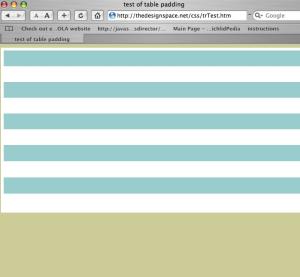
This is the way Safari 2.0 renders the code below. Note the 6 pixel white padding area between the edge of the table and the edge of the tr.

This is the way IE 5 running on VPC renders the code. However IE 6 on PC is the same.
<!DOCTYPE html PUBLIC \"-//W3C//DTD XHTML 1.0 Transitional//EN\" \"http://www.w3.org/TR/xhtml1/DTD/xhtml1-transitional.dtd\">
<html xmlns=\"http://www.w3.org/1999/xhtml\">
<head>
<meta http-equiv=\"Content-Type\" content=\"text/html; charset=ISO-8859-1\" />
<title>test of table padding</title>
<style type=\"text/css\">
<!--
body {
	background-color: #CCCC99;
}
table {
padding:6px;
background:#FFF;
}

tr.class1 {
background:#FFF;
}

tr.class2 {
background:#99CCCC;
}


-->
</style></head>

<body>
<table width=\"100%\" height=\"356\" border=\"0\" cellpadding=\"0\" cellspacing=\"0\">
  <tr class=\"class2\" >
    <td> </td>
  </tr>
  <tr class=\"class1\">
    <td> </td>
  </tr bgcolor=\"#99CCCC\">
  <tr class=\"class2\">
    <td> </td>
  </tr>
  <tr class=\"class1\">
    <td> </td>
  </tr>
  <tr class=\"class2\">
    <td> </td>
  </tr>
  <tr class=\"class1\">
    <td> </td>
  </tr>
  <tr class=\"class2\">
    <td> </td>
  </tr>
  <tr class=\"class1\">
    <td> </td>
  </tr>
  <tr class=\"class2\">
    <td> </td>
  </tr>
  <tr class=\"class1\">
    <td> </td>
  </tr>
</table>
</body>
</html>