Click on the Quiz tab to view the Quiz settings. Quiz settings determine the overall behavior and defaults for the interactions in a Captivate module.
You can override some of the default settings within individual interactions.
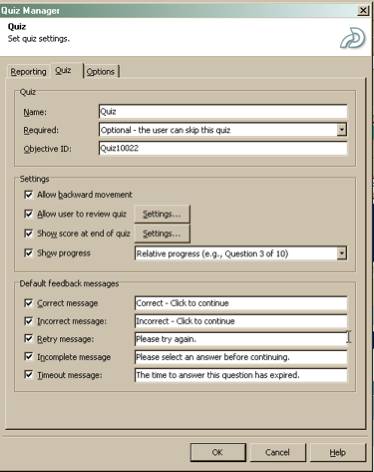
Most of the settings are optional. You can choose whatever you wish, except that since you MUST report a percent score to the LMS, you should probably show that percent score to the user at the end of the quiz if this is a scored or assessment module.
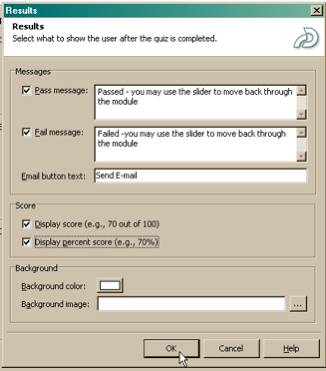
Click on the Settings button next to Show score at end of quiz to configure the way the results will look to the user. The Results dialog will appear:
Additional resources:
For more information on the use of the Quiz Manager, click here
 Comments
 Post a comment