September 28, 2003
A gallery of Drupal themes
Note: the themes shown in this gallery are now largely outdated. Visit The Drupal Theme Garden to see the current themes in action. To see which themes are currently available and which are up to date, see the version numbers under each theme on the Downloads page on the Drupal.org siteThis is a gallery of screenshots of the themes available for Drupal, an open-source platform and content management system for building dynamic web sites. Drupal is available here.
Click any image to see an enlarged view.
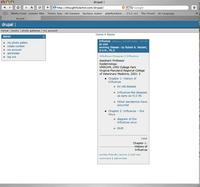
ADC - Viewed on Safari
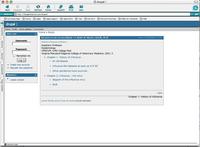
Almaw - Viewed on IE Mac
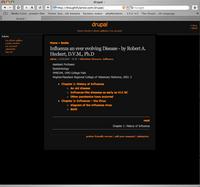
Almaw Black
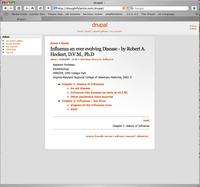
Almaw Gray
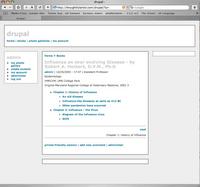
Blue Robot
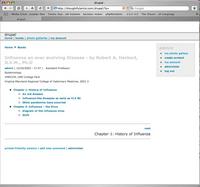
Blue Robot 2
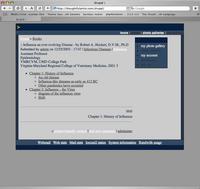
Blueish
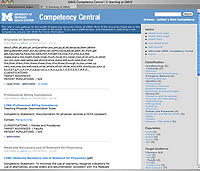
Blue Marine
Example
Frisbee
Goofy
Interlaced (note - this theme is CSS based and
comes with several variations)
Jeroen
Marvin
Polder
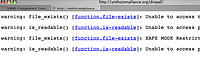
Smarty
(Smarty themes don't work
on my server,
probably something having to
do with paths, or Safe-mode.)
StyleBox
Sunflower
Trip
UnConeD
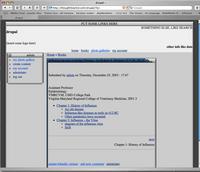
X-Silver
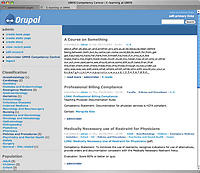
Xtemplate
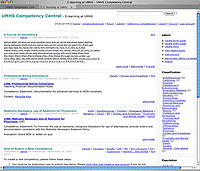
Xtemplate Tableless
September 26, 2003
Where to go when you have Final Cut Pro questions or problems
I've found these forums to be particularly useful in helping me solve my Final Cut Pro 4 issues.
Apple.com's FCP discussions
Ken Stone's Final Cut Pro
Creative Cow Forums
MacFixit.com
Final Cut Pro v. 4 Log and Capture problem
When I installed Final Cut Pro v. 4, I lost all ability to Log and Capture. Not just in Final Cut v.4, but also in the older version 3 which was left on the drive by the install. When I would open the log and capture window, FCP would unexpectedly quit every time.
I trashed preferences according to instructions on Ken Stone's site,
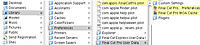
(CLICK IMAGE TO VIEW FULL SIZE. Thanks to Ken Stone for these instructions!)
I then uninstalled Final Cut 4 and 3 according to these instructions on Apple's site, uninstalled iChat AV, just in case, and finally reinstalled FCP 4. It still did not work. I finally did a clean install of the system, and reinstalled Final Cut v. 3, which started working again. At this point, I happened to search MacFixit.com about this issue, and it turns out there is a known issue with IOXperts webcam drivers and the log and capture function - although this was with Final Cut 3. I had those drivers installed and now think they may have had something to do with this issue. I will be reinstalling FCP v. 4 soon, and will find out for sure.
September 20, 2003
In search of closed captioning on web video
In the web environment I develop for - a busy hospital - having some kind of captioning on presentations that include an audio track is not optional. Videos and narrated presentations are watched in common areas, and it's not always possible to locate a pair of headphones or even convenient to use them if there are other things going on in the room that need to be heard.
There are also a few people with hearing disabilities that need the captions. So I've been searching for a captioning method for all our streaming video that is efficient, and creates web-based video that is compatible with Windows and Macintosh computers.
Although the Virage system will be ideal for this (voice recognition and screen-scraping create searchable, linked chunks of text associated with the exact locations in the video where they occurred.), it will not be in place soon enough.
Creating captions on VHS/DVD formats would be a nice capability, as well.
I tried Magpie which is a free captioning program that looked good. However in my experience with it so far, it is too buggy to use on both OSX and Windows 2000 Pro. It usually takes 3 tries to start on OSX, then often quits in the middle of a line, and does not allow you to start from the middle of a movie - making it unusable. It simply will not start up on Win2K.
So now I am looking around for commercial alternatives. The one that looks best so far is CCaption but the price is pretty high (around $3000.00)
I've also experimented with using a SAMI file in windows media (inconsistent results so far - the captions don't always show up, and syncing is manual), and though I am sure it can be made to work the manual syncing is a drag. Microsoft's site does say "No specialized software of any kind is needed to create a SAMI file" but frankly, no specialized software of any kind is needed to write a letter either, but we DO have Microsoft Word for some reason...
Same with Quicktime's import to text track- it's a little more useable but not much.
I've priced CCaption: $3000.00 (!) but it looks like just the thing, if I could afford it.
Also attempted to use the Text Crawl filter in Final Cut Pro (text needs to crawl too fast to be readable to keep up with the speaker.) and Text -Lower Third Filter (too limited for this use.)
One thing I've tried that actually does work is using the new MS Producer 2003 to create captions. I selected a template with only 320x240 video + resizable HTML. I save a new HTML file as "1.html", in the assets folder of the producer project. It helps if the HTML file is already linked to a CSS file, and there is a div set up with the style assigned. Your text goes inside the div. Keeping Dreamweaver open in the background, I click the "Play" button in the timeline of Producer. As the video plays, I listen for a full sentence then stop the video, hit the "Mark" button, switch to Dreamweaver and type in the sentence, then save.
Then I "Save As" a new file: "2.html", which will contain the second caption. I switch back to Producer, listen for one more sentence, stop the video, hit the "mark button, switch back to Dreamweaver and type in the sentence. Save, then Save As "3.html" and repeat.
At times I take a break to synch up all the html files that have been created with the marks in the video timeline.
The really great thing is: since there is no Powerpoint in this kind of Producer presentation, and no table of contents, the file is apparently compatible with Macs (at least IE on the Mac) since it does not require the button javascripts that usually don't work very well. The presentation plays, the html pages switch at the right times. I haven't tested it on Safari yet, but I'm not too optimistic about it working on that browser at this time.
However, I regard this as kind of an interim solution, so I am still on the lookout for good captioning procedures and software.
______________________
September 8, 2003
MS Producer 2003 - report so far
A long awaited update to Microsoft Producer is here. Producer 2003 is available from: Final Release Candidate of Producer 2003
Producer is a free app that allows you to synch Powerpoint presentations with video, html, and audio. Producer also converts video to streaming video in multiple bandwidths and formats, for different audiences. Lots of little conveniences, in a piece of software that still has some rough edges.
So, I was very happy to try this update. One new feature it promised was Mac compatibility, but that does not seem to be quite there yet. At least they are trying! I tested one presentation so far in Safari and IE 5.2 for OSX. In IE, it played the audio and flipped the slides, but the Table of Contents buttons were not clickable, and the video did not play. (WMP v. 8.0 codec was used.)
In Safari, it gave me javascript errors on attempting to play, then asked if I wanted to try using Windows Media player standalone to play the presentation. Clicking "yes" opened the player, which played the video, but no audio, and of course the slides did not play.
(update June 2005: with the latest updates to panther and quicktime, Safari now refuses to play Producer presentations correctly. I get a missing plugin icon where the video should be, and the slides do not play. This is in both Safari and Netscape. IE 5.2 plays the presentation OK.)
Maybe next version...
I also am hoping that it will work from within frames as advertised. The new feature list is quite incredible, and perfect for those of us that need to integrate Producer presentations into Learning Management Systems.
The first presentation I converted from the old version to new needed to have its templates replaced before it would play all the elements on the tracks.
The Producer home page is here:
MS Producer home page
A resource CD for Microsoft Producer is available HERE which contains a template editor among other things - a glance at a Producer template will show you just how necessary an item that is.