In Word 2003, it is not immediately obvious how to export pictures that have been inserted into a Word document. Even if you select "File: Save As..." and select the format "Web Page" in the "Save As" dialog, the images that get saved along with the web page are usually low resolution.
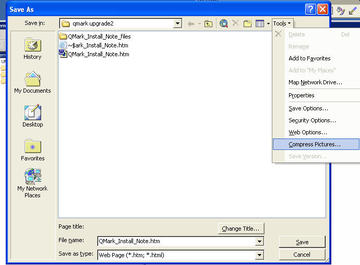
The solution to this is a menu selection "Compress Pictures" which is hidden in the "Tools" menu in the "Save As" dialog.
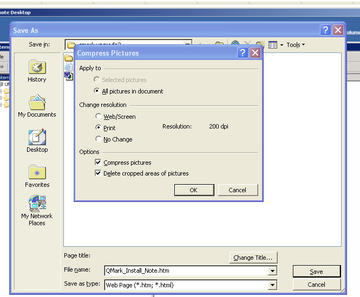
The Compress Pictures dialog gives you options for adjusting the resolution of your exported images.
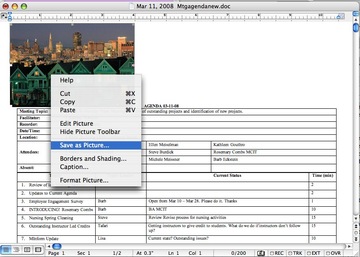
In Word 2003 for Macintosh, it's much easier to save images from a Word file. Simply right-click the image, and select Save As Picture.
 Comments
 Post a comment