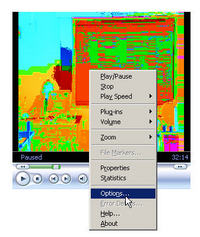
A new computer running Windows XP was having a problem displaying some video produced a few years ago with Windows Media 7 format. The video image resembled a 60's flashback, as shown below:
[Click each image to see larger version]

To get normal video again, right click in the middle of the video player. Select Options from the popup menu.
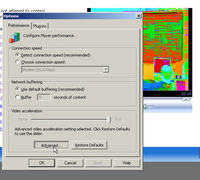
Click Advanced:
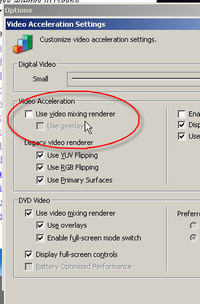
Deselect Video Mixing Rendering
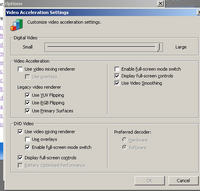
And the correct video image should return:

Of course to shoot a screenshot of the working video, I had to deselect Overlays because the video normally displays in another "overlay" over the screen, which is not captured in screenshots.
 Comments
 Post a comment