Reload Editor Tutorial Part II -Create course Structure
- The item called "Organizations" represents the entire Learning Module. This is the trunk of the course-structure tree you will build. The individual SCO's you have imported will be items within an "organization" that is contained within the main "Organizations" item.
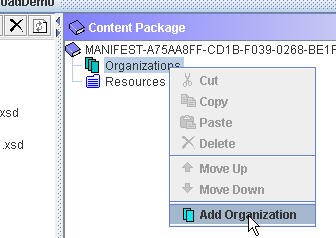
- Right click "Organizations" item. Select Add Organization.
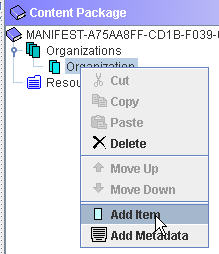
- Next, add an Item (this will be one of the SCO's) to the Organization you just created. Right click it and select "Add Item"
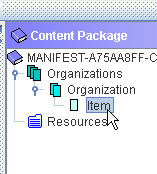
- The package will now look like this:
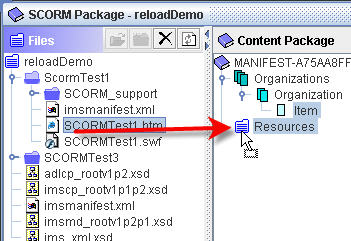
- Next we need to select the resources that will be used to open the SCO. Drag the index page for the first SCO to the Resources folder in the Content Package side:
 Comments
 Post a comment