Browsers other than IE will show padding if it is applied to the table tag.
table {
padding:6px;
}
IE does not recognize table padding, and will show contained elements as flush with the edges of the table.
For example:
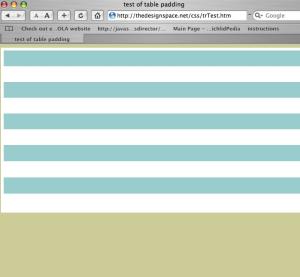
This is the way Safari 2.0 renders the code below. Note the 6 pixel white padding area between the edge of the table and the edge of the tr.

This is the way IE 5 running on VPC renders the code. However IE 6 on PC is the same.
<!DOCTYPE html PUBLIC \"-//W3C//DTD XHTML 1.0 Transitional//EN\" \"http://www.w3.org/TR/xhtml1/DTD/xhtml1-transitional.dtd\">
<html xmlns=\"http://www.w3.org/1999/xhtml\">
<head>
<meta http-equiv=\"Content-Type\" content=\"text/html; charset=ISO-8859-1\" />
<title>test of table padding</title>
<style type=\"text/css\">
<!--
body {
	background-color: #CCCC99;
}
table {
padding:6px;
background:#FFF;
}

tr.class1 {
background:#FFF;
}

tr.class2 {
background:#99CCCC;
}


-->
</style></head>

<body>
<table width=\"100%\" height=\"356\" border=\"0\" cellpadding=\"0\" cellspacing=\"0\">
  <tr class=\"class2\" >
    <td> </td>
  </tr>
  <tr class=\"class1\">
    <td> </td>
  </tr bgcolor=\"#99CCCC\">
  <tr class=\"class2\">
    <td> </td>
  </tr>
  <tr class=\"class1\">
    <td> </td>
  </tr>
  <tr class=\"class2\">
    <td> </td>
  </tr>
  <tr class=\"class1\">
    <td> </td>
  </tr>
  <tr class=\"class2\">
    <td> </td>
  </tr>
  <tr class=\"class1\">
    <td> </td>
  </tr>
  <tr class=\"class2\">
    <td> </td>
  </tr>
  <tr class=\"class1\">
    <td> </td>
  </tr>
</table>
</body>
</html>
