It's not obvious when using Safari on the Mac how to get the Java console to start up.
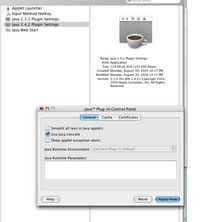
Go to Applications/Utilities/Java/Java 1.x/x Plugin Settings and turn it on there. Then it will show up whenever Java is active in Safari.
This also works in Firefox, although that has menu items you can download as extensions that will show the console or not.
 Comments
 Post a comment